Known Participant
March 27, 2023
Answered

Is there away I can set all my baseline frame options to caps

  • March 27, 2023
  • 2 replies
  • 3710 views

Is there a way to set my text frame options baseline height to all caps for my whole document

I am doing it manually one by one and it is tedius



Correct answer Eugene Tyson

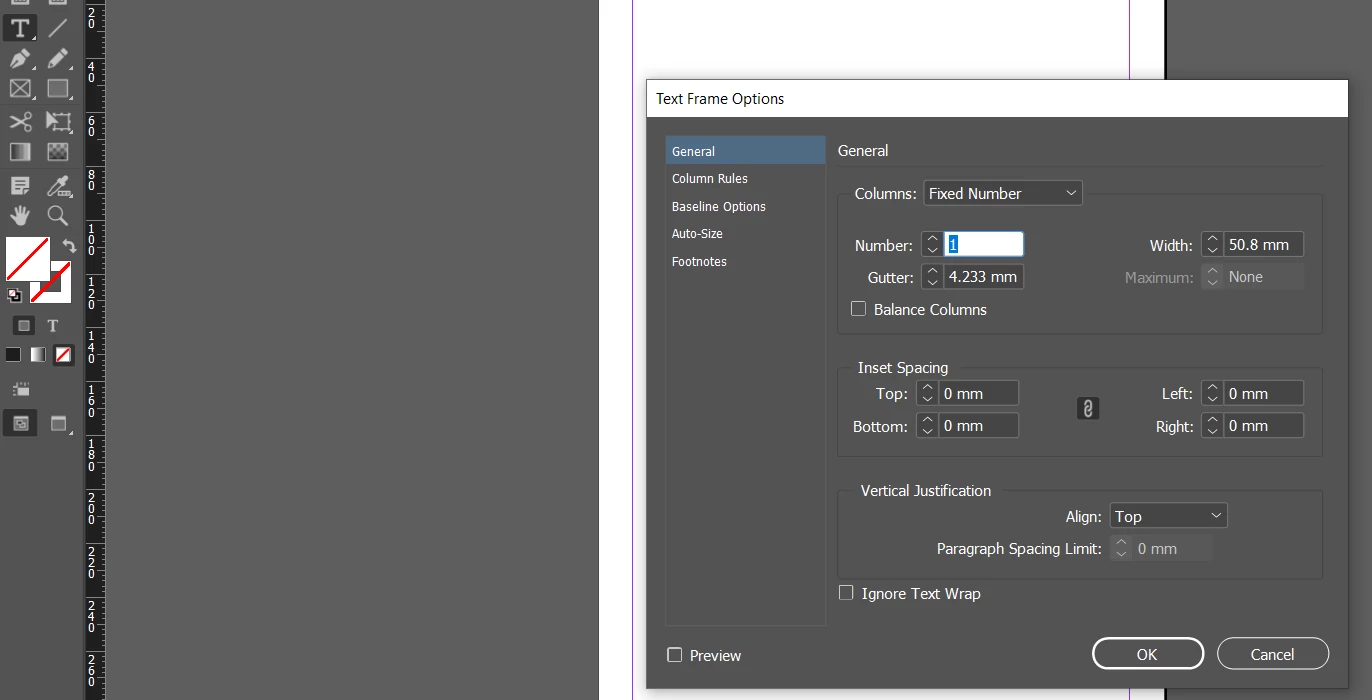
Also - with just the type tool selected go to Object>Text Frame Options

What you set here will become the default for all text frames from that point on


If you do this with no documents open it becomes the default for all new documents going forward.


2 replies

Dan Rodney
Community Expert
Community Expert
March 27, 2023
  1. With nothing selected, go into Window > Styles > Object Styles.
  2. Double-click on the [Basic Text Frame] style.
  3. On the left click on Text Frame Baseline Options.
  4. Here you can change the First Baseline Offset setting to Cap Height


I believe that's the setting you're looking, right? This should change all text frames (ones you have created and ones you will create in the future... unlike doing a Find/Change which will only change ones you've already made).

— Adobe Certified Expert & Instructor at Noble Desktop | Web Developer, Designer, InDesign Scriptor
Participant
February 8, 2025

Saved me hours of work. Thank you.

Community Expert
March 27, 2023

You can use Find Change


Set object on the find options

And search for all text frames 


In the 'Change Object Format'


it should look like this


And it would be even better if you did it as an object style


So you can set 1 Text frame up the way you like it

Then Create the Object Style


Then you can do the same Find Change for all text frames to apply the Object Style


Eugene TysonCommunity ExpertCorrect answer
Community Expert
March 27, 2023

Also - with just the type tool selected go to Object>Text Frame Options

What you set here will become the default for all text frames from that point on


If you do this with no documents open it becomes the default for all new documents going forward.


Known Participant
March 27, 2023

Great help, thank you