dublove
Legend
September 15, 2024
Question

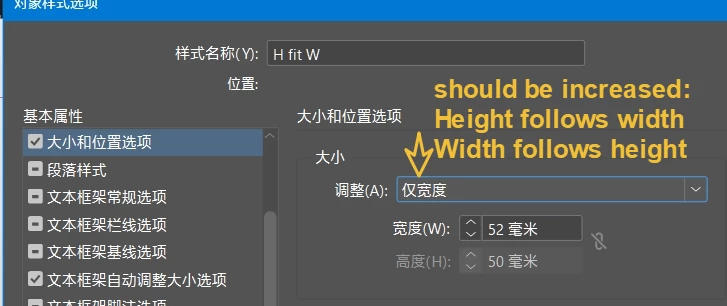
Is there no option in the object style to limit the size and have the height vary with width?

  • September 15, 2024
  • 1 reply
  • 471 views

It's strange that there's no option in the object style to limit the size and have the height vary with width.


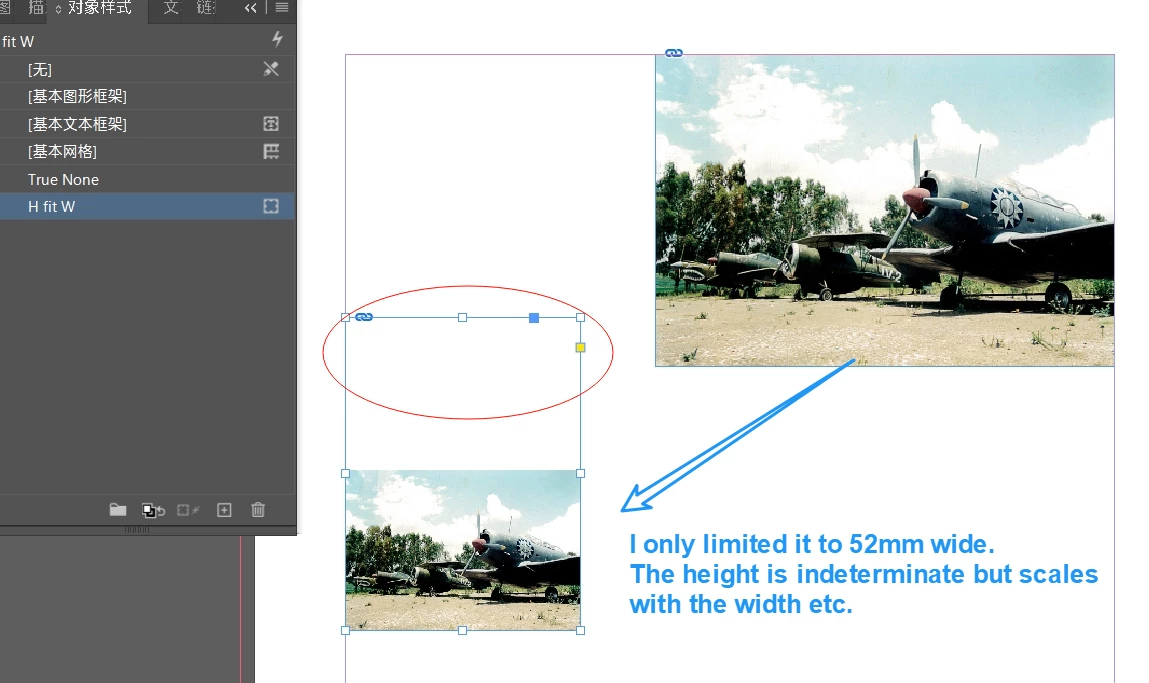
When I only limit the width to 52mm, I want the height to scale proportionally with the width.

Now here's the thing, the frame doesn't automatically fit.


Am I just not getting it?

Or did Adobe forget?

Thanks.
 

This topic has been closed for replies.

1 reply

Derek Cross
Community Expert
Community Expert
September 15, 2024

I'm not entirely sure what you want but if you want to automatically resize a batch if images, have a look at the Image Processor script in Photoshop.

File > Scripts > Image Processor.

dublove
dubloveAuthor
Legend
September 15, 2024

I want to use object styles to make the image fit my column width with one click.
I do know the width of the column, so I limit the width of the picture in the object style, the height of the picture is not fixed, but the height should change with the width.

Robert at ID-Tasker
Legend
September 15, 2024

Unfortunately, there is no "Fit Frame to Content" option in the Object Style / Frame Fitting Option:


But a simple script could perform such operation on the selection or all objects in the Story / Document / Page / Spread.