


is there something special about the characters ∆ (U+2202) and ∂ (U+2206)?
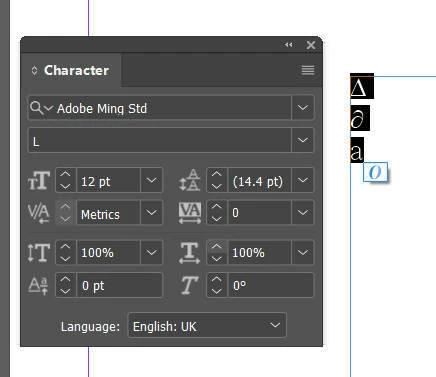
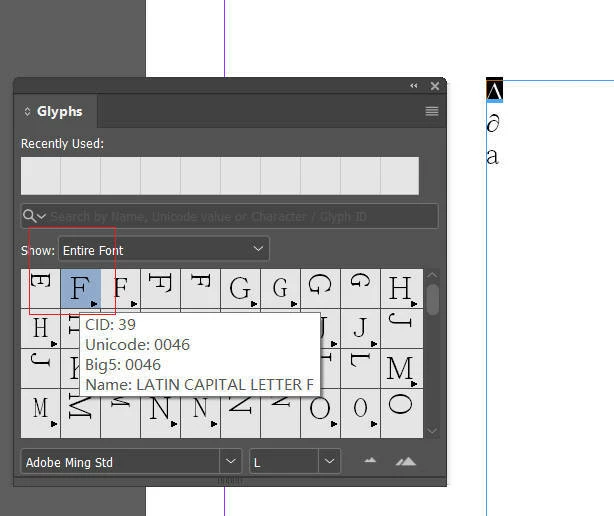
I have discovered a peculiar phenomenon: is there something special about the characters ∆ (U+2202) and ∂ (U+2206)? Regardless of whether the font applied to them actually contains glyphs for these code points, InDesign always manages to display them—though it is unclear which font is being used as a substitute. This behavior occurs exclusively when using the Adobe CJK Composer or the Adobe Composer; it is not present when using the Adobe World-Ready Composer. Is this an intended feature of InDesign, or is it a bug? If it is a feature, are there other characters that behave the same way? I entered these two characters into a text frame, along with the letter "a" for comparison. As shown in Figure 1, the Character panel indicates that the font in use is "Adobe Ming Std." Furthermore, when I open the Glyphs panel and select ∆ (U+2202)—as shown in Figure 2—the glyph displayed for this character corresponds to U+0046, which is incorrect.
 AdChoices