Legend
April 19, 2018
Answered

Is this a bug? Fit2Content with text-box-auto-adjust

  • April 19, 2018
  • 2 replies
  • 656 views

Hello,

a collegue came in and asked about this:

She has a textbox. When she changes text point size to 100, the box is empty and the overflow icon is showing. To adjust the text box to its content, she now double-clicks on the lower-right corner of the textbox – seems that the fit frame to conten-function is activatated that way. Now the text visible, the overflow is resolved, the textbox got adjusted to fit the text' size.

But:

If you set your textbox to auto-adjust:width (german client here, hope my translation is correct for that feature, screenshot below), the fit to content doesnt work anymore, but should.

The later feature auto-adjust doesnt seem to blend in with fit2content very well. But Im moaning for years now about the crappy fit 2 content, which never worked with rotated images and cuts content.
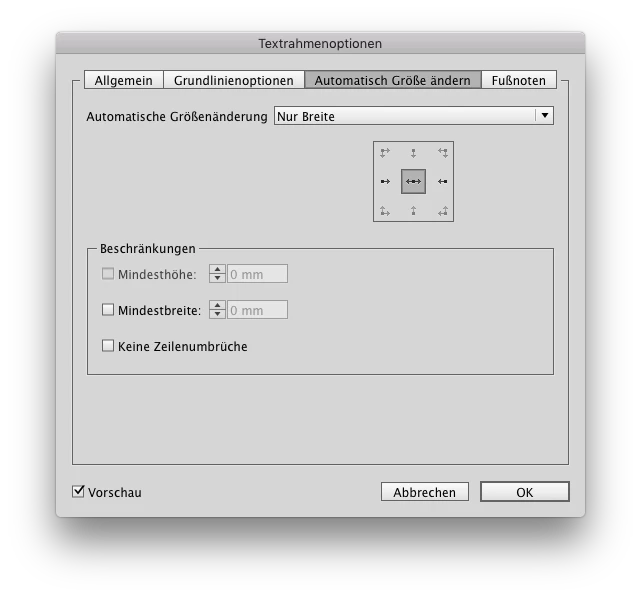
This topic has been closed for replies.
Correct answer Laubender

I simply dont get why this state of fit2content could have passed Adobes requirements again and again. I want to understand, how this is handled, because dragging that bug (and I think the textbox-auto-adjust is building on that bug, inheriting the subpar behaviour) for years simply shows Adobe doesnt care: "Meh. Not fit2content again, didnt we revised that 2005? Lets do something more flashy for CC18!". Yes, there are a lot of construction sites, but before implementing new features every version, I would fix my core, not to be embarassed.

…Buuuuut, today its friday and the sun is shining in germany, so no bad feelings this workday, …soon to be over – half day off (AM11:45), BBQ time!


Hi Jan,

yes. Today in Germany will be the hottest day in April in written history :-)

( And April's not over yet. )

About Fit-to-Contents :

Old bugs are very hard to fix. The developers we have today are not the ones of the days when the feature was introduced.

And about fixing bugs: With CC 2018.1 the current developers did a fantastic job regarding bug fixing:

March 2018 (13.1) release of InDesign CC Release Notes

Of course, there is an awful amount to do regarding fixing old bugs…

Regards,
Uwe

2 replies

amaarora
Inspiring
April 20, 2018

Hi,

What should be the expected outcome in such a scenario?

Please see the below image which shows the expected behavior as per my understanding.

Also, i have processed the Uservoice thread and we will look into it.

-Aman

DBLjanAuthor
Legend
April 20, 2018

amaarora​, thank you upfront for finally tackling this. But expect a hell of ride: the 'content' can be a really tricky – polygons, groups, skewage, rotation. I somewhere discussed this with Laubender​ in 2016, and other great scripted chimed in, how tricky that would be to mimic/fix Adobes function by script. Maybe Uwe remebers, but i didnt found the discossion to link.

As for you images:

Yes, thats wraps it up: dont cut anything of the content in the frame, whatever transitions that content may has. A simple rotation shows the lack of FitFrame2Content.

Community Expert
April 20, 2018

Hi Jan,

do you mean the discussion below?

Actions (like in PS/Illu) in InDesign / functions batch?

Hi Aman,

see especially in my reply #8 here:

Re: Actions (like in PS/Illu) in InDesign / functions batch?

Regards,
Uwe

Steve Werner
Community Expert
Community Expert
April 19, 2018

I'd suggest making a feature request here so it will be seen by product managers. Messages in this forum will not:

Feature Requests/Bugs

DBLjanAuthor
Legend
April 19, 2018

Adobe doesnt seem to be interested in reputation or that their product actually does what promised. I constantly reported this since CS4. If votes all is they care for, InDesign can gladly become the new Nokia or QuarkXPress.

Community Expert
April 19, 2018

Hi Jan,

I voted for the one you are showing in the screenshot.
Suggestion: If you advertise bug fixing do not forget to include links in your posts.

Regards,
Uwe