Inspiring
July 19, 2024
Answered

Issue creating TOC from content that does not actually appear in the published document

  • July 19, 2024
  • 2 replies
  • 767 views

I need some other text to appear in the TOC instead of the text in the published book.


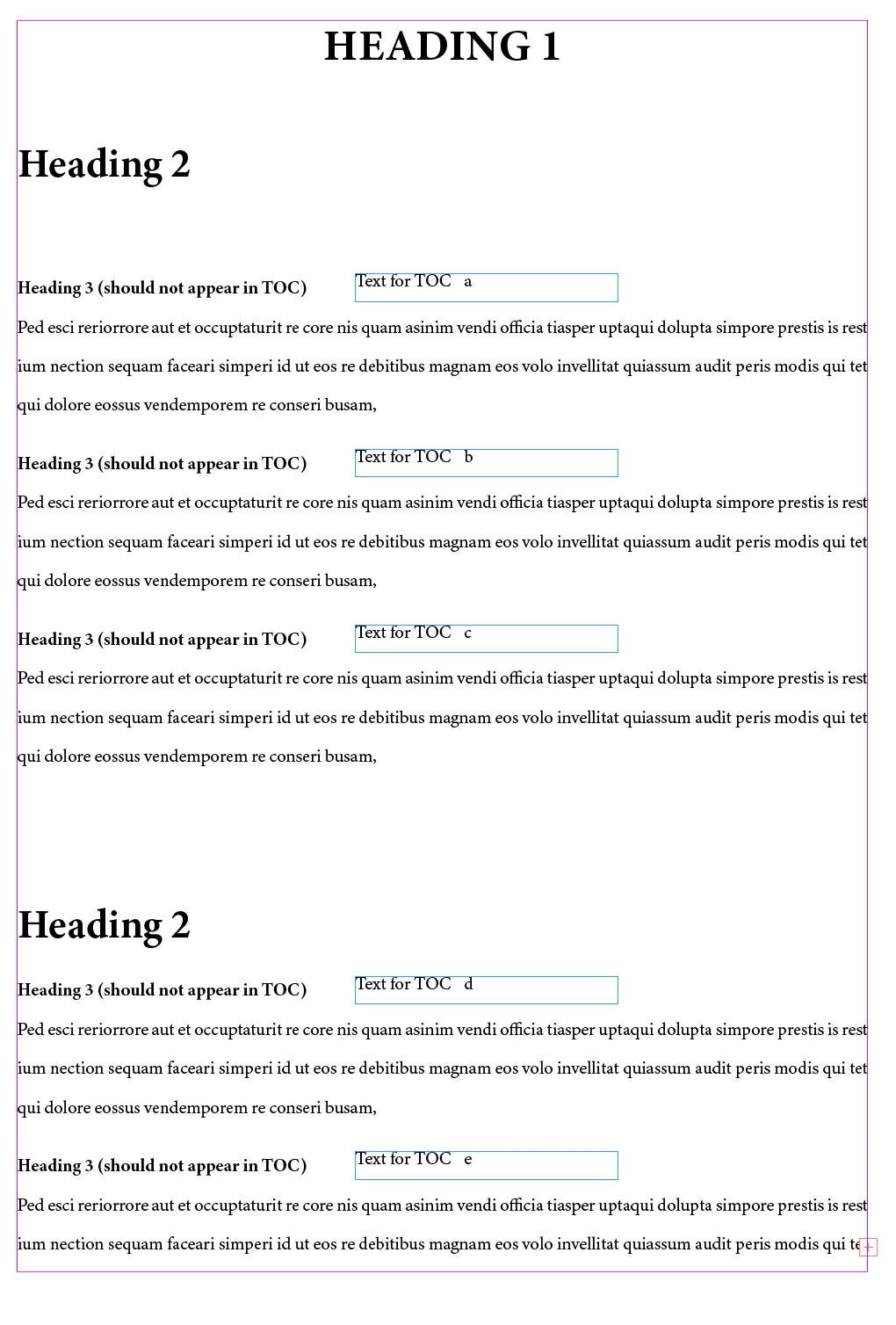
I decided to create a seperate text box and anchor it to the text flow.


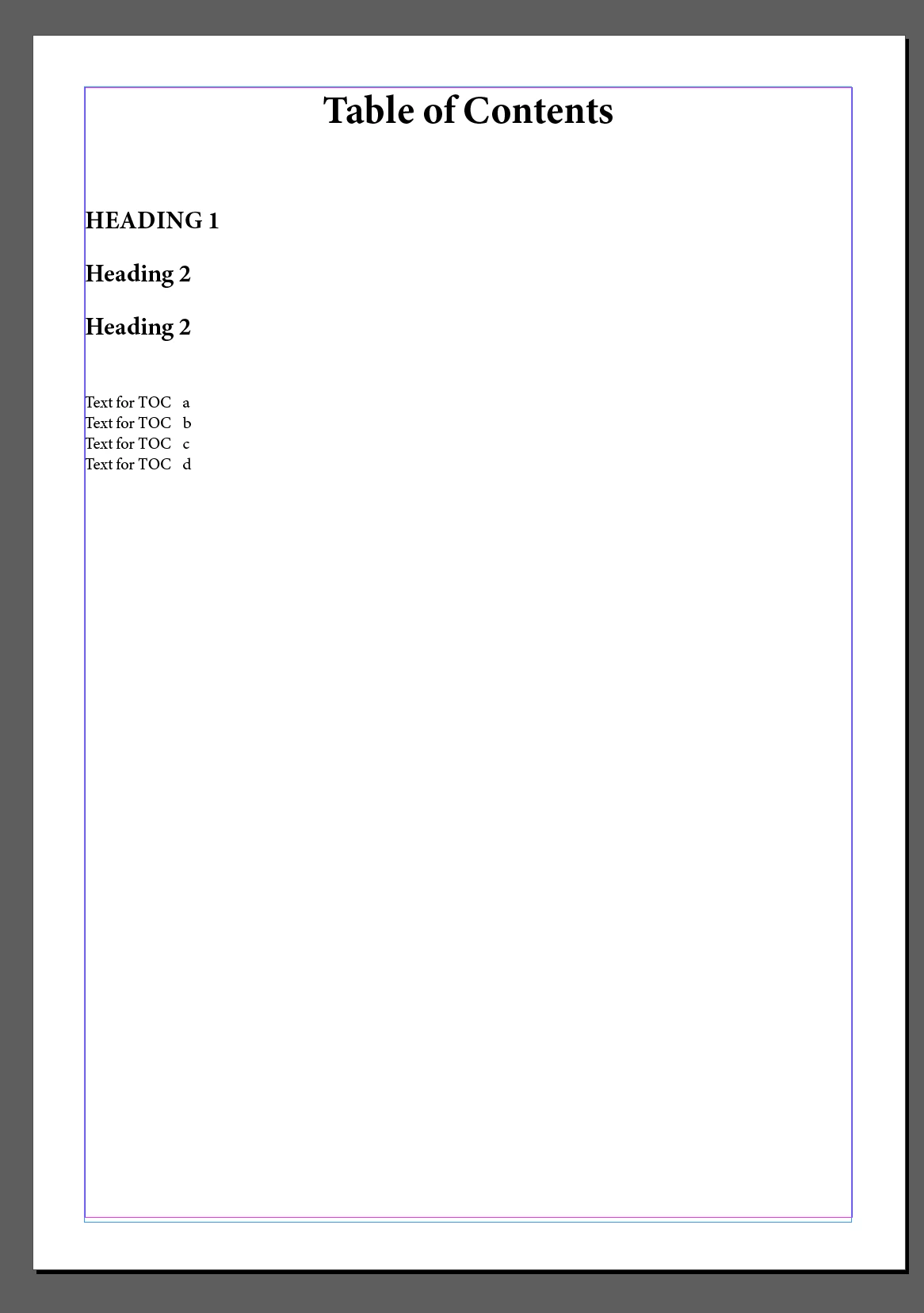
But when i updated the TOC. All the content in the text boxes appeared at the end of the TOCs.


See example below. The Text for TOC a, b and c should be appearing under the first Heading 2.


Is there a way to solve this?
 

This topic has been closed for replies.
Correct answer Robert at ID-Tasker

@Summayah5FC7 


So you don't want to see text from Anchored TFs - but want it in the TOC?


How about adding it as an extra Paragraph AFTER Heading 3s - with Color=[None], PointSize=0.1, Leading=0, HorizontalScale=1%, Alignment=Right.

(Alignment is just in case)


2 replies

Robert at ID-Tasker
Robert at ID-TaskerCorrect answer
Legend
July 19, 2024

@Summayah5FC7 


So you don't want to see text from Anchored TFs - but want it in the TOC?


How about adding it as an extra Paragraph AFTER Heading 3s - with Color=[None], PointSize=0.1, Leading=0, HorizontalScale=1%, Alignment=Right.

(Alignment is just in case)


Inspiring
July 19, 2024

It looks like that is going to be the way to do it. 

Robert at ID-Tasker
Legend
July 19, 2024
quote

It looks like that is going to be the way to do it. 


By @Summayah5FC7


It should.


I can convert it for you if it's "almost ready to print" and you would have to do it manually.


Mike Witherell
Community Expert
Community Expert
July 19, 2024

Don't anchor it. Another approach is to build a textframe on the pasteboard. It will show up in the exported PDF.

Mike Witherell
Robert at ID-Tasker
Legend
July 19, 2024
quote

Don't anchor it.


By @Mike Witherell


I don't think it will work for OP - what if text reflows... All the unanchored TFs will stay where they are...