helloalex1
Participating Frequently
February 17, 2017
Answered

Issue with bleeds in InDesign

  • February 17, 2017
  • 3 replies
  • 6507 views

Hello,

Can anyone help me to sort out what is going on with InDesign or with Acrobat? I don't understand anything. I am trying to export a booklet from ID to Acrobat. My page size is 11" x 8,5" (A4 horizontal), so I'm doing next: making bleed 0,25" for all sides, then doing as everyone on forums, youtube etc - adding crop marks, turning on "use document bleed settings" in Marks and Bleeds menu; in General I'm choosing High Quality Print, Compatibility - Acrobat 4 (PDF 1.3).

So bleeds is not trimming anything in PDF file, I've tried a million times to do something that experts advice here on forums, google or youtube - no result.

Please someone save me, because it should be printed today.

Thanks.
This topic has been closed for replies.
Correct answer vinny38

vinny38 This screenshots are with your fixes.

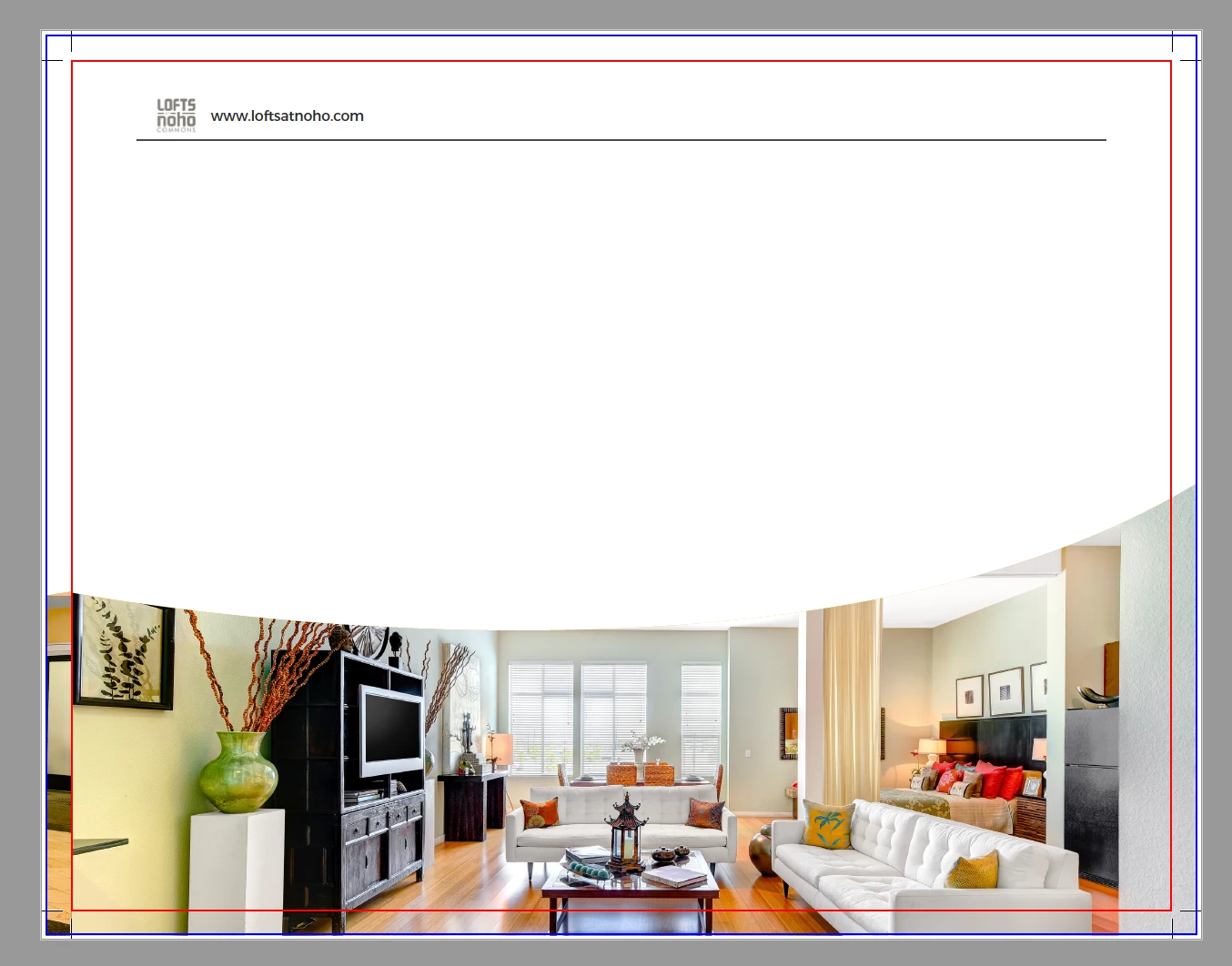
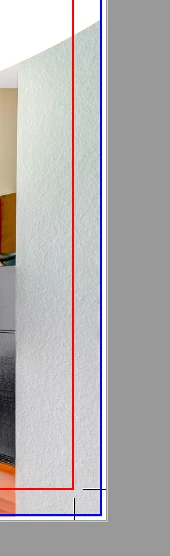
But what is this? Why this guys are still visible? In every print ready file tutorials after all of this export setting this bleed area became clear, after the same setting my bleed area is still visible. One question - why?


Nikita.


Nikita,

Nope, bleeding area should not become "clear"...

You are fine now! Red stroke represents where the printer will trim. No risk of seeing blank paper after trimming.

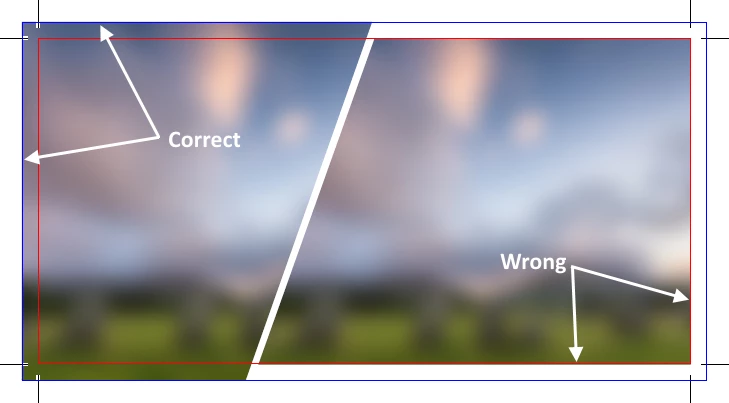
See picture below : imagine you try to cut it off with scissors. You'll understand that unless you are very, very, very precise, you won't be able to cut off the wrong part without having some white paper zones remaining...

3 replies

vinny38
Legend
February 17, 2017

Hi

The problem here is not your export settings, which are fine (not talking about profile, which could be discussed, but it's not the point here)

The problem is that some of your pictures don't extend to the bleeding zone.

See here :

Drag frames out of the page and make sure images do extend like this:

Finally your pdf should look like this:

I would also advice on using Preflight profile with bleeding control.

Vinny

helloalex1
Participating Frequently
February 17, 2017

Thanks, Vinny

But what about the first page?
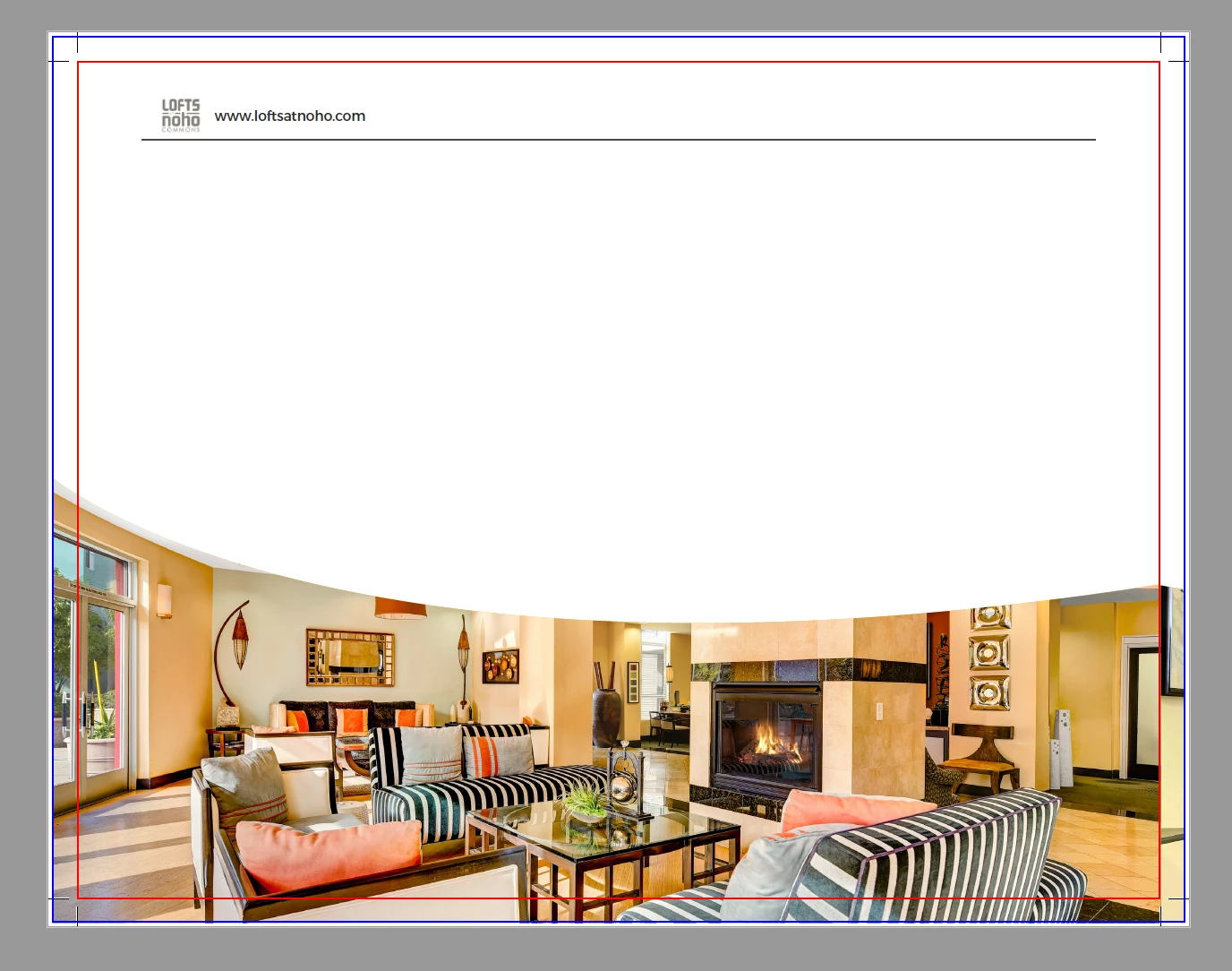
Is this okay? Why it's still visible? In the preview mode in InDesign it looks okay, but here, in PDF, it doesn't look okay.

Also I am not sure about the 2nd and the 3rd pages, that makes me absolutely confused now.. Hope you'll help me guys, because I'm sitting about 10 hours without any result.

helloalex1
Participating Frequently
February 17, 2017

vinny38 This screenshots are with your fixes.

But what is this? Why this guys are still visible? In every print ready file tutorials after all of this export setting this bleed area became clear, after the same setting my bleed area is still visible. One question - why?


Nikita.

Scott Falkner
Community Expert
Community Expert
February 17, 2017

Bleed in your PDF will allow anything that extends into the bleed in your document to show. It won’t create a bleed for any image or object that was not created with a bleed. For example, that first image with the yellow graphic at the bottom looks like an imported graphic that bleeds and a drawn frame that doesn’t.

To give us a better idea of how the file was set up show screen captures of both the PDF and the InDesign file. Make sure you are not in Preview mode and that guides and frame edges are showing.

helloalex1
Participating Frequently
February 17, 2017

Thanks for your reply, Scott.

Honestly I'm not a professional in InDesign and in PDF exporting as well. This yellow graphics are exported from Illustrator, really. The main reason of this all is to make this InDesign ready for print.

Here is the InDesign screenshots that you asked me to do:


P.S.: I'm not sure what the PDF screenshot are you asking me for, because I showed everything I have.

Thank you!

helloalex1
Participating Frequently
February 17, 2017

Here are the screenshots:

helloalex1
Participating Frequently
February 17, 2017

And PDF: