Participant
May 13, 2025
Answered

Issue with ICC profiles not showing in InDesign

  • May 13, 2025
  • 2 replies
  • 848 views

Windows operating system

When I am placing .ai files into my InDesign document, there is no ICC profile shown in the links panel and none of the CMYK colors from the file show in the colors panel. I don't have this issue with Pantone colors. I'm attaching a screenshot of my current InDesign and Illustrator color settings along with the InDesign file and the Ai file I was trying it with. Any help appreciated!!
Correct answer rob day

@rob day Okay. I've tried it with fresh documents since and still not having luck with any of the CMYK colors from the linked file appearing in my swatches panel.


still not having luck with any of the CMYK colors from the linked file appearing in my swatches panel.


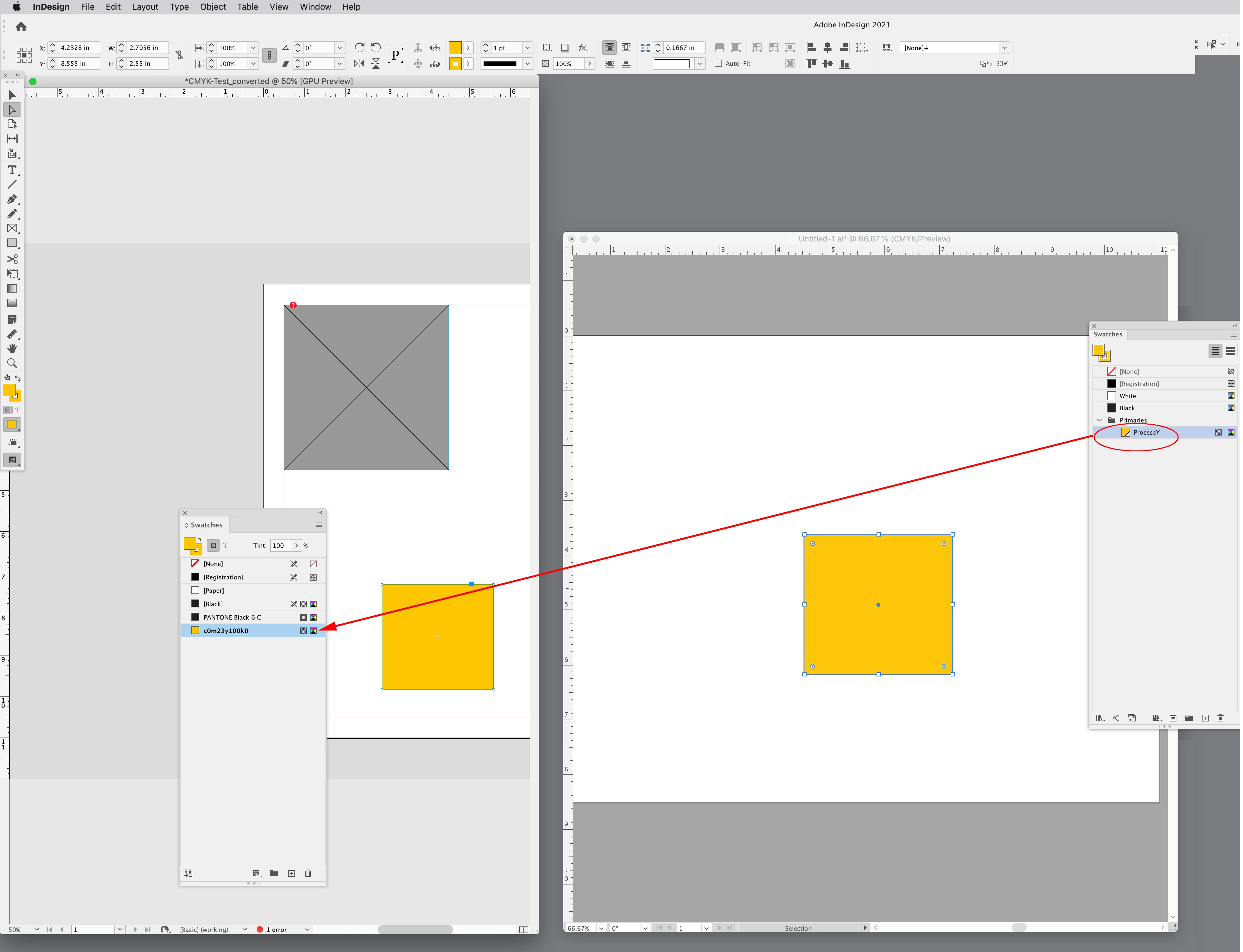
Only Spot Colors from a Placed .AI file would get added to InDesign’s Swatches panel.


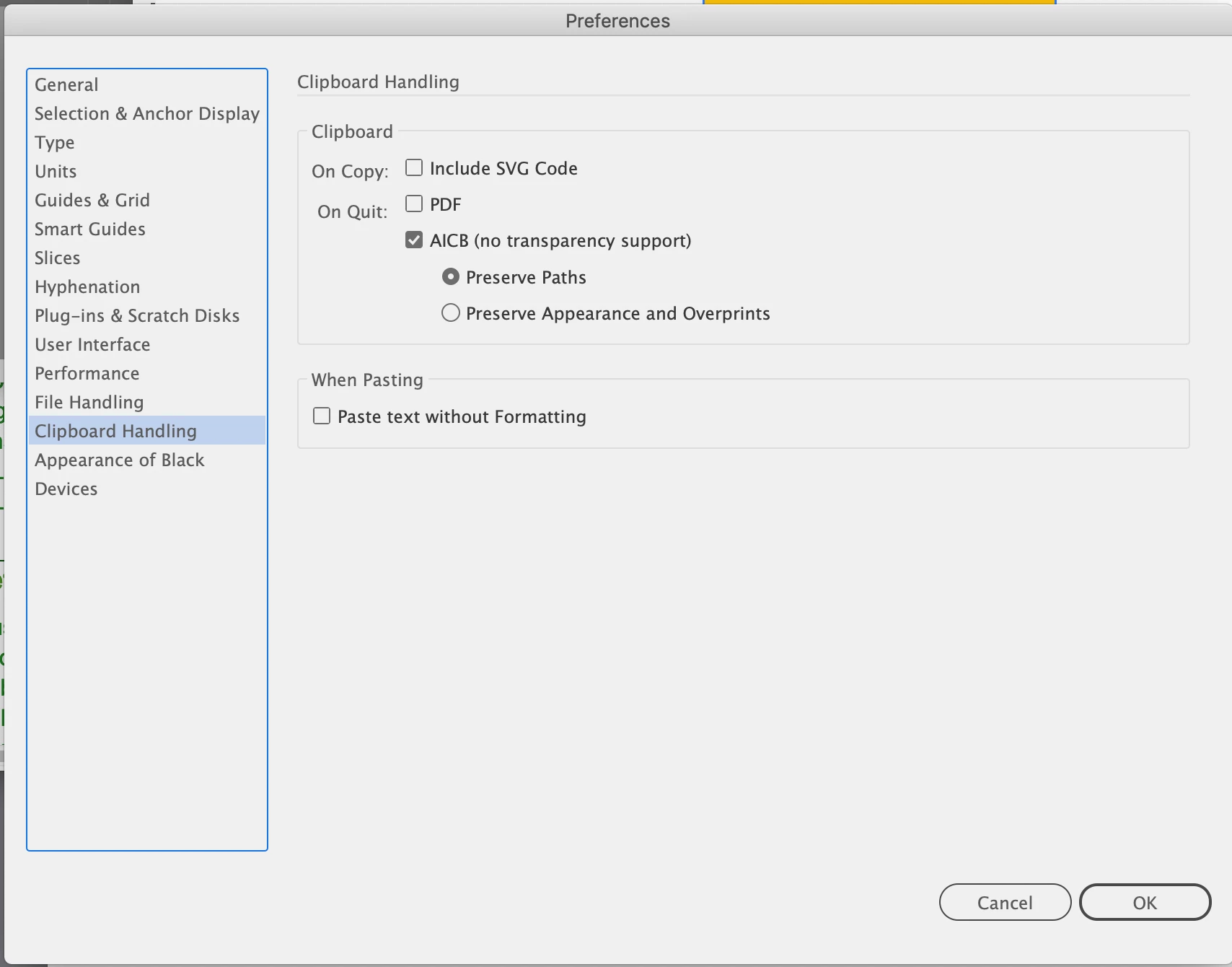
If you setup your Preferences correctly, process Swatches will get added on a cut and paste from simple Illustrater files:


AI


ID


2 replies

rob day
Community Expert
Community Expert
May 13, 2025

When I am placing .ai files into my InDesign document, there is no ICC profile shown


Hi @kristen_8672 , Color Settings are your color prefs for future documents you create  — they don’t necessarily color manage existing documents. To check a document’s color management settings use Edit>Assign Profiles...


If I check the ID file you shared, it has no assigned profiles.


Also, your Color Settings capture is showing the CMYK CM Policy is set to Preserve Numbers (Ignore Linked Profiles), so any placed CMYK file will have no profile assigned.


Participant
May 13, 2025

@rob day Thank you for such a quick and thorough reply.

I've adjusted the color management policies to 'Preserve Embedded Profiles'.

Regarding Edit>Assign Profiles, it shows profiles on my end? See screenshot.

rob day
Community Expert
Community Expert
May 13, 2025

I have seen documents get their profiles stripped by the forum. But you did set up the document to Ignore Linked CMYK Profiles, so any CMYK file you place will have its profile ignored and use the InDesign document's CMYK profile instead.


InDesign has the Preserve Numbers (Ignore Linked Profiles) as a CMYK policy option because often converting CMYK numbers will cause more problems than it solves (i.e. 0|0|0|100 black coverts to a 4-color black)

Participant
May 13, 2025

The illustrator file wouldn't attach so here is link if it helps: https://assets.adobe.com/id/urn:aaid:sc:VA6C2:f910ed64-a500-49ce-af5e-b69e764d2484?view=published

Participant
May 13, 2025