Inspiring
August 22, 2023
Answered

Issues with DropCap & Tracking

  • August 22, 2023
  • 1 reply
  • 1200 views

Hi,
I have a dropcap character style nested into my main body paragraph style. Almost all drop caps have a space after it, before the main body text. The only exception is one or two paragraphs where the drop cap is the first alphabet of a word, and thus no space follows the dropcap.

Recently, the tracking space between dropcap and the next character became inconsistent, causing collision of text in certain cases as shown below.


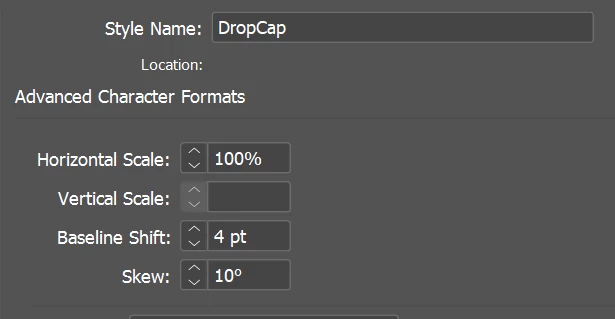
Drop Cap Character Style (Tracking: 170)
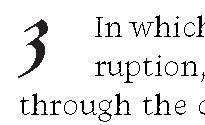
Results: Tracking of 170 based on the Character Style is applied in most paragraphs.
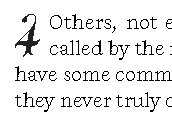
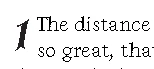


Tracking of 170 is not taking effect in a few paragraphs, as shown below. Body text collides with nested Dropcap:
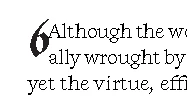
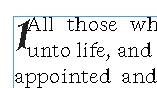


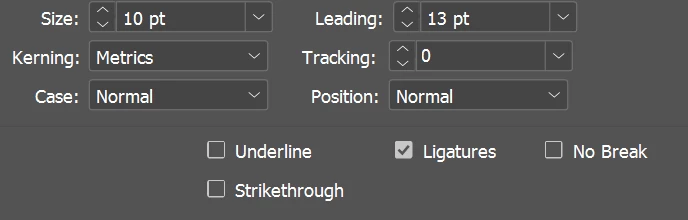
Here are the Paragraph Style settings for the Body text:


Some workarounds that were suggested but didn't work include:

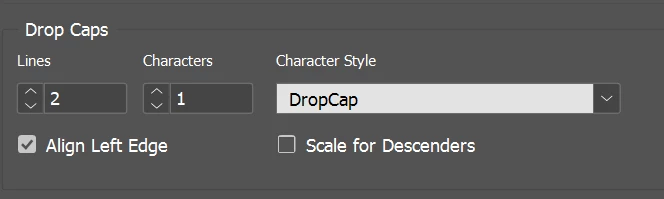
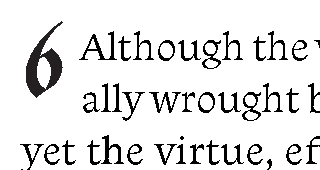
- 2 lines, 2 characters under drop cap settings - this amplifies the inconsistent spacing:

Collided text becomes spaced:
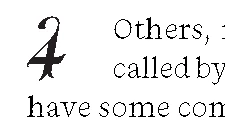
while all other instances become too widely spaced:
      

- Increase the tracking for the drop caps character style: collided dropcaps doesn't budge while other dropcaps (which are wellspaced) move.
- saving INDD file under a new name to see if changes are effected in new file. No change.

Looking for advise! It's been a long project so I'm not at a stage to create a new INDD file from scratch!

This topic has been closed for replies.
Correct answer gethmed

1. IDML has been done to no avail.

2. No problem with letters. I was explaining my rationale for having only one character under the dropcap setting.

3. It is an Adobe font.


It seems there were multiple spaces between the dropcap character and the body text. After deleting those spaces, the body text seem to re-justify, shift further right and thus give the dropcap its original visible tracking space.

Problem solved.

1 reply

Robert at ID-Tasker
Legend
August 22, 2023

It's not about saving with a new name - but exporting as IDML and then saving with a new name. 


And all your example images show single digits as a DropCap - but you mention problems with letters? 


Is the problem ONLY with 6 and 1? Is it some kind of a special font? Can you try with a different one - to rule out that it's corrupted / badly designed? 


gethmedAuthorCorrect answer
Inspiring
August 22, 2023

1. IDML has been done to no avail.

2. No problem with letters. I was explaining my rationale for having only one character under the dropcap setting.

3. It is an Adobe font.


It seems there were multiple spaces between the dropcap character and the body text. After deleting those spaces, the body text seem to re-justify, shift further right and thus give the dropcap its original visible tracking space.

Problem solved.

Robert at ID-Tasker
Legend
August 22, 2023

Great. 


But that's the reason why you should always upload "raw" and real screenshots - with Hidden Characters visible - as it would probably got it resolved sooner.