
Japanese/CJK Functionality + English UI works well, but I have troubles with the default leading.
Hello everyone!
I used the Ken Lunde Tutorial to change my InDesign with japanese functionality. I speak Spanish, but I had to change all my iOS UI in english (and my InDesign) in order to avoid any trouble with compatibility. I got to say it works perfect this way.
With this tweak, I found a whole new world to discover and understand. In CJK everything works so differently than in Western style that sometimes it bring me new challenges. Because of this, I'm experiencing problems when I need to create paragraphs in Latin text and here is the thing:
When I compose a paragraph, the auto-leading in japanese is way different than the auto-leading in western paragraphs.
For example:
- In Japanese Text: Myriad Pro Regular 12 pt. has 21 pt. of leading (way bigger!)
- In Latin Text: Myriad Pro Regular 12 pt. has 14,4 pt. of leading.
I wish I found something to change the default setting, but I can't. I just can change this manually, but every time I change the font size I got to change the leading again and again.
Here's what I've tried (but it didn't work):
- I've changed the language .
- I've set the Adobe Paragraph Composer (default is Japanese Adobe Paragraph Composer)
- I've turned off every single Mojikumi setting in the Preferences and in the Paragraph menu.
- I've turned off every single japanese control:
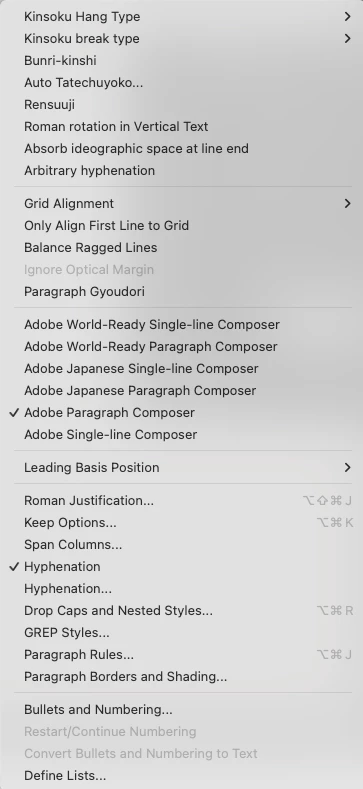
So, I think there must be something in Preferences that I might not seeing (and the expert eye could see).
If someone could share with me your wisdom and experience to help me with this problem, I would be very grateful.



 AdChoices