Participating Frequently
December 2, 2025
Answered

JavaScript InDesign - Detect table in linked text frames

  • December 2, 2025
  • 2 replies
  • 526 views

Hello,


I have a script that worked very nicely until I started using a table. The table is in multiple linked text frames. My script successfully removes table rows that are empty, but then I am left with some empty pages. My function to remove these empty pages is not working anymore, because it is now a table instead of plain text. It used to work by identifying whether all text frames on the page were empty, and then delete the page.


However, when I find the contents of the table in the text frame, it will give me the full contents of the table for the first page, and then claim that the (linked) text frame on the next page is empty.It also claims there is no table on the second and third pages (I assume due to the linking of text frames).


My question, then, how I can obtain the information that there is, in fact, a table inside the text frames on the subsequent pages?


E.g.: 

app.activeDocument.pages[2].textFrames.everyItem().tables.everyItem().contents;

returns the full table content, rather than just the content on page 2.


And:

app.activeDocument.pages[3].textFrames.everyItem().tables.everyItem().getElements().length;

returns 1 for the first page and 0 for the subsequent pages.


Alternative methods to go about this are also welcome.


I attach a screenshot for how to table looks on the two subsequent pages.


Many thanks in advance,

Heidi
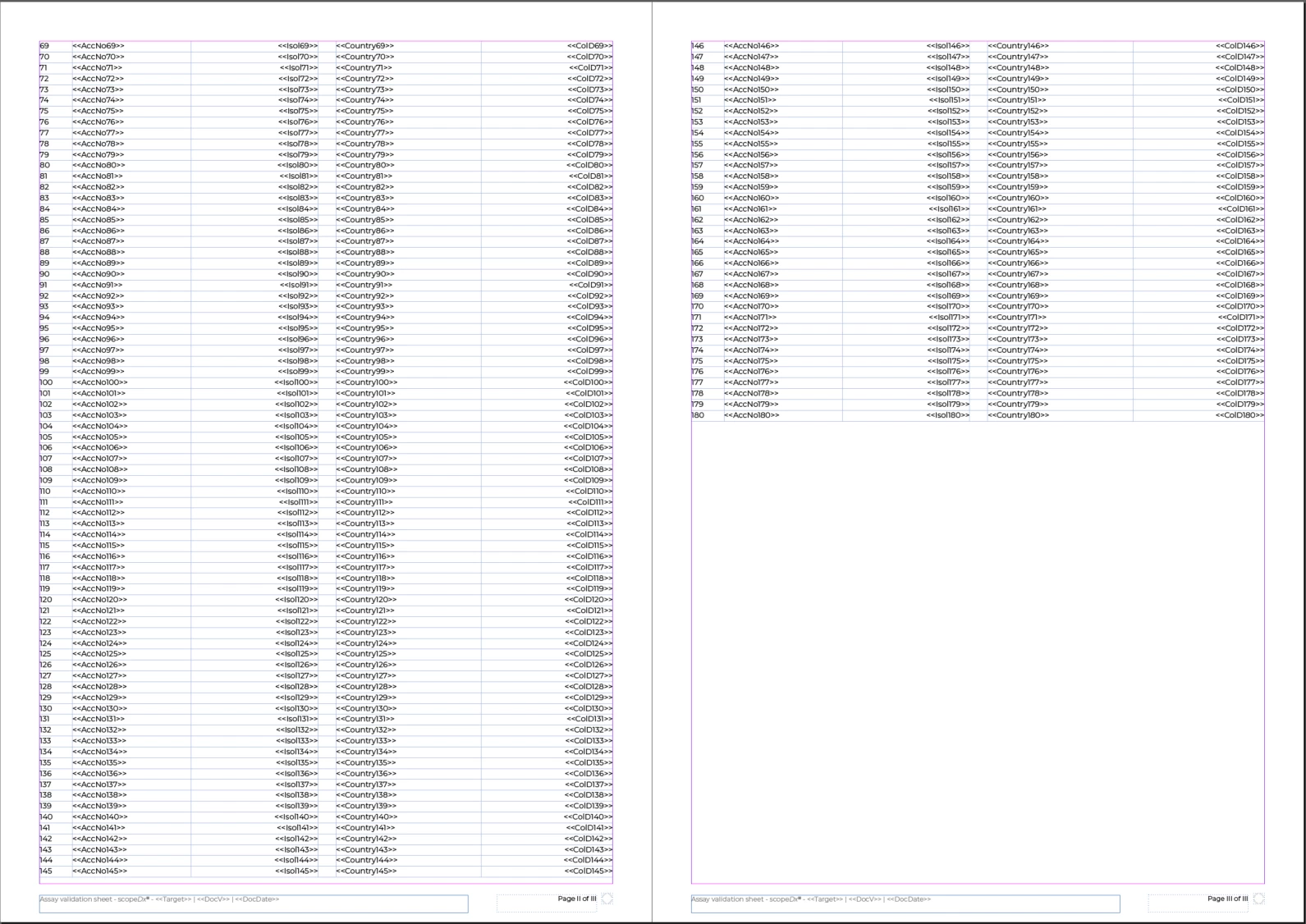
Screenshot 2025-12-02 130319.png

Correct answer rob day

Hi @Jurre37971467hccf , As a variation of @FRIdNGE ’s code, you can also get a table’s insertion point and the insertion point after the table, something like this gets table 1:


//document tables
var et = app.activeDocument.stories.everyItem().tables.everyItem().getElements();

//gets the insertion point for the table
var s = et[0].storyOffset

//the table’s starting page
var sp = et[0].parent.parentStory.texts[0].insertionPoints[s.index].parentTextFrames[0].parentPage

//the table’s ending page
var ep = et[0].parent.parentStory.texts[0].insertionPoints[s.index+1].parentTextFrames[0].parentPage

alert("Table 1 starts on page "+sp.name + " ends on page " + ep.name)


Screen Shot 16.png

2 replies

Participating Frequently
December 2, 2025

I think I solved it for now by using the frame and table height, since the height of each table row is the same in this document. Posting it here in case it helps anyone. I would however still like to know the answer to my question, for future reference.


var doc = app.activeDocument;

var myTable = doc.pages[0].textFrames.everyItem().tables[0];
var tableHeight = myTable.rows.length * myTable.rows[0].height;
var reMainder = tableHeight;

for(var i = 0; i <= doc.pages.length - 1; i++){

    var myFrame = app.activeDocument.pages[i].textFrames[0];
    var frameHeight = myFrame.geometricBounds[2]-myFrame.geometricBounds[0];
    
    reMainder -= frameHeight;

    if(reMainder < 0){
        var lastPage = i;
        break;
    }
}

pagesNrToDelete = doc.pages.length-1 - lastPage;
startLength = doc.pages.length;

for(var i = startLength-1; i >= startLength-pagesNrToDelete; i--){
    doc.pages[i].remove();
}


rob day
Community Expert
rob dayCommunity ExpertCorrect answer
Community Expert
December 2, 2025

Hi @Jurre37971467hccf , As a variation of @FRIdNGE ’s code, you can also get a table’s insertion point and the insertion point after the table, something like this gets table 1:


//document tables
var et = app.activeDocument.stories.everyItem().tables.everyItem().getElements();

//gets the insertion point for the table
var s = et[0].storyOffset

//the table’s starting page
var sp = et[0].parent.parentStory.texts[0].insertionPoints[s.index].parentTextFrames[0].parentPage

//the table’s ending page
var ep = et[0].parent.parentStory.texts[0].insertionPoints[s.index+1].parentTextFrames[0].parentPage

alert("Table 1 starts on page "+sp.name + " ends on page " + ep.name)


Screen Shot 16.png

Participating Frequently
December 2, 2025

Awesome! I had to add .documentOffset since I needed the actual page numbers, but other than that it works perfectly. Thanks a lot!

Participating Frequently
December 2, 2025

To clarify: Page I of III is page 3 of the document, but the first page of the appendix. So in the function where I look at pages(2), I look at page I of III.

FRIdNGE
December 2, 2025

E.g., place the Cursor inside a Table and:


alert( "Table on pages " + app.selection[0].parent.parent.cells[0].insertionPoints[0].parentTextFrames[0].parentPage.name + "-" + app.selection[0].parent.parent.cells[-1].insertionPoints[0].parentTextFrames[0].parentPage.name )


(^/)  The Jedi

Participating Frequently
December 2, 2025

Thank you, that works well when I have my cursor inside the table. How would I go about doing this without having to rely on what the user has selected?