Participant
March 2, 2023
Question

JPEG Exports seem to wind up a lower resolution than they should be

  • March 2, 2023
  • 3 replies
  • 582 views

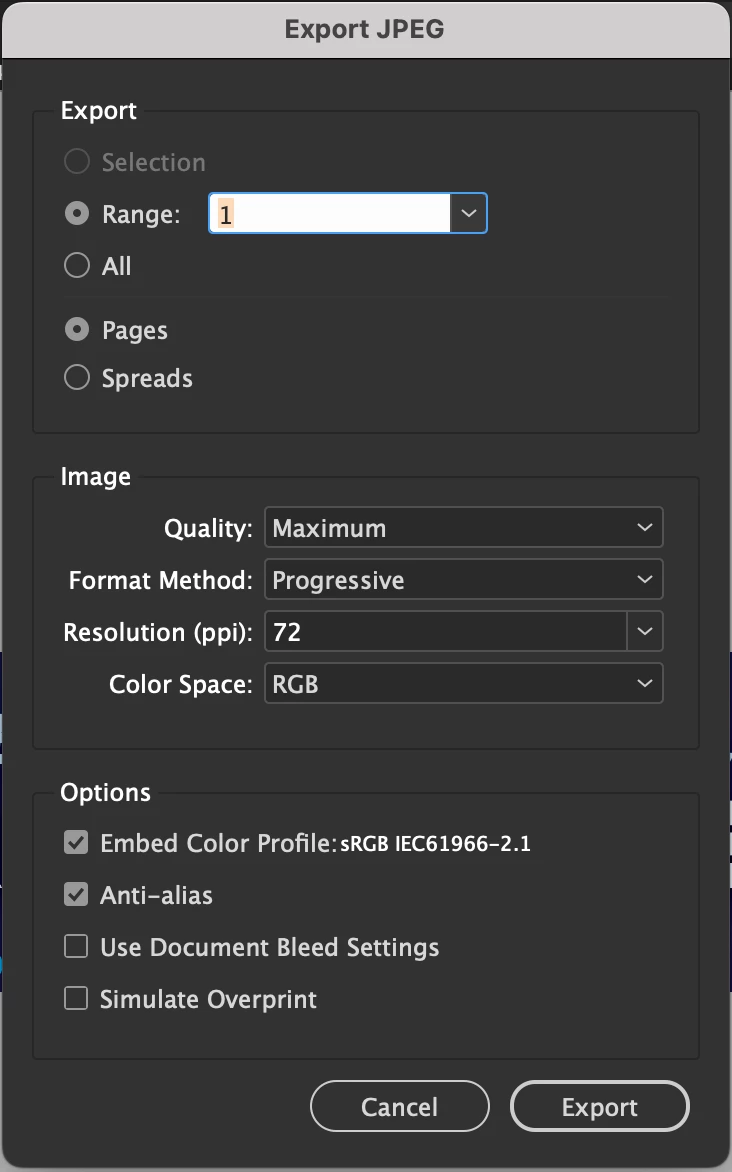
I'm trying to export an image at 320x50, 72 DPI, but the jpegs seem very blown out even for 72 DPI. I'm exporting them at maximum quality, progressive formatt method, and with anti-aliasing on but the outcome still seems like a much worse quality than it should be, pretty much unusable. I've attached an example of the jpeg, as well as a screenshot of the export settings.

Any suggestions on what could be causing this?

This topic has been closed for replies.

3 replies

Legend
March 2, 2023

Try using Photoshop, it often does a better job. And don't save textual graphics as JPEG, use PNG.

rob day
Community Expert
Community Expert
March 2, 2023

Is the dimension of the page you are exporting to 72ppi also 320x50 pixels?


Participant
March 2, 2023

Yes those are the dimensions of the page,  I mimicked the demo you made so there's less variables, thank you by the way.

I discovered turning the text to outlines causes the export to appear a bit less blurry and easier to read. My boss has exported identical files to draw comparison, and even at 1920x1080 there's a noticable difference in the appearance of the text between the two files we exported independently. I've attached comparisons of the same image with live and outlined text, Do you know if that etnails anything to what the problem could be?


rob day
Community Expert
Community Expert
March 2, 2023

Converting to outlines would remove the font’s hinting, which would make it bolder.

https://en.wikipedia.org/wiki/Font_hinting


You could try this script which exports a JPEG via PDF, and in certain cases can help quality:


https://shared-assets.adobe.com/link/e62626e4-9f44-45a3-6da0-0a1b51e8ecbf


Mike Witherell
Community Expert
Community Expert
March 2, 2023

320 x 50 is incredibly low-res for any use, but I am guessing you are making web banners of some sort. JPG is always a bit hard on details like type, so why not export your web banner as a PNG instead? Also, if you are making web banners, consider using Photoshop and Illustrator. In those programs, the exported PNG can be hinted to favor crisper type for readability.

Mike Witherell