Participant
November 22, 2022
Answered

Jpg in PDF file

  • November 22, 2022
  • 2 replies
  • 384 views

Does jpg in pdf file degrade everytime you edit and save the pdf?

This topic has been closed for replies.
Correct answer rob day

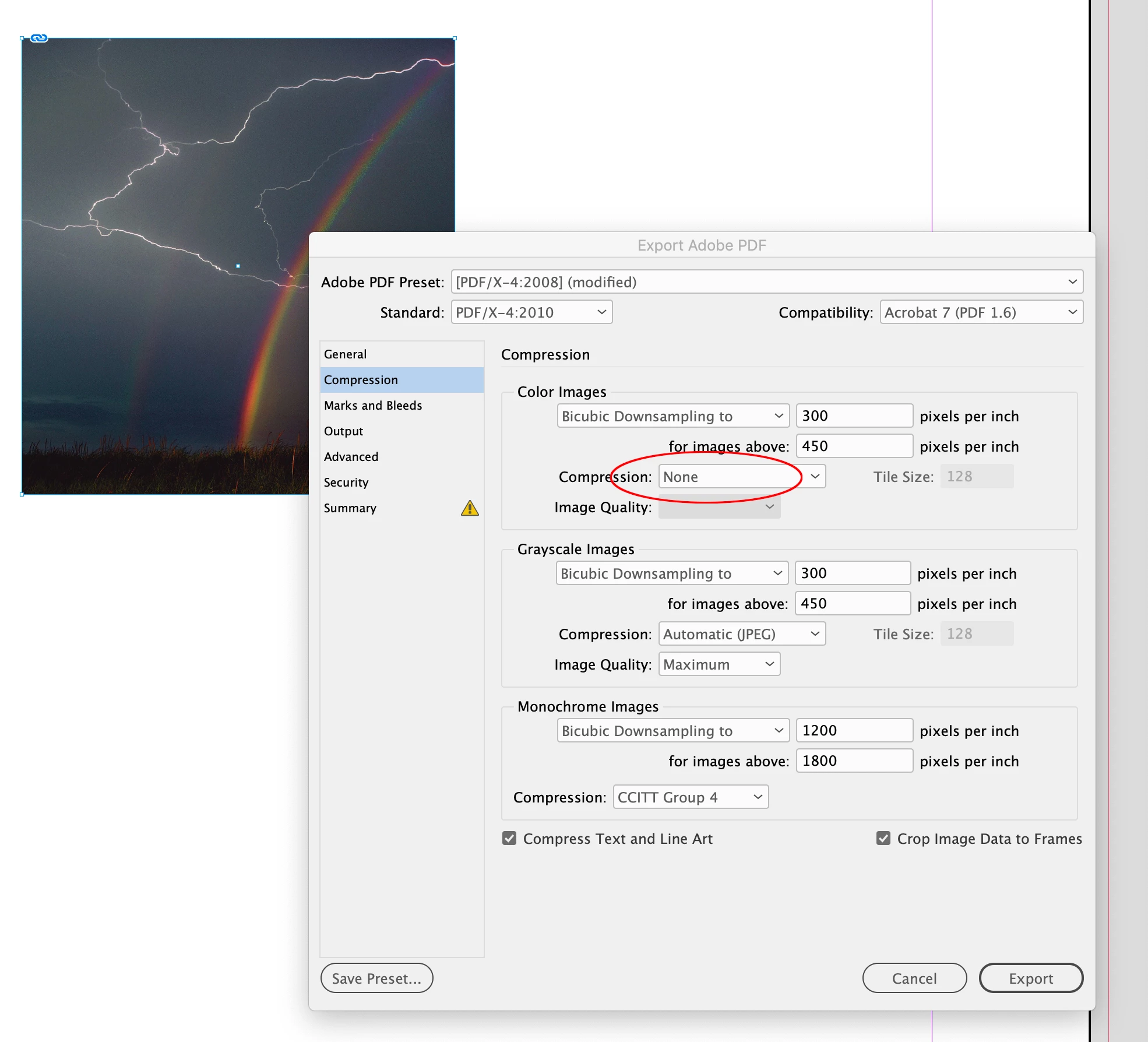
Hi @WinSports , Also the original file format of a placed image is lost on an Export to PDF. Whether the exported image pixels are compressed or not depends on your settings in the Export Compression tab, not the placed file format. I can place a .jpeg, set Compression to None, and the pixels will export unchanged with no indication that the placed file format was JPEG.
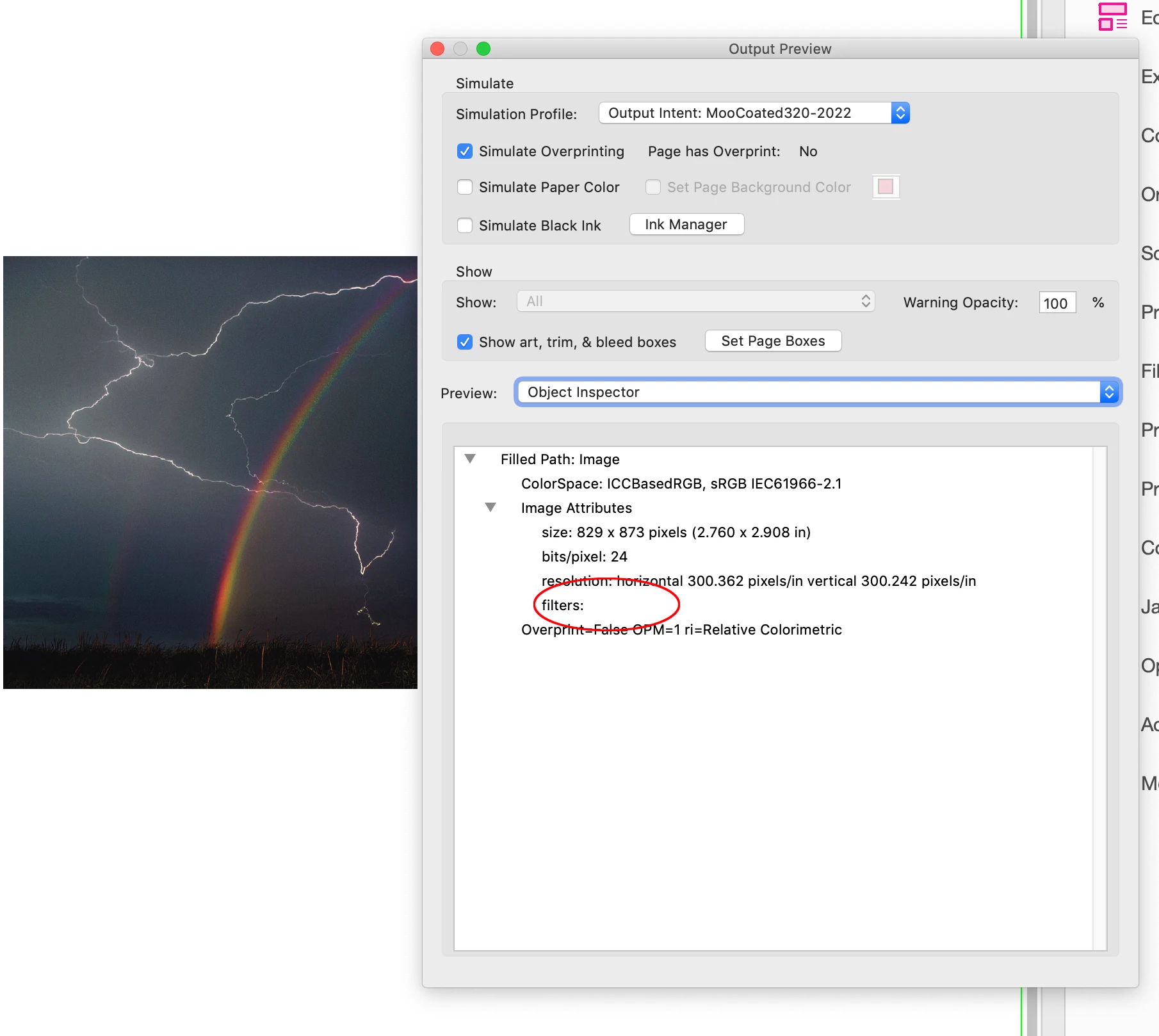


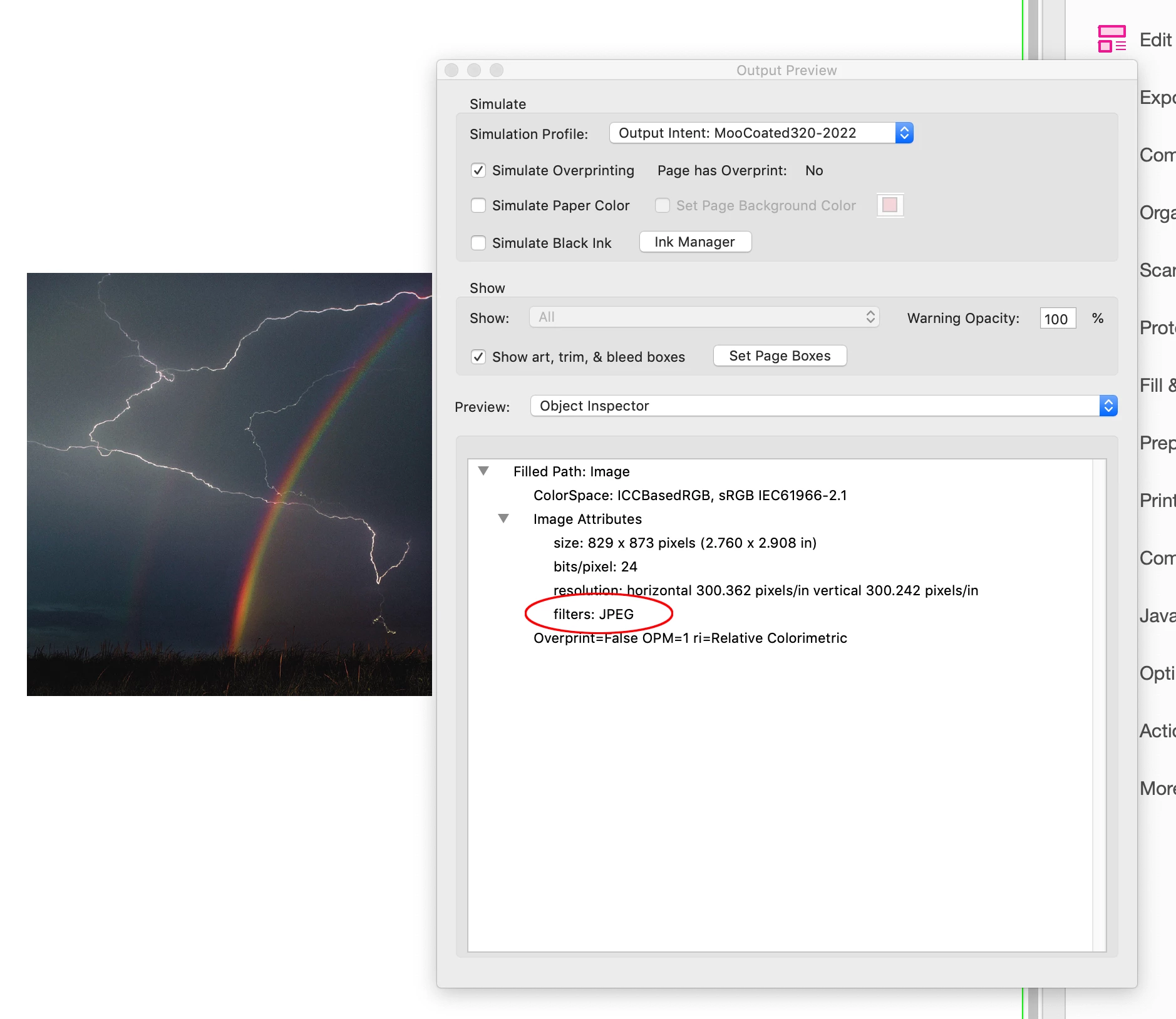
If I choose JPEG in the Compression tab, AcrobatPro’s Object Inspector shows filters: JPEG, but that would happen if the placed file were a .PSD or some other format. So, there’s no advantage in placing .JPEGs, and you would get a double compression on an Export if you place .JPEGs and leave Export>Compression at the default JPEG.


2 replies

rob day
Community Expert
rob dayCommunity ExpertCorrect answer
Community Expert
November 22, 2022

Hi @WinSports , Also the original file format of a placed image is lost on an Export to PDF. Whether the exported image pixels are compressed or not depends on your settings in the Export Compression tab, not the placed file format. I can place a .jpeg, set Compression to None, and the pixels will export unchanged with no indication that the placed file format was JPEG.


If I choose JPEG in the Compression tab, AcrobatPro’s Object Inspector shows filters: JPEG, but that would happen if the placed file were a .PSD or some other format. So, there’s no advantage in placing .JPEGs, and you would get a double compression on an Export if you place .JPEGs and leave Export>Compression at the default JPEG.


Legend
November 22, 2022

It can do. It depends whether the editing process needs to uncompress and recompress. It's not possible to generalise. But since editing a PDF is a terrible idea, this isn't really a problem. There is NO SITUATION WHATEVER in which it's a good idea to make a PDF in InDesign, but then edit the PDF rather than the INDD.