Liphou
Inspiring
October 13, 2022
Answered

[JS] modification d'une selection

  • October 13, 2022
  • 2 replies
  • 520 views

Hi there,

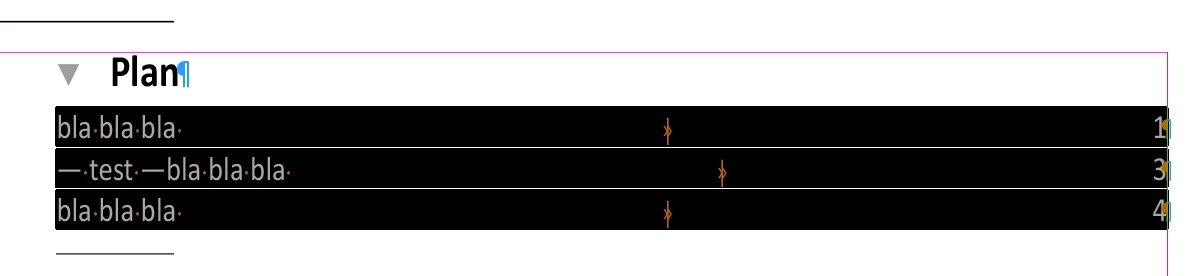
I am looking to modify paragraphs, one after the other in a selection. But each time the paragraph line is replaced, the carriage return is taken with it and it is deleted if I add a «\r», I still have my two paragraphs but the following one takes on its style (it's logical) How to replace the content of the paragraph without taking the last character (the «\r»).

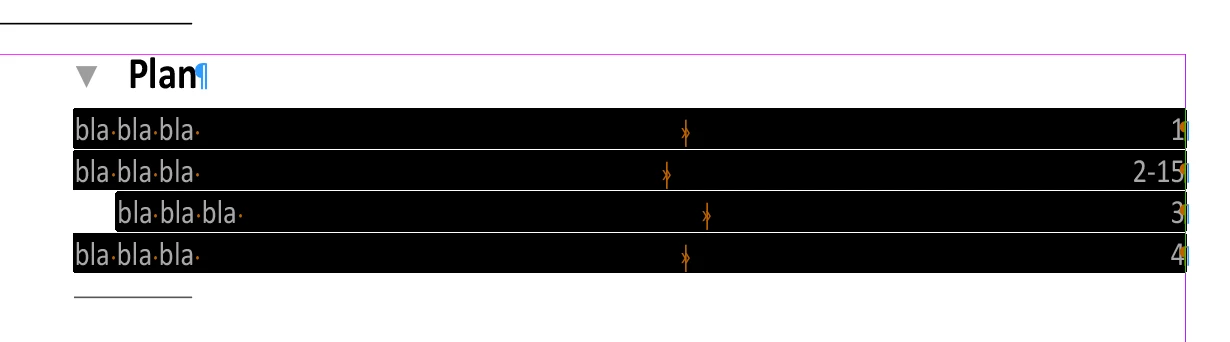
Here is the order and some illustrations thank you


Bonjour à tous,

Je cherche à modifié des paragraphes l'un après l'autre dans une selection.

Mais à chaque remplacement de la ligne de paragrphe le retour chariot est pris avec et le suprime si je rajoute un «\r», j'ai toujours mes deux pargraphe mais le suivent prend son style (c'est logique)

Comment arrivé à remplacer le contenu du paragraphe sans prendre le dernière caractaire (le «\r»).

voici la commande et des illustrations


app.selection[0].paragraphs[1].contents = '— test —';


 le resulta


This topic has been closed for replies.
Correct answer m1b

Another approach:


var charactersInParagraph = app.selection[0].paragraphs[1].characters;

var allCharactersExceptReturn = charactersInParagraph.itemByRange(0, charactersInParagraph.length - 2);

allCharactersExceptReturn.contents = '— test —';


- Mark 


EDIT: @Robert at ID-Tasker makes an excellent points! The above won't work on the last paragraph in a story because it doesn't have a carriage return. Please see this improved script:


replaceParagraphContents(app.selection[0].paragraphs[2], '- Test -');

/**
 * Replaces a paragraph's contents
 * with supplied text.
 * @param {Paragraph} paragraph - an Indesign Paragraph.
 * @param {String} changeTo - the replacement text.
 */
function replaceParagraphContents(paragraph, changeTo) {
    var hasReturn = paragraph.characters[-1].contents == '\r';
    paragraph.contents = changeTo + (hasReturn ? '\r' : '');
};


2 replies

Robert at ID-Tasker
Legend
October 13, 2022

In scripting ".contents" of the paragraph will include \r character - so you need to select contents of the paragraph without last character - as already shown by @m1b - unless it's the last paragraph and there is no \r at the end 😉

m1b
Community Expert
Community Expert
October 13, 2022

Hi @Liphou, I did a quick test and this seemed to work:

app.selection[0].paragraphs[1].contents = '— test —\r';

It didn't change the paragraph styles of the adjacent paragraphs. But it doesn't work in your case?

- Mark

m1b
Community Expert
m1bCommunity ExpertCorrect answer
Community Expert
October 13, 2022

Another approach:


var charactersInParagraph = app.selection[0].paragraphs[1].characters;

var allCharactersExceptReturn = charactersInParagraph.itemByRange(0, charactersInParagraph.length - 2);

allCharactersExceptReturn.contents = '— test —';


- Mark 


EDIT: @Robert at ID-Tasker makes an excellent points! The above won't work on the last paragraph in a story because it doesn't have a carriage return. Please see this improved script:


replaceParagraphContents(app.selection[0].paragraphs[2], '- Test -');

/**
 * Replaces a paragraph's contents
 * with supplied text.
 * @param {Paragraph} paragraph - an Indesign Paragraph.
 * @param {String} changeTo - the replacement text.
 */
function replaceParagraphContents(paragraph, changeTo) {
    var hasReturn = paragraph.characters[-1].contents == '\r';
    paragraph.contents = changeTo + (hasReturn ? '\r' : '');
};


Liphou
LiphouAuthor
Inspiring
October 13, 2022

Super merci baeucoup