


Participant
November 14, 2019
Answered

Keep Getting an error code 205 when launching InDesign (2019 and 2020)

  • November 14, 2019
  • 6 replies
  • 29241 views

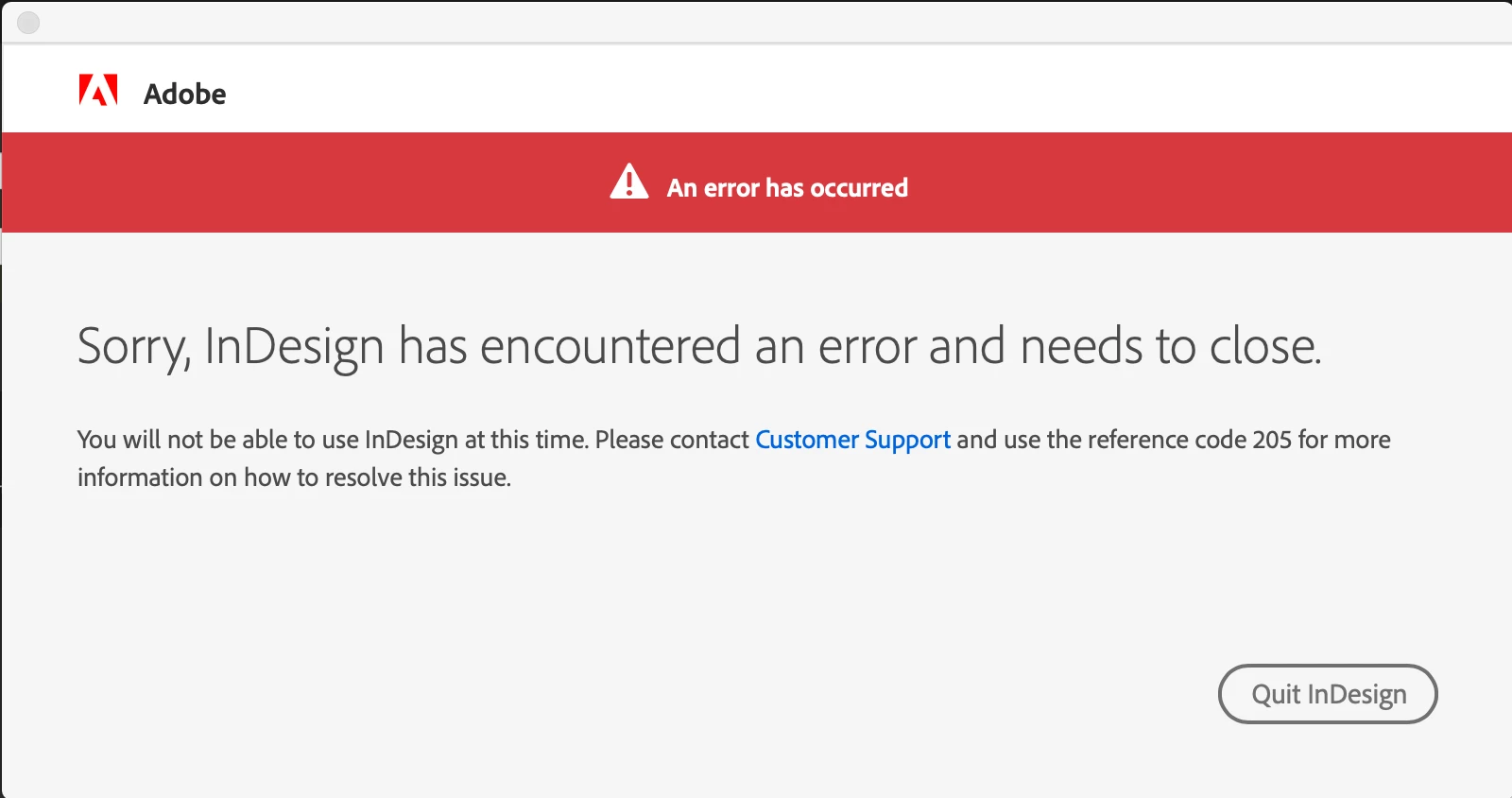
When I try opening InDesign (2019 and 2010 on my MacBook Pro, macOS Mojave - version 10.14.6) I get the window below. Which states, "Sorry, InDesign has encountered an error and needs to close.

You will not be able to use InDesign at this time. Please contact Customer Support and use the reference code 205 for more information on how to resolve this issue." When I click on the blue Customer Support link it takes me to an 404 Error Page page. I've looked up want an 205 error code means and how to fix it and have gone through it all suggestions/fixes and none of what they say it is is the problem. All of the my other apps that I have updated to the most current version are working fine (Illustrator and Photoshop). My Creative Cloud App works perfectly fine as well. Help! Thanks!
 

This topic has been closed for replies.
Correct answer AGDjada

I ended up calling tech support on this because I tried everything that has been on this thread. The ONLY thing that helped me was to uninstall InDesign, reboot, and then reinstall InDesign from the Creative Cloud app. I'm Mac running the latest system software and Adobe software. I do NOT recommend resetting the keychain unless you have Adobe Tech Support sharing your computer screen to help you do it. This is a major reset and will remove all your passwords from everything on your computer. Good luck! - Janet

6 replies

Jumpenjax
Community Expert
Community Expert
April 5, 2023
Lee- Graphic Designer, Print Specialist, Photographer
Participant
December 6, 2022

Vanmiddag wéér code 205 bij het opstarten van InDesign en de moed zonk in mijn schoenen. 2 maanden geleden úren mee bezig geweest en uiteindelijk heeft de helpdesk van Adobe het voor me opgelost. Ik wist nog wat hij op het laatst deed en ik heb dat nu ook toegepast, nog geen 2 minuten werk. Ga naar Sleutelhangertoegang en gooi de gele Adobe App bestandjes weg. That's it!  Bij mij werkt het in ieder geval weer zonder problemen. Succes!


Participant
January 6, 2023

Thank you so much Tim! I was unable to use Adobe XD for a month because of Code 205.


This worked for me:

1. Uninstall Adobe XD from Creative Cloud

2. Sign out of Creative Cloud and Restart my Mac.

3. Sign in at CC and install Adobe XD

4. Delete the Adobe app info in Keychain Access.


Out of all the Youtube tutorials and forums I searched answers for, this one made the error 205 not appear anymore.

Participant
January 31, 2023

So nice to hear. Happy to be helpfull.

AGDjada
Inspiring
July 27, 2022

I have tried all the suggestions listed: 1) unlock and lock keychain; 2) logout and login of Creative Cloud; 3) updated my Mac to latest software. I continue to get the Error 205 at launch of InDesign. I have all the Creative Cloud design apps. Photoshop works fine. I can't login to InDesign! Please... post a 2022 option of how to work around this. Thanks!

nnnnoaboahh
Participant
August 2, 2022

Having the exact same problem.

Let me know if you've managed to solve this!

Rishabh_Tiwari
Community Manager
Community Manager
August 2, 2022

Hi @nnnnoaboahh ,


Sorry to hear about the trouble. Please try the steps shared below:


  1. Sign out of InDesign and the Adobe Creative Cloud desktop app.
  2. Close CoreSync and all Adobe-related services from the Activity Monitor/Task Manager.
  3. Reboot the computer.
  4. Sign back in on the Adobe Creative Cloud Desktop app and launch InDesign from there.


Let us know if this solves the issue or if you need any further assistance.


Regards

Rishabh

Participant
June 30, 2022

As a note for windows users who don't know what 'keychain' is. Logging out of creative cloud and back in again has fixed the error for me. I've been looking for ages and this finally fixed it. I hope this helps others!

Participant
June 30, 2022

THANK YOU!! I'm a PC user, had no idea what "keychain" is while reading through this thread, then saw your comment. Did as you suggested and that totally fixed the issue! Thanks!!


Participant
January 20, 2021

The problem was solved by changing the user

Jeffrey_A_Wright
Community Manager
Community Manager
November 14, 2019

Amandae57858129, sorry you are facing Error 205 while opening Creative Cloud applications.  Error 205 occurs when we are unable to save the required credentials locally to the computer.


Please open Keychain Access and click on the lock icon, to unlock Keychain access.  After it is unlocked please lock Keychain Access.  The act of unlocking and locking should resolve Error 205 and allow for the required credentials be saved.


If you continue to face Error 205, then I would recommend reviewing any installed security software that may be interfering with certificates being stored within Keychain.

Participant
February 9, 2020

Yes indeed.

After modifying my adobe account password and updating it in keychain I could not open PS CC 2019 anymore, I got the same window / code 205.

After locking unlocking my keychain access it didn't work.

Then I have reset my default keychain and now I can open PS without any issue.


Niyazi YILDIRIM
Participant
April 26, 2021

This problem is experienced if your sessions are open on more than one device. user as if falling blacklist. The license can be used by changing it and assigning it to a different e-mail.