Participating Frequently
July 20, 2023
Question

(Keep options) in InCopy do not apply in the synchronized InDesign document

  • July 20, 2023
  • 1 reply
  • 178 views

I have linked my InDesign text frames with the InCopy story, and it synchronizes well, but I encounter a problem that the 'Keep options' set in InCopy do not apply to the document in InDesign. (Please see the attached image to see the Keep options).
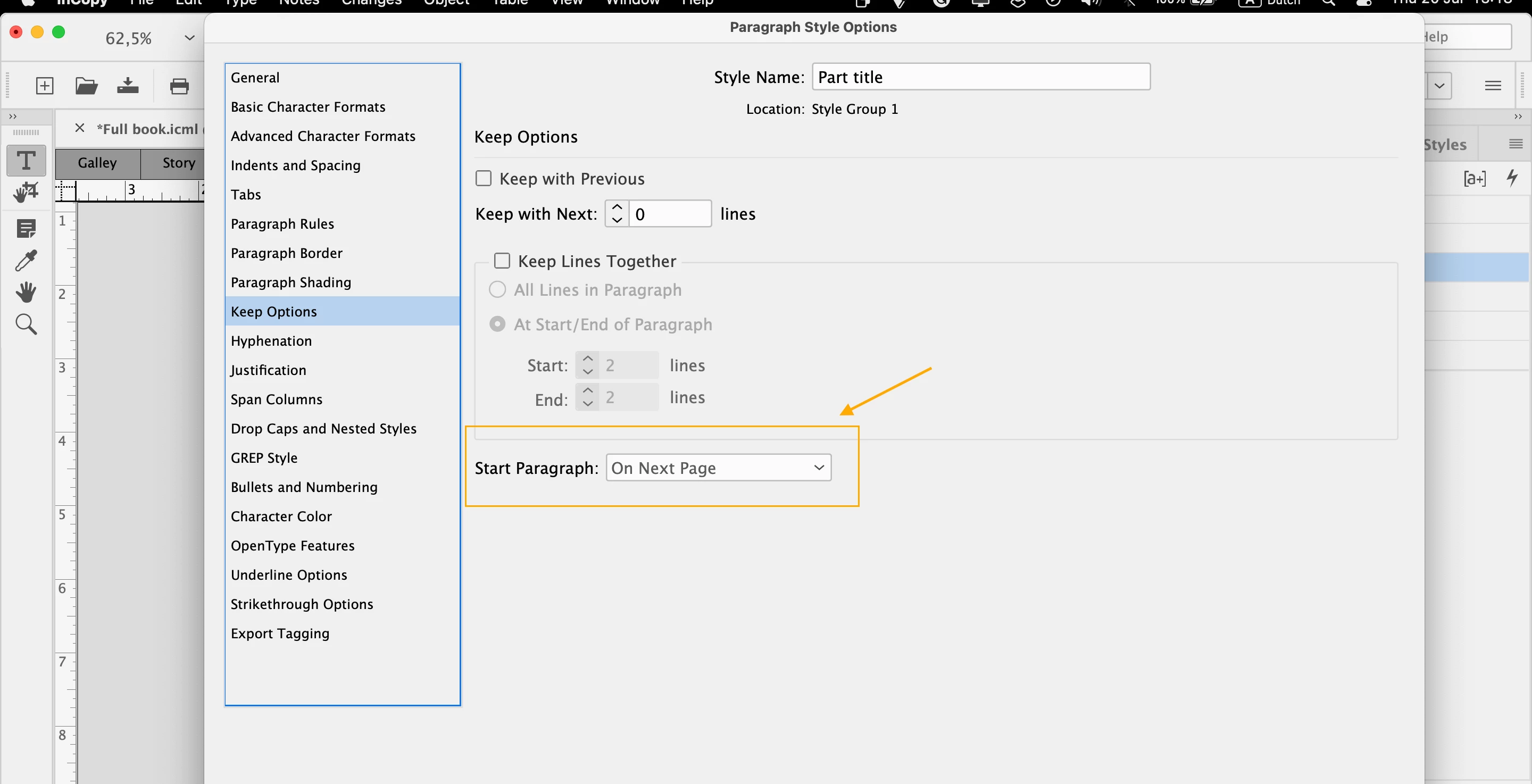
As seen in the image, I have set a heading to start on next page, but, it does not update in InDesign.


Though I can set the 'Keep options' in InDesign, it would be easier if they were synchronized with the InCopy story/document. Am I missing something?

 
Thanks in advance for replies
This topic has been closed for replies.

1 reply

BobLevine
Community Expert
Community Expert
July 20, 2023

I see that you opened the ICML file in InCopy. That is not the proper workflow.

Open the INDD file in InCopy, check the story out and make your edits. InCopy does not allow for the change of styles with stories that are already placed in InDesign. This is as designed.

Participating Frequently
July 20, 2023

Thank you for the reply but it does not solve the issue, unless I did not understand the solution you mentioned.


To clarify my question again, I have a text on InCopy that I export to InDesign (not vice versa).

Moreover, how could I open the INDD file in InCopy if I don't have one ready? The document is on InCopy, not InDesign.


I asked on Reddit too and somebody says that this is a bug that Adobe is unaware of yet, but I cannot verify that.


Thank you,

Participating Frequently
July 20, 2023

I placed the InCopy document on InDesign and saved the INDD, then closed the InCopy document. Afterwards I opened the INDD file using InCopy, but now another issue is happening: I cannot anymore edit or make changes using InCopy.

A serious frustrating experience that stopped my whole work today.