Liz Rogers
Participant
May 30, 2021
Answered

Keyboard Shortcut search

  • May 30, 2021
  • 2 replies
  • 416 views

Specifically in In Design, but practically for every Adobe product: In the keyboard shortcut panel, please include a "search" function. Some menu items do not appear in the menus where they would normally occur. 
Example: File Save All. Does not appear on the File Menu at all on the main screen, nor on the keyboard shortcut screen. It is buried in another random menu deep in the bowels of the keyboard shortcut screen...

I defy anyone to find it...

A search function on the mail Keyboard Shortcut screen would be a huge help.


Grumpy Old Lady

"Get off my lawn..."
This topic has been closed for replies.
Correct answer Steve Werner

Until theyt add that Search feature, here's the way to find your shortcuts.


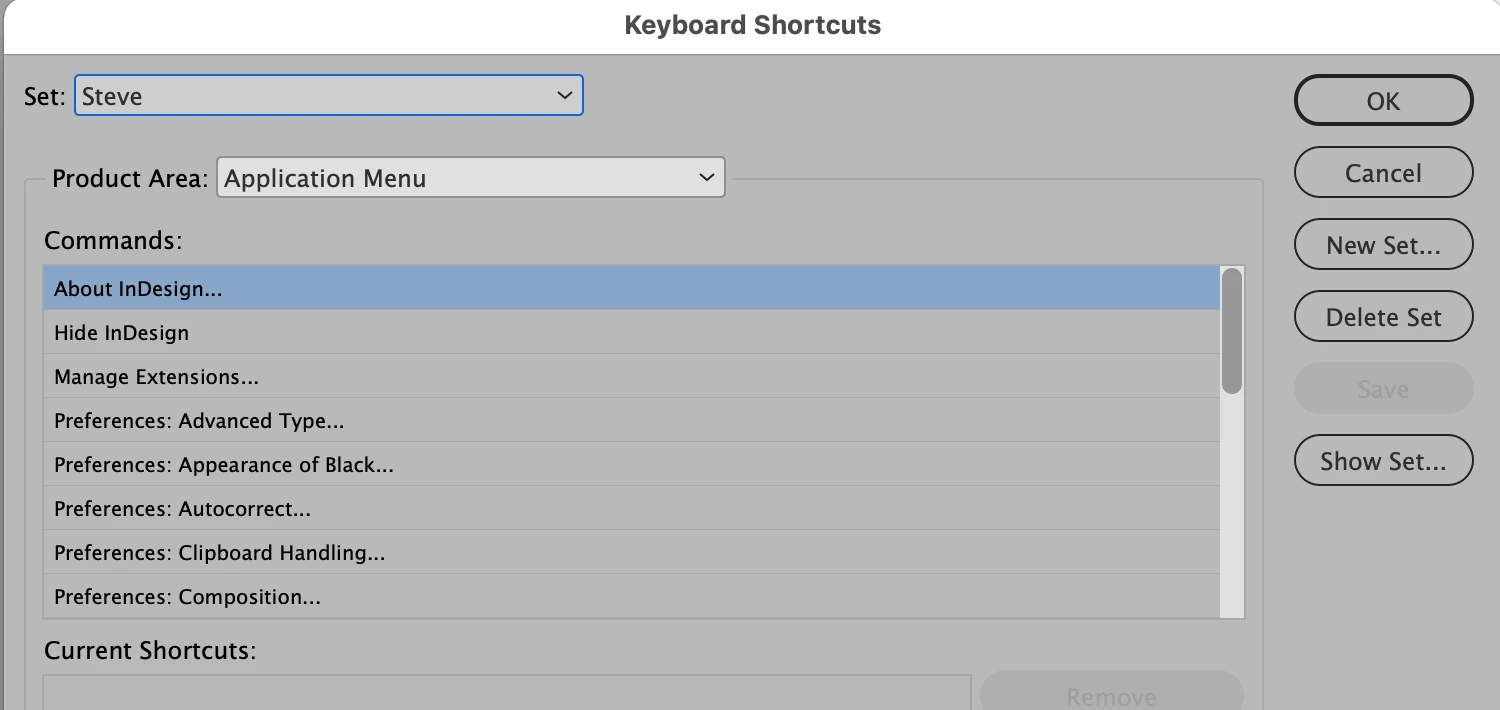
Click the Show Set... button on the right.


That will open up a text window (in the default Text editor on your computer, on a Mac it's TextEdit). The text window lists all the current shortcuts in your current keyboard shortcut set.


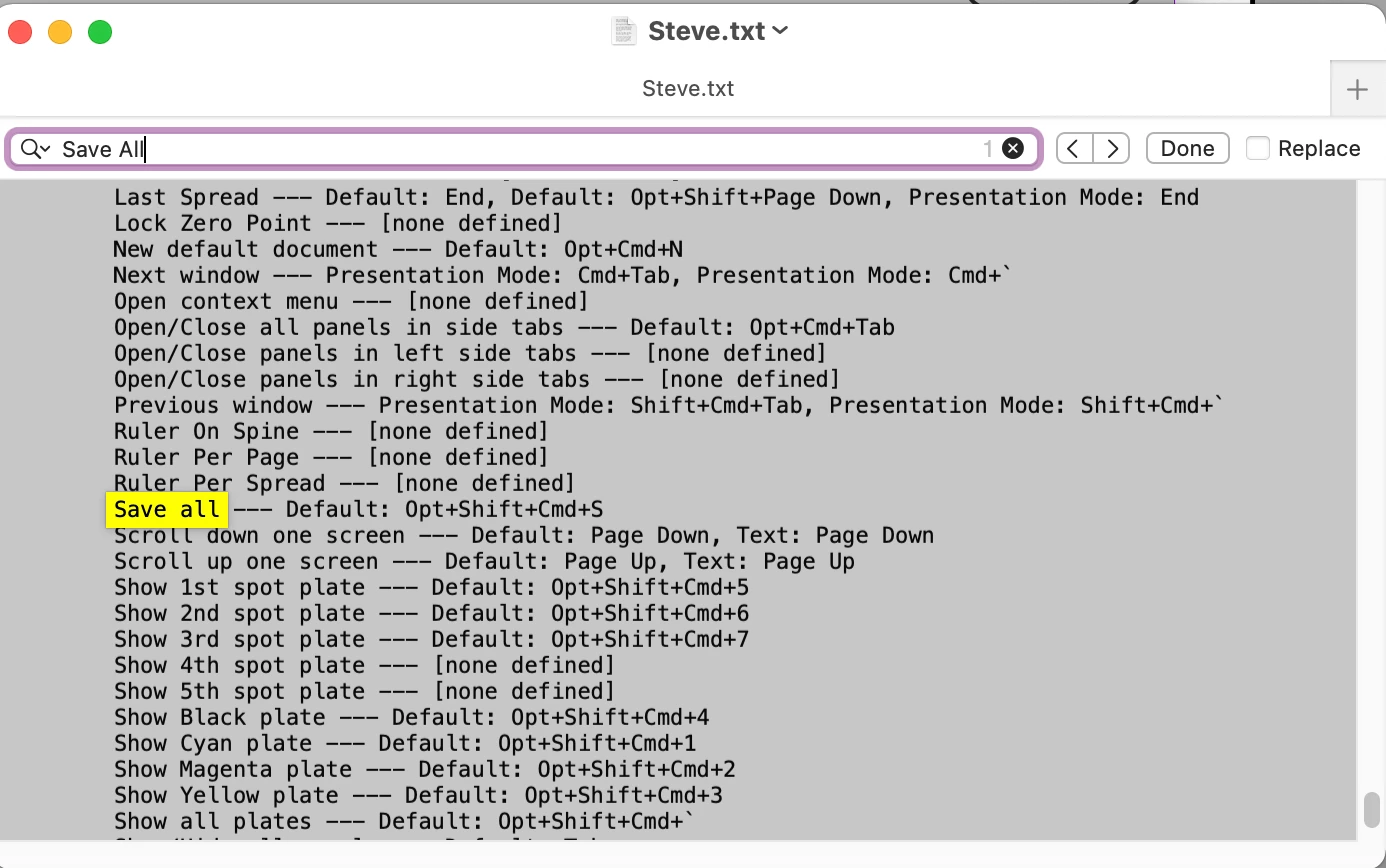
Use the Search field in your text editor to find the shortcut by name:


2 replies

Steve Werner
Community Expert
Steve WernerCommunity ExpertCorrect answer
Community Expert
May 30, 2021

Until theyt add that Search feature, here's the way to find your shortcuts.


Click the Show Set... button on the right.


That will open up a text window (in the default Text editor on your computer, on a Mac it's TextEdit). The text window lists all the current shortcuts in your current keyboard shortcut set.


Use the Search field in your text editor to find the shortcut by name:


cmgap
Community Expert
Community Expert
May 30, 2021