Participant
December 3, 2023
Question

Keyboard Shortcuts: Can "Toggle focus to/from Control panel Ctrl+6 /Command+6" be changed?

  • December 3, 2023
  • 5 replies
  • 408 views

Hello all!


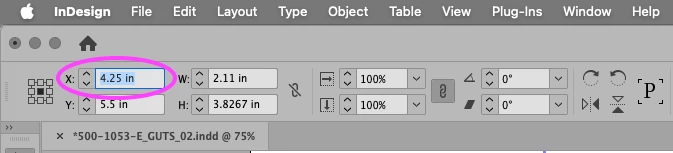
I'd like to change the keyboard shortcut for "Toggle focus to/from Control panel" (Ctrl+6 /Command+6) to something else but I cannot find it in the keyboard shortcuts.

Being able to highlight the first field of the control panel is amazing and great and critical to my daily tasks, but having to use two hands or do finger/wrist/arm/elbow yoga is wearing me out.

Are some keyboard commands not editable?

Thank you!

  –William
This topic has been closed for replies.

5 replies

Peter Kahrel
Community Expert
Community Expert
December 3, 2023

O jé -- I was looking for the wrong key. Leo to the rescue.

Participant
December 3, 2023

And thank yo Peter Kahrel - great tip there regarding the text version of the shortcuts.

I greatly appreciate everybody here. 

Thank you, and my finger/wrist/arm & elbow thank you too!

leo.r
Community Expert
Community Expert
December 3, 2023

it's here (found using @Peter Kahrel's tip above):


Participant
December 3, 2023

Thank you leo.r!

Peter Kahrel
Community Expert
Community Expert
December 3, 2023

A quick way to find some shortcut is to open the set as a text file (click Show Set), then look for some text or, since you know the assigned key, look for that shortcut (Ctrl+Alt+6). You'll then see which product area it's in and what it's called:


Peter Kahrel
Community Expert
Community Expert
December 3, 2023


kglad
Community Expert
Community Expert
December 3, 2023

in the future, to find the best place to post your message, use the list here, https://community.adobe.com/

p.s. i don't think the adobe website, and forums in particular, are easy to navigate, so don't spend a lot of time searching that forum list. do your best and we'll move the post (like this one has already been moved) if it helps you get responses.


<"moved from cc desktop">
Participant
December 3, 2023

Thank you kglad, I'll research where best to place my future posts. I appreciate your help.