



stephene9093387
Known Participant
September 29, 2024
Answered

Last TOC entry hidden in overset text

  • September 29, 2024
  • 3 replies
  • 2068 views

I have what to me is a bizarre problem. I have created a document and added a Table of Contents. Everything has worked fine - all the TOC entries (3 levels) appear and are formatted correctly until I add a final text box with a top level format (Heading 1). When I update the TOC, this final entry disappears into the overset text.
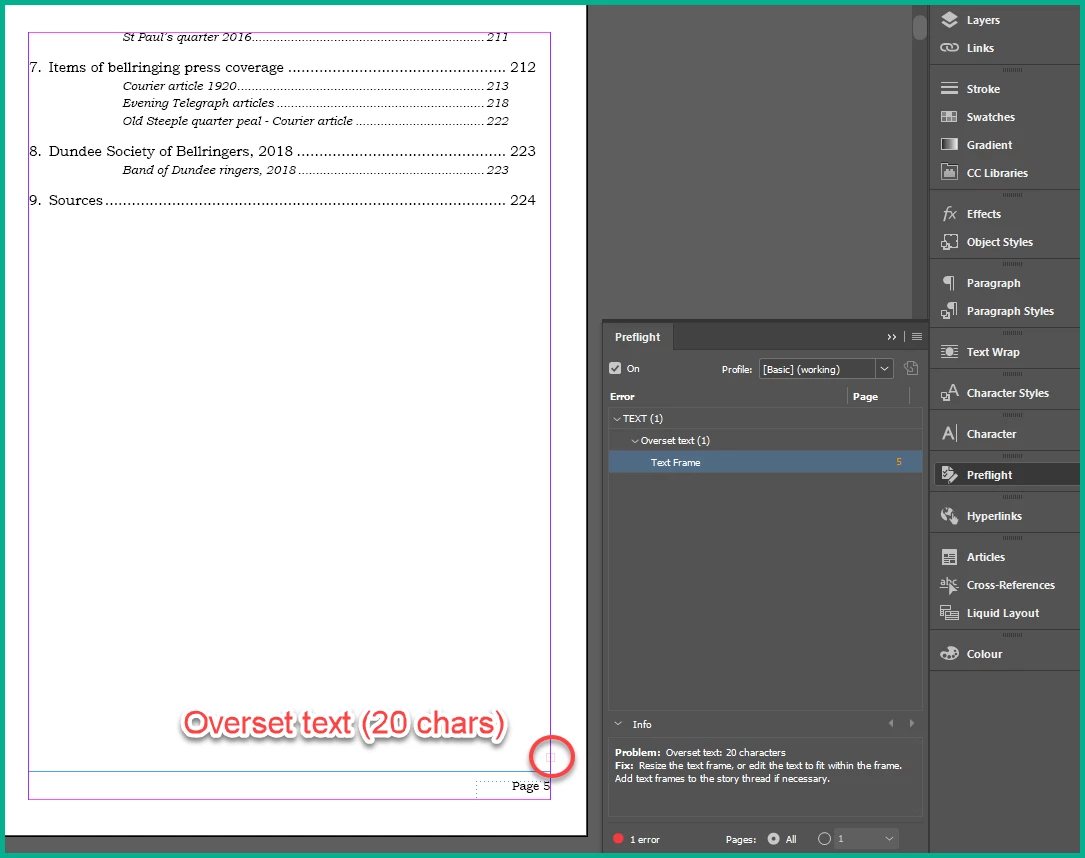
 

The final spread looks like this:
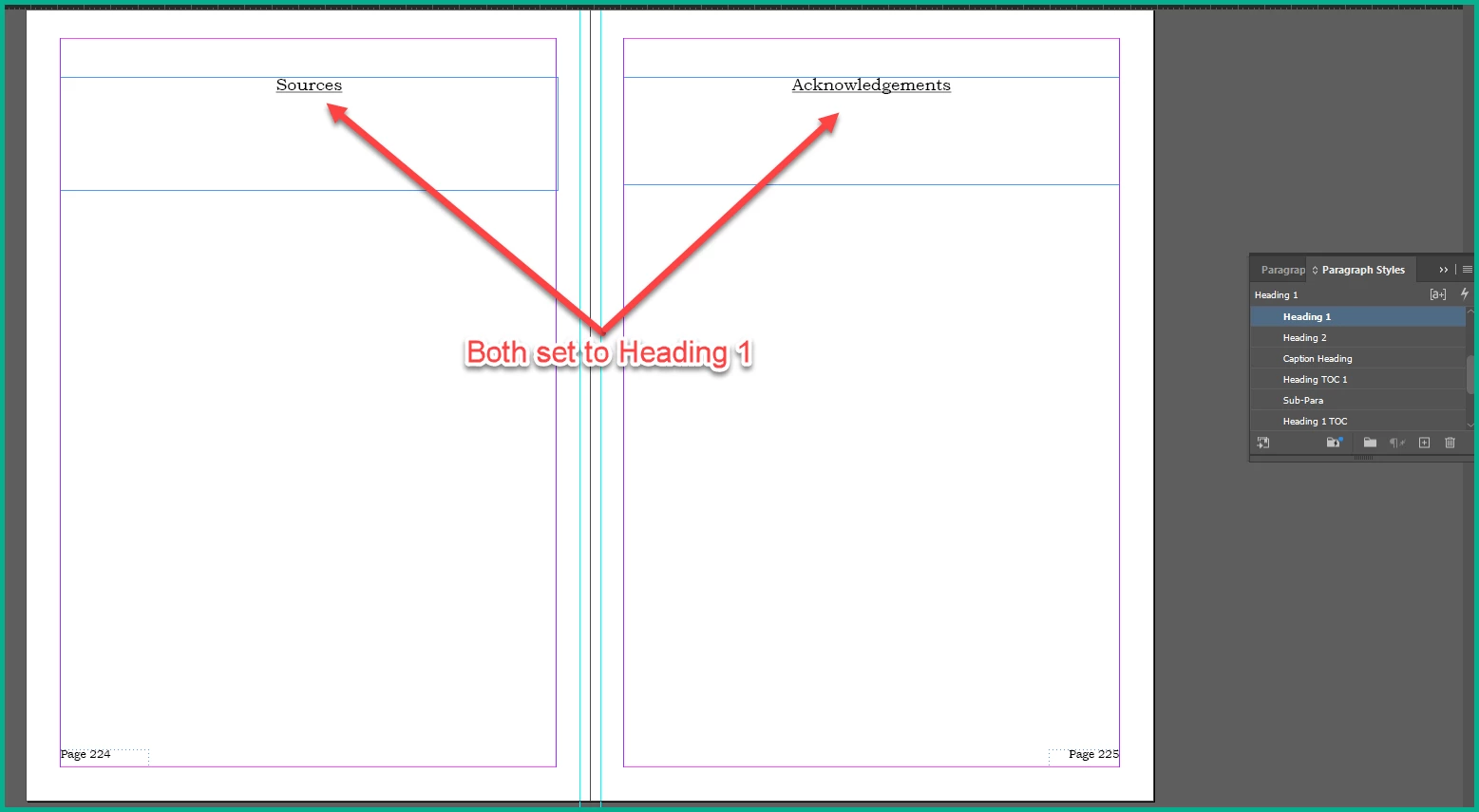
but the last entry ('Acknowledgements') doesn't appear in the TOC or at least it's hidden in the overset text. I cannot get the last Heading 1 text entry to appear in the TOC. If I demote it to Heading 2 then it appears correctly under the previous entry:
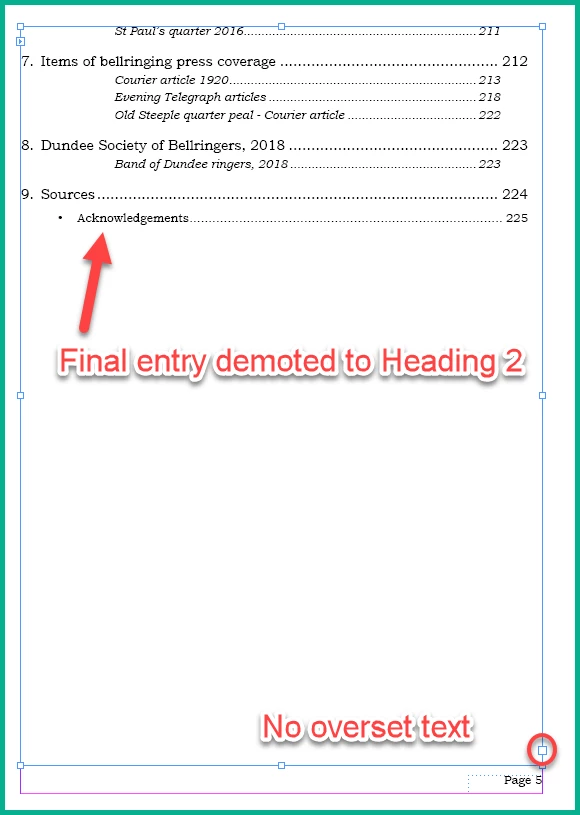
 

I have simplified things as much as possible to isolate the problem, removing any 'Keep' options for the TOC entries and removing any surrounding text. It seems no use to create dummy text boxes and try to follow the overset text - it never appears.


I am stumped. Am I missing something obvious? Can anyone shed any light on what's happening and why I cannot get this last entry into the TOC?


Thanks, Stephen

This topic has been closed for replies.
Correct answer Robert at ID-Tasker

@stephene9093387


Something related to the fact, that "10" is two digits/characters?


What are your indents and tab stops? 


3 replies

Dave Creamer of IDEAS
Community Expert
Community Expert
September 29, 2024

Check to see if you have a character style applied to the "Acknowledgements" text--particually if it has No Break applied. 

David Creamer: Community Expert (ACI and ACE 1995-2023)
stephene9093387
Known Participant
September 29, 2024

Thanks, but I haven't applied any character styles anywhere (I don't think). I have tried all sorts of deleting the text boxes at the end and previous ones. It looks to be a problem with numbering the top-level TOC heading style, as I've answered above. If you have any thoughts as to why this is happening I'd be grateful.


Thanks

Dave Creamer of IDEAS
Community Expert
Community Expert
September 29, 2024

Check to see if No Break is selected for your Heading 1 style. The "10" could be kicking it to two lines which would not be allowed. A simple test would be to make the text box wider.

David Creamer: Community Expert (ACI and ACE 1995-2023)
Susan Culligan
Inspiring
September 29, 2024

Have you tried backspacing through the retun after "Sources" to bring "Acknowledgments" up to that line, then putting another Return to put it on a new line? This should remove any weird formatting and give it the same attributes as "Sources," which behaves correctly. Just a thought.

stephene9093387
Known Participant
September 29, 2024

Thanks for the suggestions. Not sure whether you meant in the TOC or in the text boxes at the end. Assuming the latter, I tried various deletions but even deleting the end text boxes and rewriting them made no difference; the last one always disappeared. Weird. I'm about to try James' suggestions above.


Thanks, Stephen

Robert at ID-Tasker
Legend
September 29, 2024

@stephene9093387


Can you share your document? Can be on priv if you prefer - please click my nickname.


James Gifford—NitroPress
Legend
September 29, 2024

A simple effort: completely delete your TOC box and re-place it from a new TOC request. That would fix any kind of odd corruption or glitch in the structure itself, or should. (Before or after, make sure no untoward Object Styles are applied to it.)


If the lost line persists, arrow-down until you are sure the cursor is on it, wherever it may be, and look for both paragraph and character overrides. If you find them, eliminate them with the usual reformat steps. I'd then look at the actual document element that TOC line is referencing and make sure nothing odd is applied to it  — TOC generation pulls in a number of character and other formats/overrides and it might be grabbing a Keep or spacing setting in this case.


You could also select-all in the TOC box and apply one or the other TOC style. Then use Hidden Chars to see if there is anything oddball in that entry.


All just quick thoughts on how I'd approach it; I suspect this will be a "try stuff until the demon pops out" sort of fix.

stephene9093387
Known Participant
September 29, 2024

Thanks for the suggestions. Deleting and recreating the TOC makes no difference. Moving the cursor down to the hidden overset text finds no paragraph overrides and there are no character styles applied. I have completely deleted the end text boxes and recreated them without resolving the problem.


It appears that I cannot go beyond nine Heading 1 entries in the TOC. If I remove one of the earlier headings, e.g. the 'Foreword' at position 1, I reveal each of the ones beyond the end in turn but they always stop at 9, no matter how many Heading 1s I place beyond there. Is something limiting the entries in the TOC to 9?


Further to this, I have tried creating a new TOC Style and changing style elements one by one. The problem seems to occur when I add numbering to the Heading 1 TOC style, i.e. the style I have told it to display Heading 1 entries in. If I remove the numbering from the Heading 1 TOC style, the TOC displays correctly and includes all the entries at the end with no overset text.


However, I cannot add the numbering to the Heading entries themselves in the main body of the document as the numbering doesn't increment from one to the next.


Why does numbering the TOC style in this way create this weird problem? What have I missed?


Thanks again for all your suggestions.


Robert at ID-Tasker
Robert at ID-TaskerCorrect answer
Legend
September 29, 2024

@stephene9093387


Something related to the fact, that "10" is two digits/characters?


What are your indents and tab stops?