Participant
December 13, 2016
Question

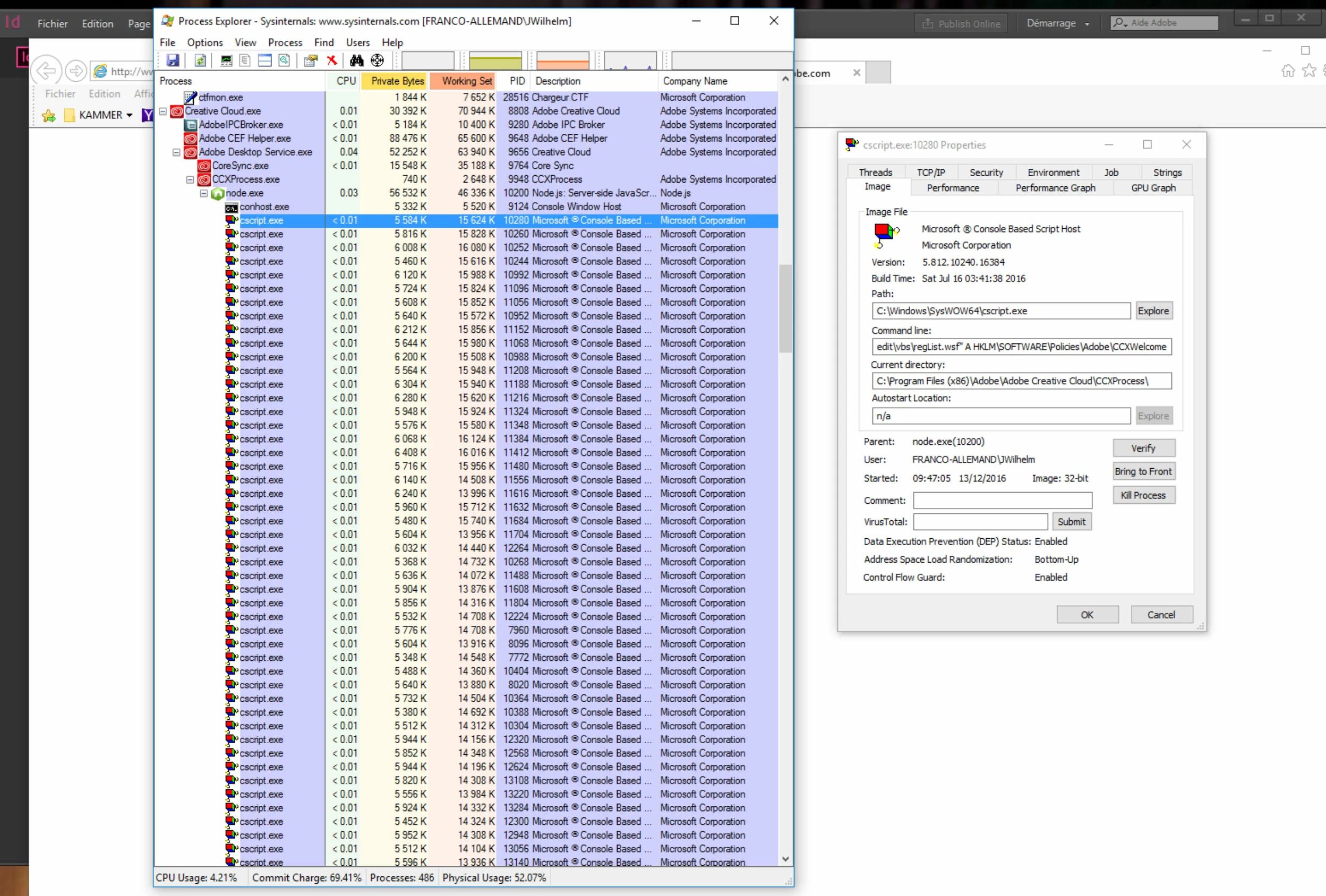
Le script "cscript.exe" se multiplie, ralentit et finalement plante le PC

  • December 13, 2016
  • 1 reply
  • 568 views

Bonjour,

depuis un moment, nous avons des soucis avec le compte d’Adobe, qui - semble-t-il - fait planter le PC sur lequel la licence est installé.

Un certain script ralentit d’abord la connexion et ensuite déconnecte tout.

Le code d’erreur qui s’affiche de la part d’Adobe est :

Erreur :213:4

Je vous ajoute également un screenshot du script respectif.


Comment faire pour remettre les choses ?
On utilise Windows 10
This topic has been closed for replies.

1 reply

Mike Witherell
Community Expert
Community Expert
December 13, 2016
jwilhelmAuthor
Participant
December 15, 2016

No, because we had completely re-installed the Adobe Suite when the problem came up and the préférences should be all new.
It also concerns the other apps : Photoshop, Illustrator.. they often collapse after a short while.

Mike Witherell
Community Expert
Community Expert
December 15, 2016

This makes me wonder whether another installed Application is bugging the Adobe software. This forum has occasional references to specific softwares that conflict with Adobe Creative Cloud, although a specific one does not come to mind.

I hope that when you reinstalled, you first ran the Adobe Creative Cloud cleaner tool to find leftover bits and remove them?

Mike Witherell