Inspiring
February 8, 2017
Answered

Leading changes in last line of paragraph

  • February 8, 2017
  • 6 replies
  • 4293 views

CC on a Mac. I just changed a paragraph style from 8pt type with 9pt leading to 7pt type with 8pt leading. And now I am getting this - note that the leading changes before the last line:
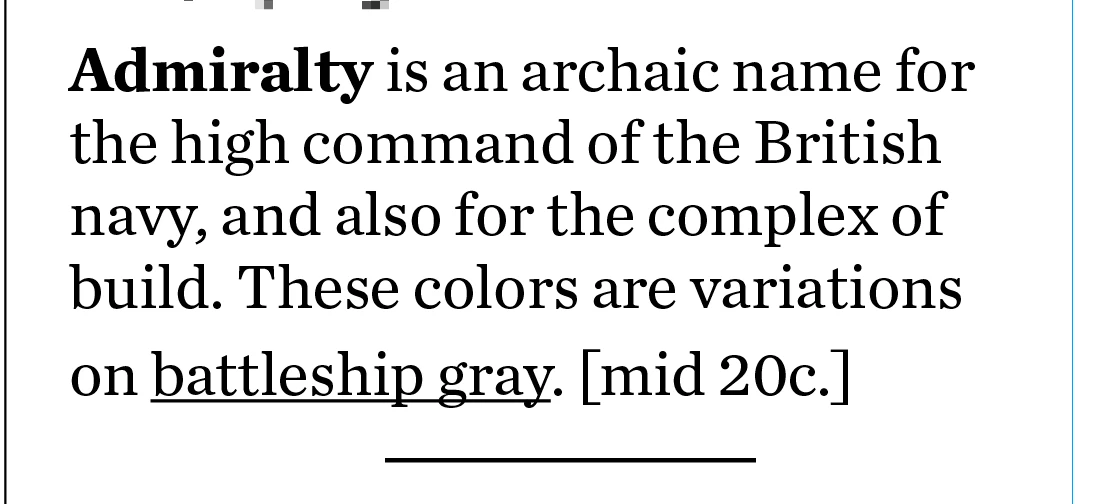
It happens everywhere, not just this one paragraph.

Here is the "before" condition:
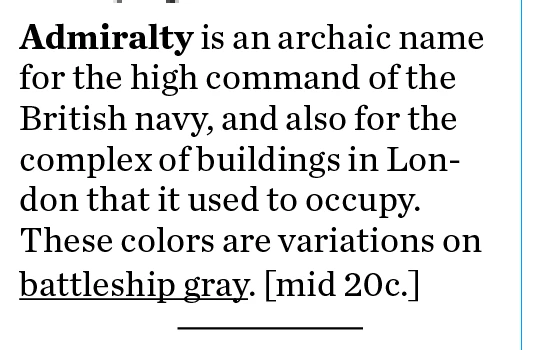
Can you help me fix this?
    This topic has been closed for replies.
    Correct answer rob day

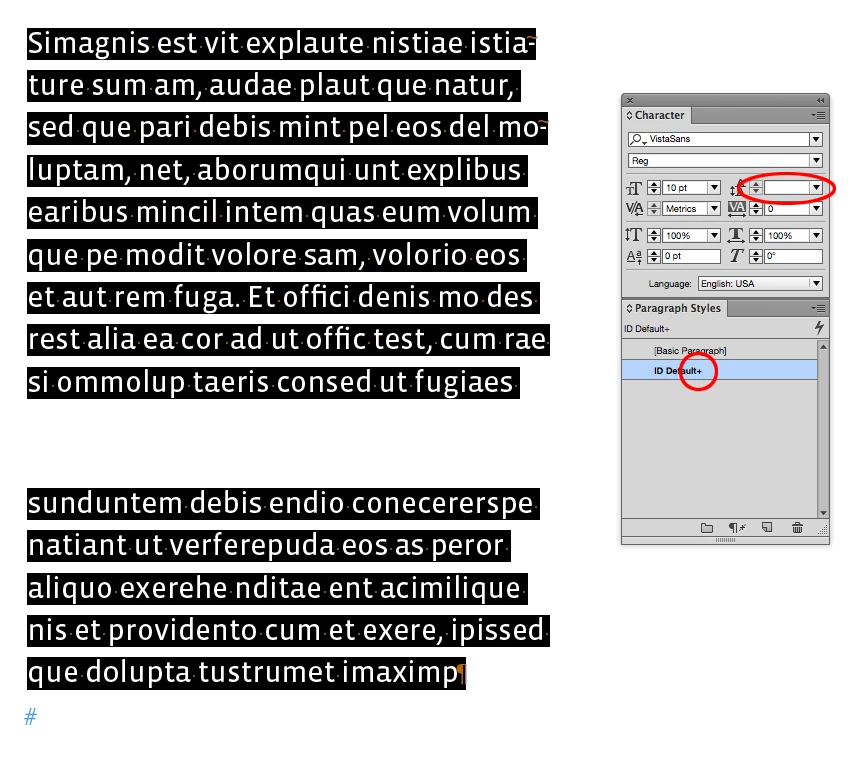
    Note that the preference doesn't change existing text, if you want the same leading through out an unevenly leaded paragraph, you'll still have to select the entire paragraph and se the leading or clear the style override. With all the text selected in my example the leading field is blank indicating the mixed leading.

    6 replies

    Inspiring
    May 3, 2017

    This may not apply to you and your issue which appears to be resolved but I was searching forums for the same problem. Finally I tried copying my text from the bottom up as opposed to from the top down to paste into InDesign. This eliminated the Leading change in the last line of the paragraph. I did try the above suggestions first.

    (Just in case another novice is searching for an answer to this problem!)

    Participant
    February 9, 2017

    Good god. What are you all talking about. Select all, style accordingly. Job done. Create new p.style if you wish. If you keep it simple, it often is. Don't install plugins. Use the fonts you trust. Having said that, vistas lowercase 'a' makes me willy twitch.

    Silently followed these forums for some time, but jeez, you all do make a mountain out of a mole hill.

    Inspiring
    February 9, 2017

    What you just stated was tried and did not work. The other suggestions did. I appreciate people taking the time to give me a working solution to the problem.

    Participant
    February 9, 2017

    That's alright then with so many "suggestions"... which did work?

    Anyway. It doesnt matter now.

    Glad it's sorted.

    rob day
    Community Expert
    Community Expert
    February 8, 2017

    With Apply Leading to Entire Paragraph unchecked it's possible to change the leading to one line within the paragraph (which would be a style override). Like this:

    Inspiring
    February 8, 2017

    Where is "Apply Leading to Entire Paragraph" found?

    rob day
    Community Expert
    Community Expert
    February 8, 2017

    Legend
    February 8, 2017

    When I have seen this, the usual culprit is a paragraph return character that is larger than the rest of the text.

    rob day
    Community Expert
    Community Expert
    February 8, 2017

    If you don't want to allow different leading within a paragraph look at Preferences>Type>Apply Leading to Entire Paragraphs. If that preference has been unchecked, you'll have to select the entire paragraph and clear the style's override.

    vladan saveljic
    Inspiring
    February 8, 2017

    you have to select also the final hidden character and change it 7pt/8pt.