Participant
August 13, 2020
Answered

Leading in indesign

  • August 13, 2020
  • 4 replies
  • 545 views

Hello, 


I am currently trying to find a way where I can change the spacing within lines (leading) and for it to a subtle change. I have it set to 12 and if I change it to 11 and all of the letters are touching, I have it at 12 and it looks like a whole letter spacing between each line. Is there a way to reduce the leading without having such a huge jump?


thanks
This topic has been closed for replies.
Correct answer rob day

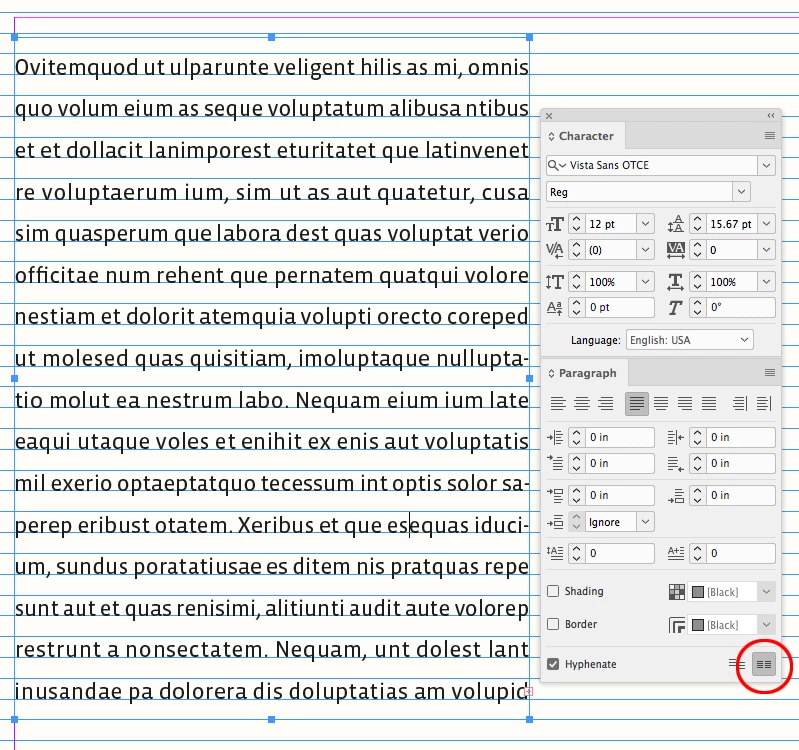
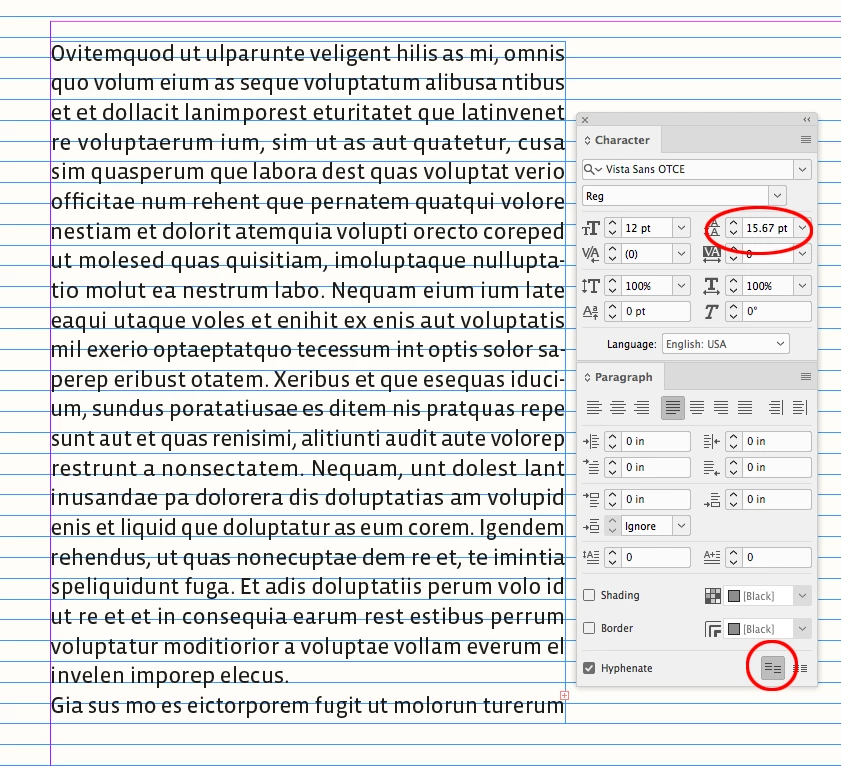
Leading is defined as the distance between the texts’ baselines (not the white space between the lines). So as @jmlevy suggests, if you have Align to Baseline Grid turned on, the text will snap to the set baseline grid and ignore the Leading amount:


4 replies

Participant
August 21, 2020

thank you for the responses guys, what Rob mentioned was right, I was able to find the solution

rob day
Community Expert
rob dayCommunity ExpertCorrect answer
Community Expert
August 14, 2020

Leading is defined as the distance between the texts’ baselines (not the white space between the lines). So as @jmlevy suggests, if you have Align to Baseline Grid turned on, the text will snap to the set baseline grid and ignore the Leading amount:


jmlevy
Community Expert
Community Expert
August 13, 2020

It sounds like your text is aligned on the baseline grid. Can you post a screenshot showing your text and the baseline grid?

Derek Cross
Community Expert
Community Expert
August 13, 2020

Here's an example – 12pt on 14pt equals 2pt leading.


Ezid5FB2Author
Participant
August 13, 2020

Is there a way to be more precise on the leading? It looks like the font size can impact it too, but for the purposes of the document, the font needs to be big.


thanks

Randy Hagan
Community Expert
Community Expert
August 13, 2020

Font size, and font design, can absolutely affect leading effects.


You can also enter leading values as small as .01pt to fine tune leading values as you need it.


Hope this helps,


Randy