Participant
June 5, 2024
Answered

Left-align multiple-sized pages in PDF export

  • June 5, 2024
  • 4 replies
  • 410 views

Hello!


I have a document with different sized pages (9x11 for section dividers and 8.5x11 for standard page content). When I export to PDF, it centers the pages along the middle. I'd like to have these left aligned so the PDF version visually matches a left bound version of the document. 


Is this possible?


Thank you in advance!
This topic has been closed for replies.
Correct answer rob day

If the document is being bound there would have to be a page that represents the backside of the page with content. If you don’t provide the blank pages, your printer will have to add them when they impose the pages into printer spreads.


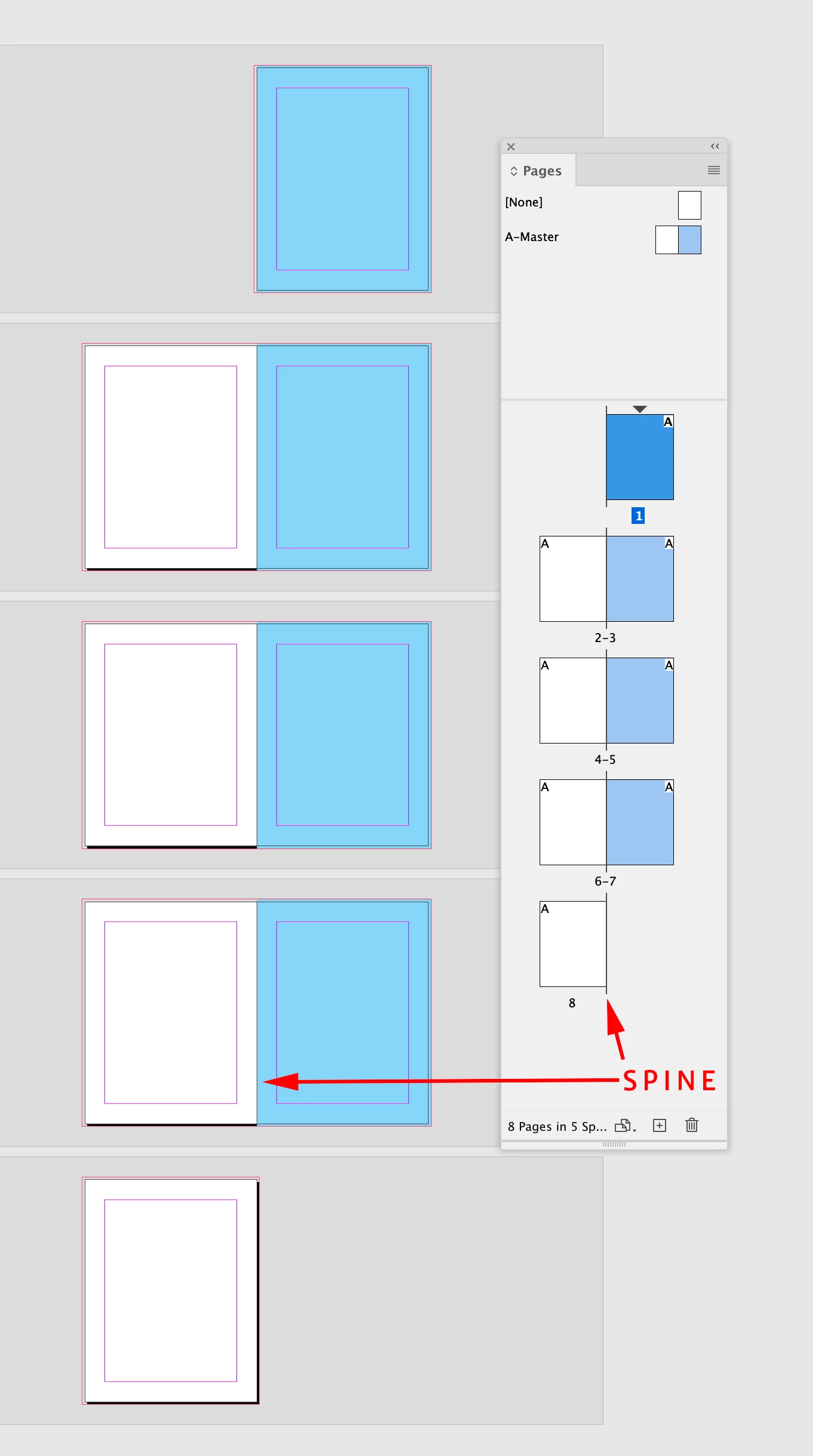
A subtlety of the Pages panel is, with Facing Pages on, there is a spine mark which shows the page alignment. Here there are 8 pages, with all of the content to the right of the spine, which is represented by the center spine mark:


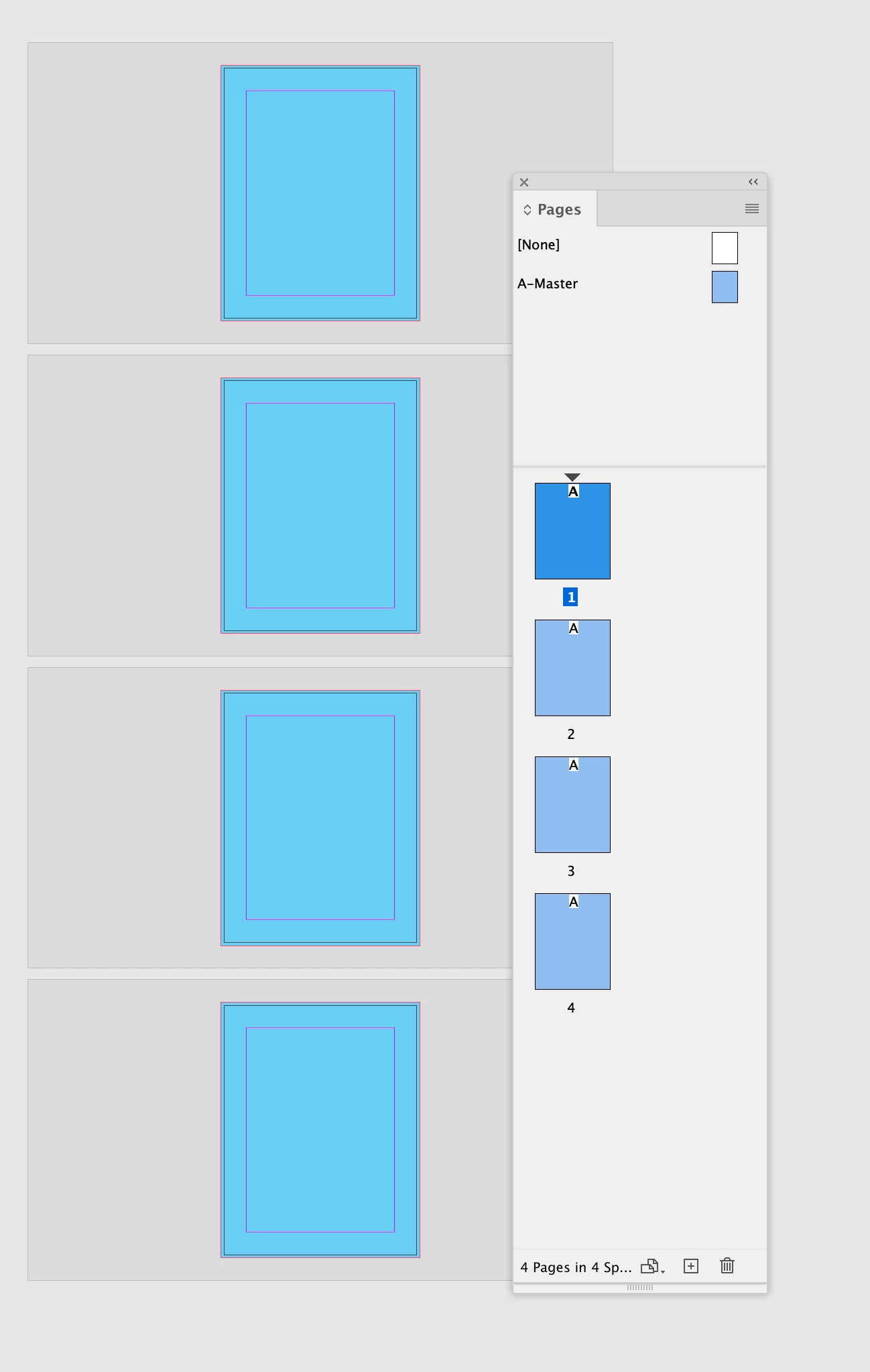
With non facing pages there is no spine mark—the pages don’t align to anything. This document has 4-pages, but if it is bound there will have to be 8-pages—4 blank pages will have to be added by the printer when the book is imposed:


4 replies

rob day
Community Expert
Community Expert
June 5, 2024

HI @Alyssa H , By left aligned do you mean a facing page document  where the spine is the center of a spread?:


If that’s the case you can set the Acrobat view to Tw0-Up Continuous (Cover Page)


You get this:


Alyssa HAuthor
Participant
June 5, 2024

Hi- thank you for the reply! That is essentially what I mean, but we don't use spreads/facing pages. All of our documents are single-sided (we do have the option to change this, however, but it would be an overhaul!). I'll definitely use this if we end up going that direction! 

rob day
Community Expert
rob dayCommunity ExpertCorrect answer
Community Expert
June 5, 2024

If the document is being bound there would have to be a page that represents the backside of the page with content. If you don’t provide the blank pages, your printer will have to add them when they impose the pages into printer spreads.


A subtlety of the Pages panel is, with Facing Pages on, there is a spine mark which shows the page alignment. Here there are 8 pages, with all of the content to the right of the spine, which is represented by the center spine mark:


With non facing pages there is no spine mark—the pages don’t align to anything. This document has 4-pages, but if it is bound there will have to be 8-pages—4 blank pages will have to be added by the printer when the book is imposed:


Mike Witherell
Community Expert
Community Expert
June 5, 2024

In Acrobat Preferences > Page Display > you can turn off the view of "Art, Trim, and Bleed Boxes" but that is only for your own copy of Acrobat. That gets rid of the red page edge lines.


I like James idea which is an inversion of my idea: put a 50% gray bar on the right side of the page (in the bleed area) so that it resembles the gray background of Acrobat.

Mike Witherell
Mike Witherell
Community Expert
Community Expert
June 5, 2024

Interesting question. Quick answer is no, but you can sorta fake it:

Make the InDD document non-facing 8.5 x 11 pages but also add a 1/2 bleed on the right.

Make 2 Parent Pages. The Divider Parent Page gets to have a paper-filled box that sits in back and runs an extra 1/2" to the right. In my idea I also added a 1/2 vertical color band to denote the divider.

Export to a Print PDF so that you can add the 1/2" right side bleed.

It sorta works.

Only problem is, the Acrobat PDF shows the page edges as red. In Acrobat Preferences > Page Display you can over-ride that view.

Mike Witherell
Alyssa HAuthor
Participant
June 5, 2024

Hi Mike- This is an interesting idea! I'll give it a try and see how it looks for our standard documents.

James Gifford—NitroPress
Legend
June 5, 2024

I don't believe so, and I'd bet that any minor tweak or setting would only work on Acrobat Reader, not any third-party viewer. The viewing model, across the board, is pretty much that the user wants each page centered in the viewing area.

Alyssa HAuthor
Participant
June 5, 2024

I had a feeling that was the case. Thank you for the reply!

James Gifford—NitroPress
Legend
June 5, 2024

You could sort of fake it by adding a phantom half-inch to the right side of the smaller pages. Maybe a dark gray band?