
October 11, 2022
Answered

Legenda InDesign

  • October 11, 2022
  • 3 replies
  • 695 views

Como criar legenda com o nome do arquivo sem colocar a extensão .jpg.

E como colocar o texto parte Bold, parte italic 

Exemplo: Imagem 05.jpg - Mosaico22 (onde o 05 é o nome do arquivo)

Gostaria que ficasse assim: Imagem 05 - Mosaico22
This topic has been closed for replies.
Correct answer m1b

Hi @Chico Crevin,


1. Do your images already have captions generated by Indesign?

2. Are the images anchored in the text (do they flow with the text)?

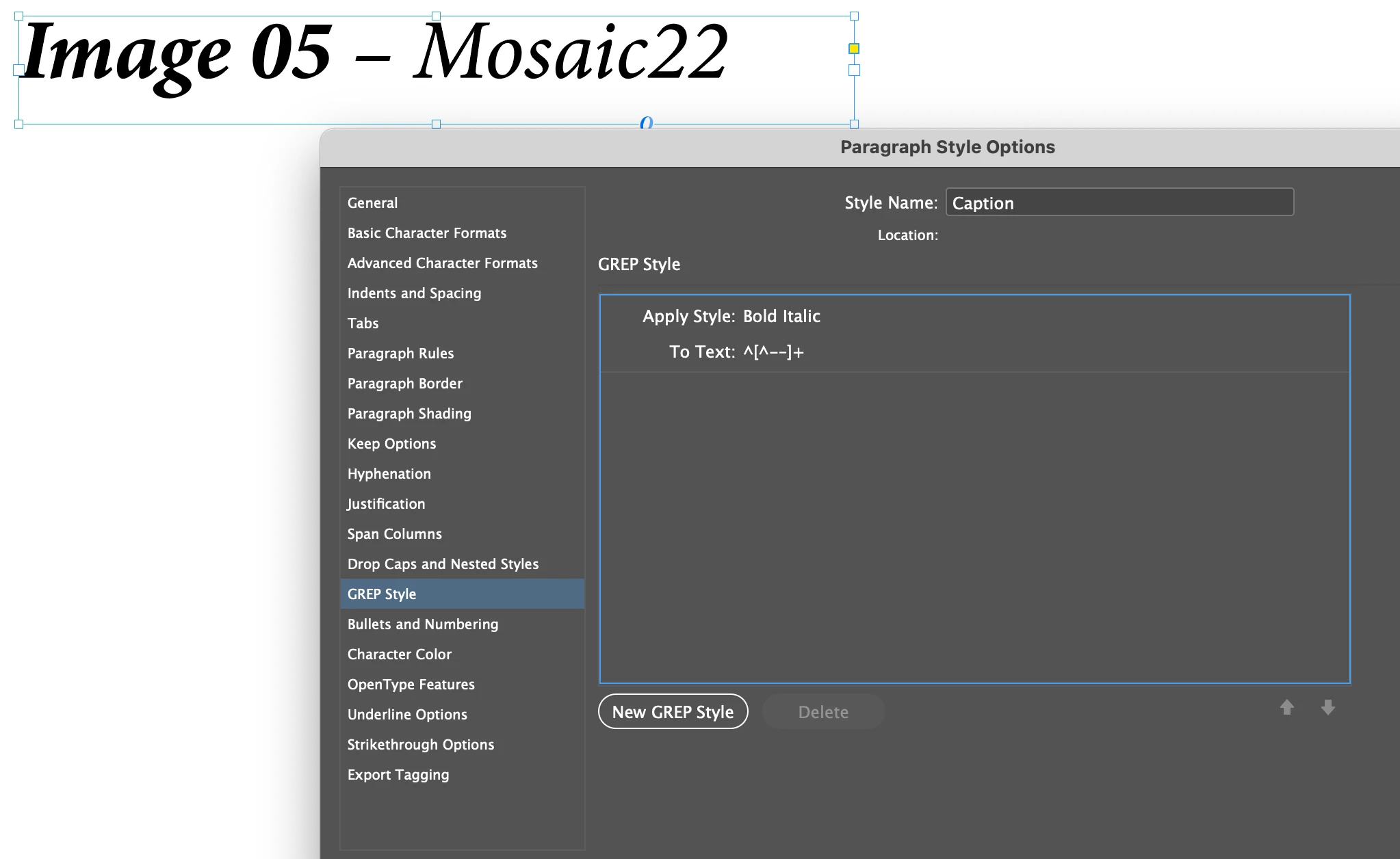
3. For the styling, you could make a paragraph style called "captions" that has a nested GREP style of ^[^-–]+ This will match text from the start of the paragraph up to the first hyphen or en dash. The nested GREP style would set the matched text in a character style that set the font style to Bold Italic, for example.

- Mark


3 replies

Mike Witherell
Community Expert
Community Expert
October 11, 2022
James Gifford—NitroPress
Legend
October 11, 2022

InDesign's caption feature is so awkward and limited, outside of a shop or user who meticulously meta-tags all images, that most don't use it. However, you can probably make use of its narrow feature set by writing your desired information into a tag field that the caption feature can read. Rather than filename, for example, you might use the Credit or Description metatag to hold just the filename without the extension.


The caption setup and associated style, with or without a GREP embedded style, should be able to do exactly what you're trying to achieve, and automatically for each image.


m1b
Community Expert
m1bCommunity ExpertCorrect answer
Community Expert
October 11, 2022

Hi @Chico Crevin,


1. Do your images already have captions generated by Indesign?

2. Are the images anchored in the text (do they flow with the text)?

3. For the styling, you could make a paragraph style called "captions" that has a nested GREP style of ^[^-–]+ This will match text from the start of the paragraph up to the first hyphen or en dash. The nested GREP style would set the matched text in a character style that set the font style to Bold Italic, for example.

- Mark


October 12, 2022

A Legenda foi toda para o Bold tentei colocar todas as formas de hifen, mas o Indesign não reconheceu.

O Indesign não reconhece o Hifen

Copiei seu texto da explicação e colei na programação e não reconheceu também

m1b
Community Expert
Community Expert
October 12, 2022

Hi @Chico Crevin, you should be able to just type a hyphen. On my english keyboard I type - (hyphen next to = key) or hold option/alt to get en-dash.

Or can you copy this text ^[^-–]+

- Mark