Participant
October 4, 2017
Question

Legends tied to content on images

  • October 4, 2017
  • 1 reply
  • 2506 views

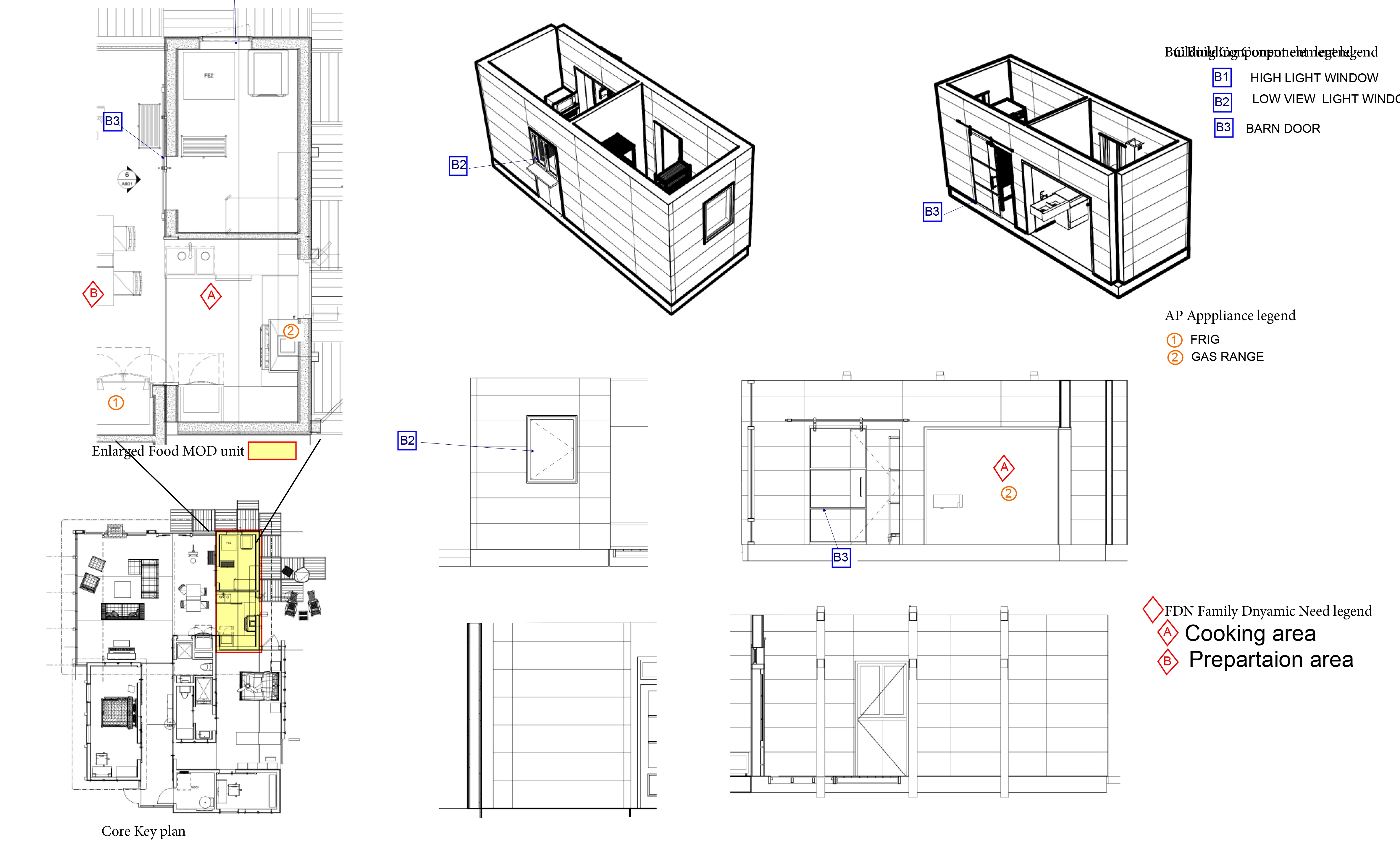
Attached is an example of one of the sheet layout types.

Indesign question as follows:

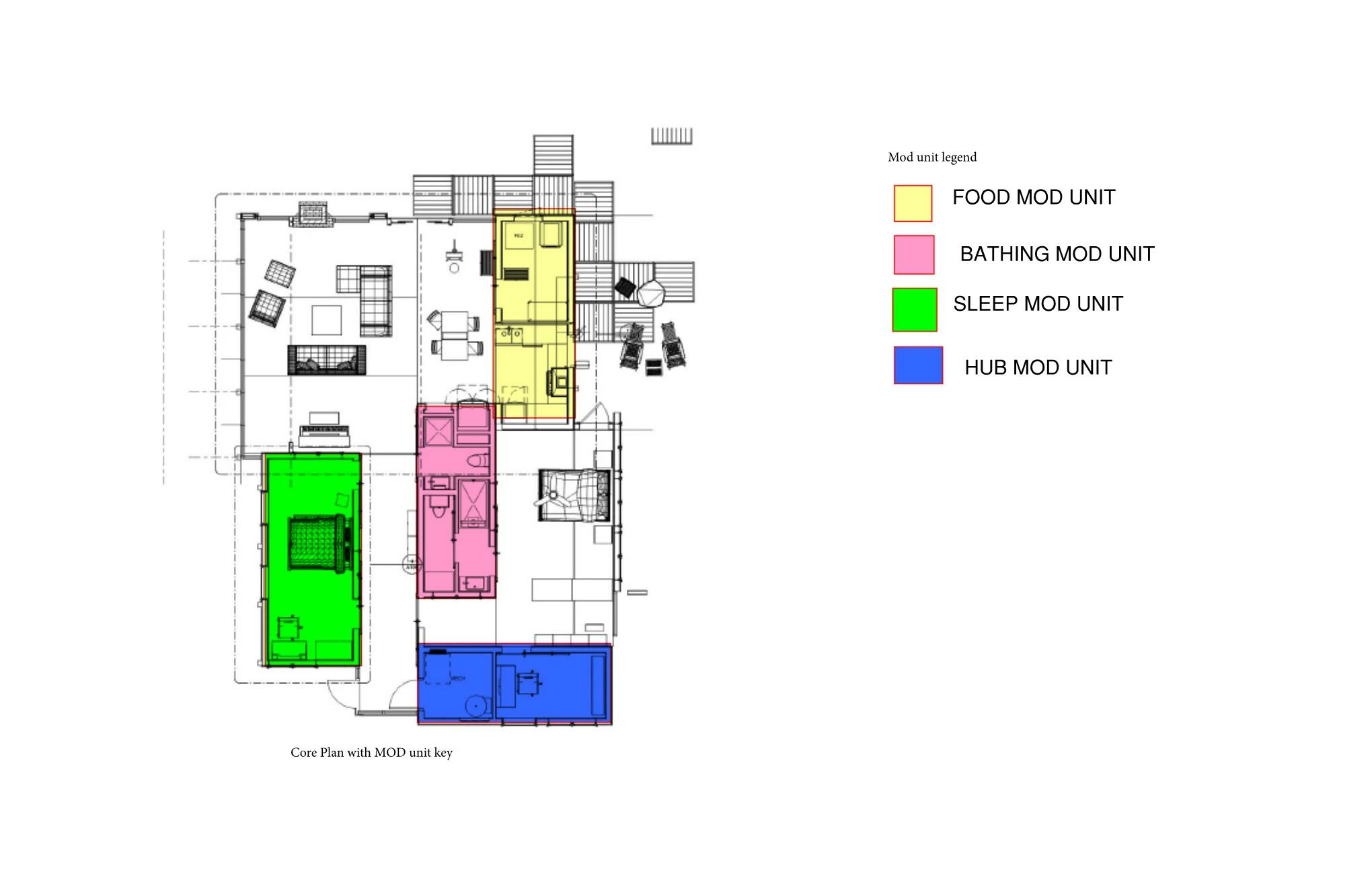
This is a pdf of Indesign sheet layout for one of the chapters. I’m requesting help with how to create the legends as indicated in the mock up created in Bluebeam program. I need the legends to be changing for each page and the content will vary from page to page. The images will be all separate created in the 3D modeling software. I want to keep all the text and numbering in Indesign for the quality of printing, but the main document will be interactive PDF. The symbols will have the shape and color difference to tie back to the legends as each legends content will be placed on single image and repeated on other images on the sheet. One image on the sheet  will have indicators from all the legends.
    This topic has been closed for replies.

    1 reply

    Barb Binder
    Community Expert
    Community Expert
    October 4, 2017

    I am not clear on the question:

    Are you asking how to type in the text legends in InDesign, how to add the rectangles to the legends and over the various rooms, and how to assign colors?

    ~Barb at Rocky Mountain Training
    Participant
    October 5, 2017

    I'm not sure how to obtain the number list with the different symbols around the letters / numbers. Then how do I create those symbols to match to and place around to  reference the images.

    Barb Binder
    Community Expert
    Community Expert
    October 5, 2017

    Ok, so the question is how to create the numbers in these two sections of the second screen shot?

    Based on the alignment, I'd wager that someone typed in the numbers with the type tool, and then drew the shapes around them. (They alignment is not consistent.) You can draw circles with the Ellipse tool and draw a rectangle with the Rectangle took, then convert it to a diamond with the Direct Selection tool.

    A better option for the circle is to use a font with circled numbers. How many digits max will you need? 2 (i.e., 99) or 3 (i.e. 100). Many fonts have numbers from 1-10 in circles, like Wingdings:

    And you can search for fonts that exceed the 10 in Wingdings:

    https://www.google.com/search?q=fonts+with+numbers+in+circles&tbm=isch&tbo=u&source=univ&sa=X&ved=0ahUKEwjA6-jQ1tnWAhWmg…

    I don't see an equivalent for the diamonds, so I'm guessing you would have to draw those.

    ~Barb

    ~Barb at Rocky Mountain Training