
Known Participant
January 29, 2024
Answered

Letter and period disappears upon export to PDF

  • January 29, 2024
  • 2 replies
  • 2658 views

Hi friends,

I am encountering a couple of unusual things when I export from InDesign to PDF.

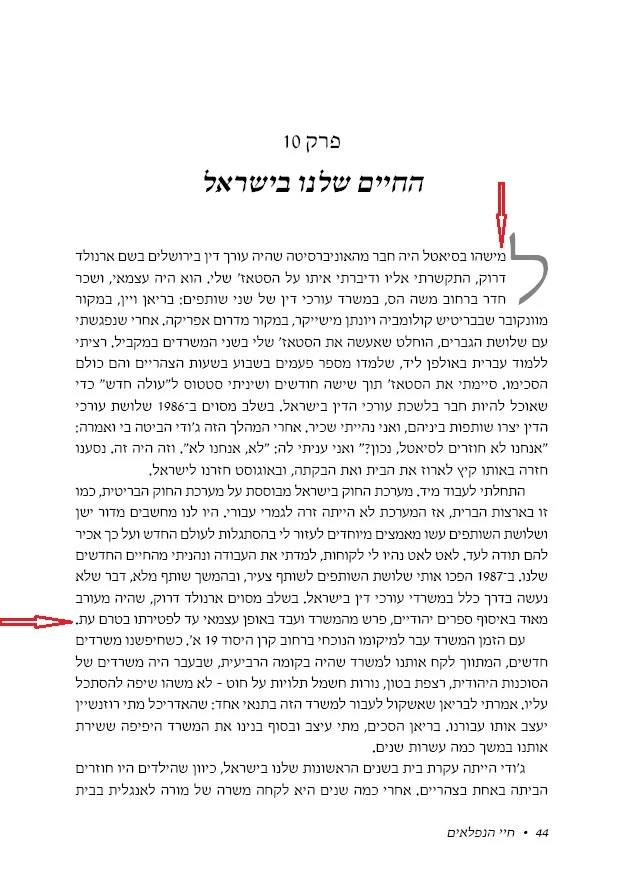
#1: The letter following the drop cap disappears!

Note: I did receive a warning that the glyph was not available when I used the paragraph style with the drop cap.

#2: Some periods near the text-frame edge also disappear.


Here is a screenshot of a page in PDF (converted to JPG):
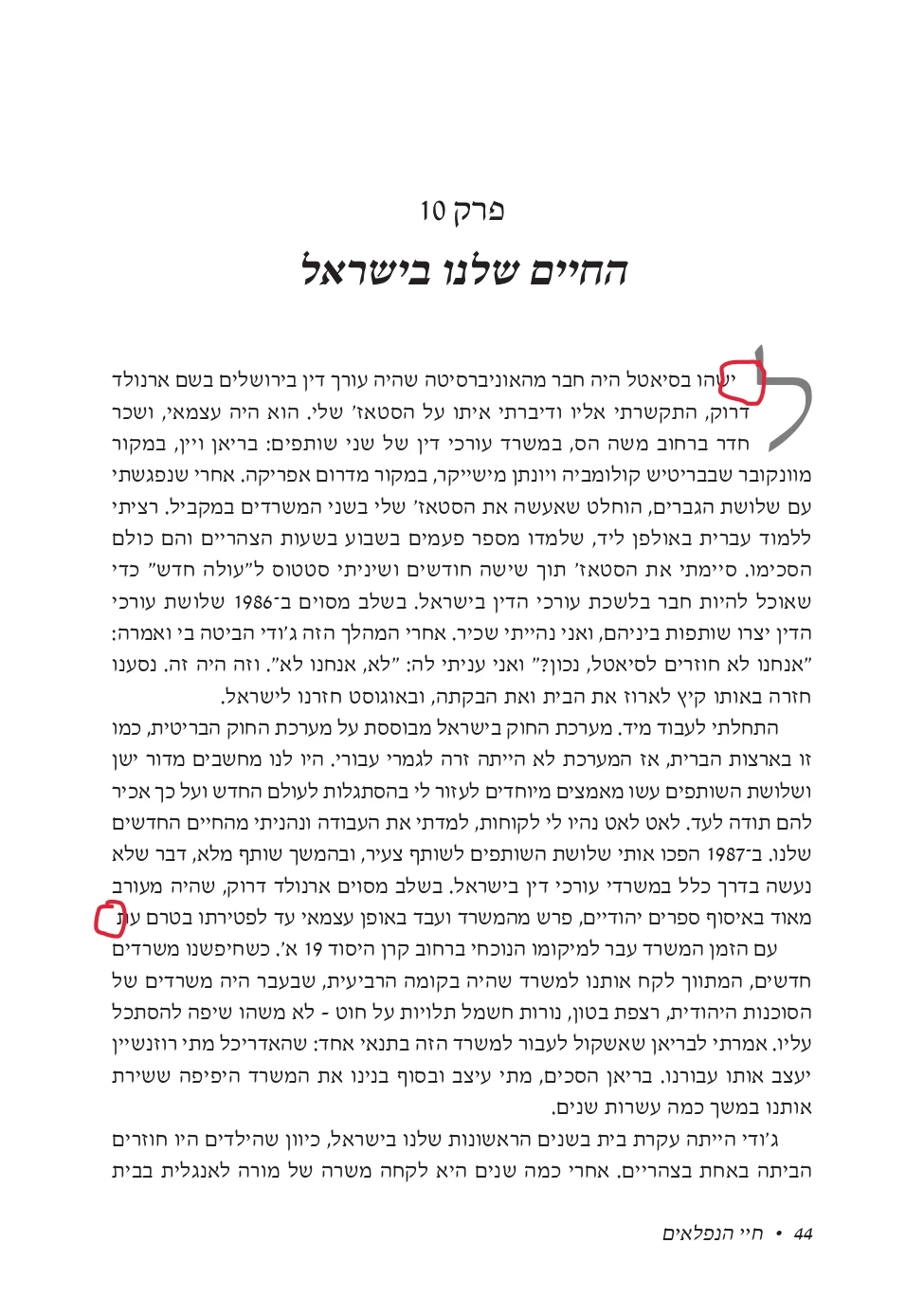
And here is a screenshot of the same page in JPG where they did not disappear.
Any clues how to fix this?


Thanks!!
Eli

Correct answer BobLevine

I tried the 2023 version, and I had the same issue.

I hate to give up, but it's better than wasting time.


This problem has existed for some time including 18.4 and 18.5. Try going back to 18.3 or 18.2.

2 replies

Abhishek Rao
Community Manager
Community Manager
August 20, 2024

Hi everyone, 


Thank you for your patience. It looks like you're experiencing a similar issue mentioned in the Uservoice. If yes, please continue to upvote the UserVoice and add your feedback to help prioritize the issue. We will keep you posted if the product team needs any further details from you. Stay tuned to the UserVoice page for updates. 


Thank you,

Abhishek Rao

Robert at ID-Tasker
Legend
January 29, 2024
Known Participant
January 29, 2024

Thank you @Robert at ID-Tasker for sharing that link to the discussion in the forum.

I tried turning off kashidas, but that didn't help.

I then tried adding an extra period, and that worked.

But now I have to add extra periods in a dozen or so select paragraphs across the document. 😞

If anyone has a solution, I'd appreciate it.


But my missing-glyph-after-the-drop-cap issue still stands.

Anyone have any advice?

Eliyahu Miller
BobLevine
Community Expert
Community Expert
January 29, 2024

There are a lot of known issues with RTL languages that Adobe is working on fixing.