
Known Participant
April 5, 2024
Answered
LETTERS WITHIN SQUARE / WITHOUT HYPHEN
- April 5, 2024
- 1 reply
- 320 views
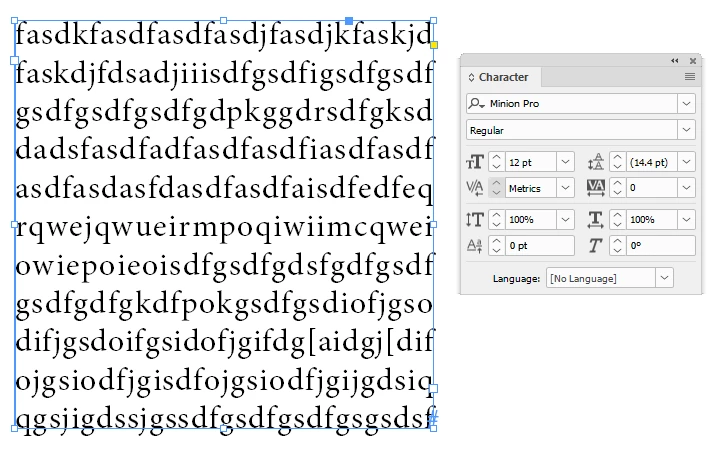
I need to put out exactly these letters/words, but now want to get rid of those hypens (splits), because it's more about letters rather than words (it 's a kind of a word game).
Especially that the end result is such that all letters are nicely aligned in the whole, within a square. (supplemented, if necessary, by a short word, for example).
>> 'No hyphen' is obviously not an option...
>> Giving a soft return doesn't get me any further either, because then I can't get it nicely aligned, not even under Justification.
Does anybody knows how to fix this? Thank you!
 AdChoices