Inspiring
February 21, 2017
Answered

Library Auto Populate?

  • February 21, 2017
  • 1 reply
  • 906 views

Hi Is there a way to make a library Automatically update when something is added to a folder?  I asked in the non scripting forum and they said it cant be done the conventional way.  So i'm hoping it can be scripted. What i'm trying to do is have a Library of Our barcodes (thousands) and more are added every day.  Right now i have to Place> then add to Library. 

This topic has been closed for replies.
Correct answer Loic.Aigon

I'll paste Pictures of the workflow below.  After completing building a job.  We have our own Unique Barcode (Code 128) that is specific to that label.  The front office puts on a job (Which Generates the barcode) Different Barcodes for each job  > we build the label > Put the specific barcode for that job.  Our barcodes are for Inventory, and checking purposes. If there is a better way that you can think of to do this let me know.  Lets say this is label 1 it would have barcode 1234, If i build lable 2 now it will have a barcode 1235.
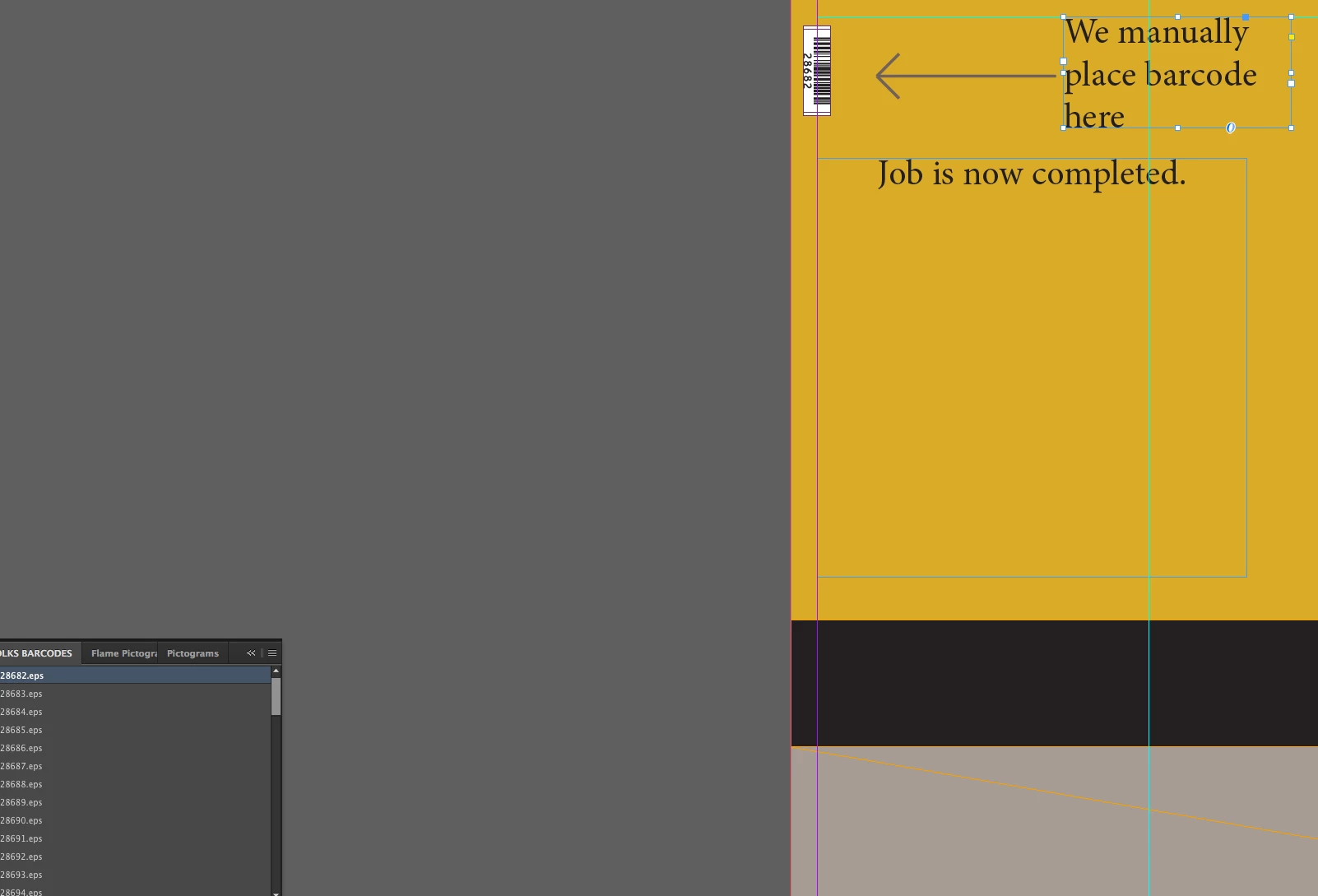

If you can presume of the context (meaning teh frame HAS the appropriate label, and barcodes are expected in the specific lcoation) then a script can do it. I was under the impression you were looking at a more UI dynamic solution.

That would be the idea, I let you develop.

var doc = app.activeDocument,

allPageItems = doc.allPageItems,

n = allPageItems.length,

f;

while( n-- ) {

  if ( allPageItems.label ="SomeBarCodeNumber" ) {

  f = File ( "/some/path/to/barcodes/"+allPageItems.label );

  f.exists && allPageItems.place ( f );

  }

}

1 reply

Community Expert
February 21, 2017

What kind of library are you talking about?

1. InDesign library files ( *.indl ) ?

2. CC Library libraries?

About option 1:

With InDesign library files you can add assets.

Assets can be placed ( and linked! ) barcode files with their graphic frames.

PDFs or EPS or TIFFs… plus their frames.

A script could open a library file automatically if InDesign is started ( and is finished with starting ).
And then would place assets, updating the links and replace the assets in the library.

If you are talking thousands of barcode assets this could take a while.

A few minutes perhaps?

That would require a startup script.

About option 2:

Not easy at all.

I do not say it cannot be done, but there is nearly no documentation about scripting CC Library libraries.

Option 3:

Why using libraries for placing barcodes?

This could be scripted automatically if e.g. a hint is given in the layout what barcode file should be placed where.

Could be a special text formatting for a barcode's name, could be other hints.

For barcode generation with CS3 to CC and also batch processing barcodes with InDesign

see e.g. Marc Autret here:

Indiscripts :: BookBarcode

Or for QR Code generation with CS4 and above see Jongware here ( read it all ):

[Ann] QR Code for InDesign CS4 and up

Regards,
Uwe

cbishop01Author
Inspiring
February 21, 2017

SOrry i didnt give you near enough info.  this will be "indl"The Barcodes are already Genereated i'm just placing them in the files

Community Expert
February 22, 2017

Hi,

still not enough info.

Show your current workflow with InDesign library files step by step.

Questions: How is a given barcode file related to a document?

Is it one barcode per document?

Or are you doing a catalog of things where every item should show a barcode?


Then there would be a part number or unique identifier of the item that should be related to a distinct barcode file.

And then you could build a tabular structure where all information could go in.

If the barcode file name is directly related to the part number and the part number is existing as part of a text frame in your InDesign document you could run a script that is directly placing the right barcode. For updates—changing in items and changes in text—the script could check if the right barcode is at the right place and if not updates the barcode image.

No need for a library with placed barcodes.

However, if you want to have library files, feed assets, replace assets and want to drag items to your page see into this:

Adobe InDesign CS6 (8.0) Object Model JS: Table of Contents, Libraries Suite

Regards,
Uwe