ceciliai865120
Participant
February 12, 2018
Answered

Limitar las hojas de impresión en Cosido a 2 hojas

  • February 12, 2018
  • 2 replies
  • 1082 views

Buenas tardes.

Realizo cuadernos artesanales, por lo tanto, mis trabajos en Indesign tiene que ser preparados para coser.

El tema es que cuando preparo el folleto para imprimir Cosido a 2 hojas, me une usualmente, la primer hoja con la ùltima.

Sin embargo, para el tipo de trabajo que realizo, los cuadernillos tienen que agruparse en no mas de 5 hojas

Es decir, que si mi trabajo tiene 50 hojas, necesito que Indesign prepare el PDF, uniendo el 1 con el 10, el 11 con 20 y asì sucesivamente y no el 1 con el 50. Me explico?

Alguien podría decirme si es posible?

Muchas gracias!
    This topic has been closed for replies.
    Correct answer rob day

    From the translation of your post it sounds like you need perfect binding.

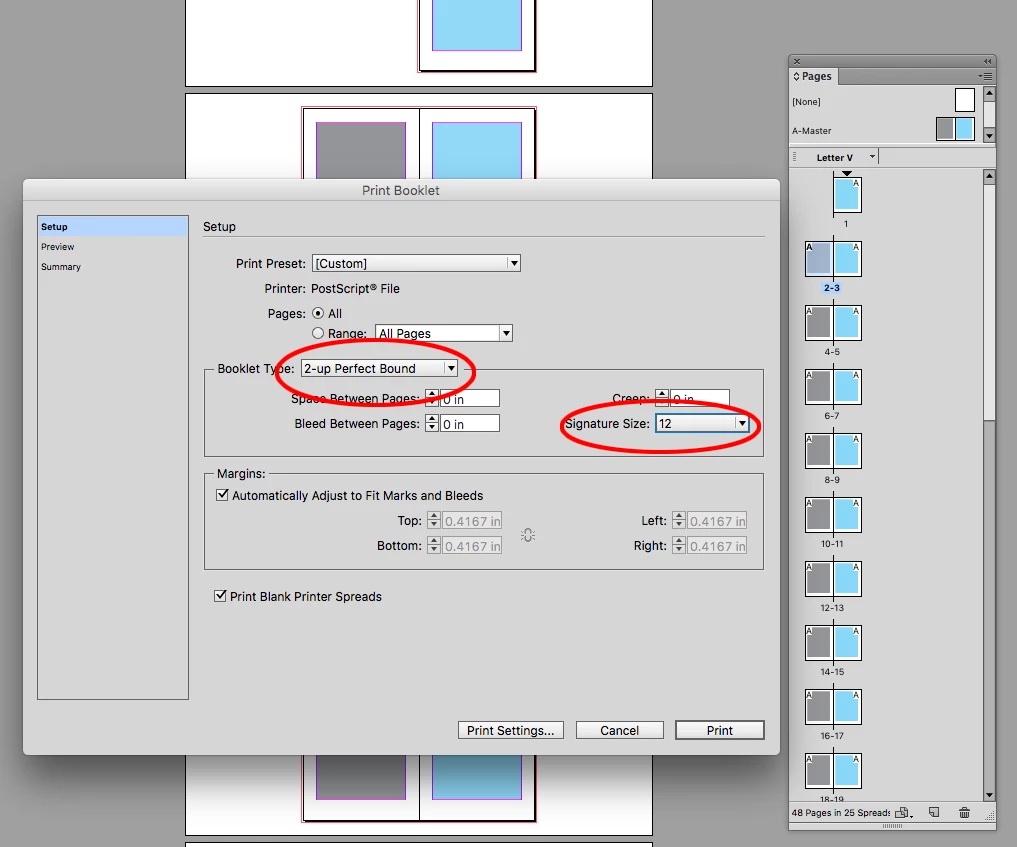
    Look at File>Print Booklet, which lets you print imposed signatures. Your page count would need to be multiples of 4.

    Here my document is 48 pages and I'm printing 4 folded signatures of 12 pages each. I have to set up the printer page dimensions from the Print Settings... button

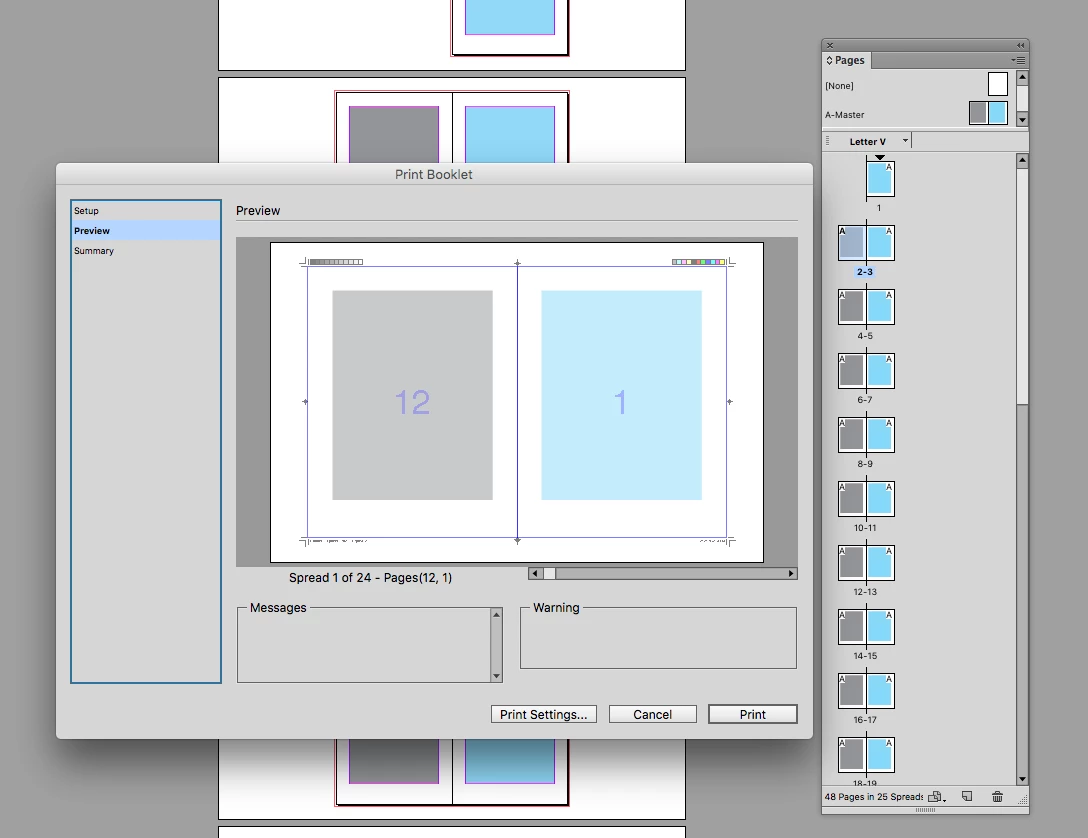
    Preview showing the first spread of the first signature

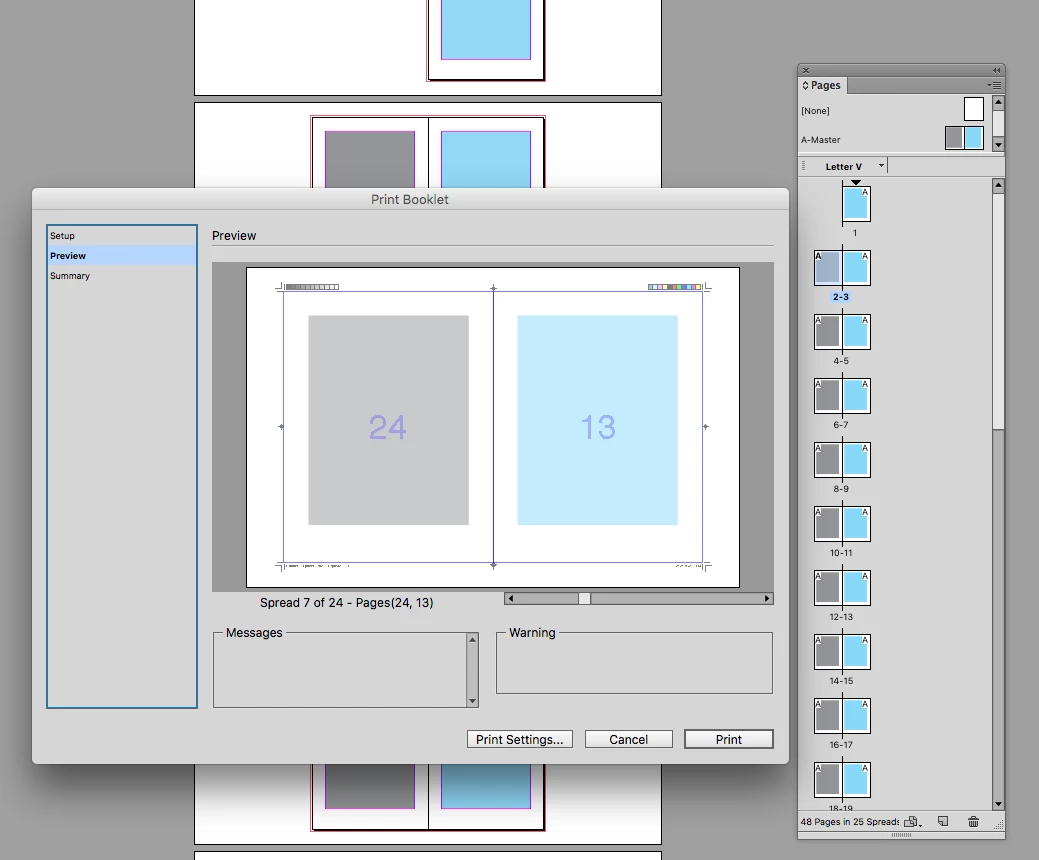
    The first spread of the 2nd signature

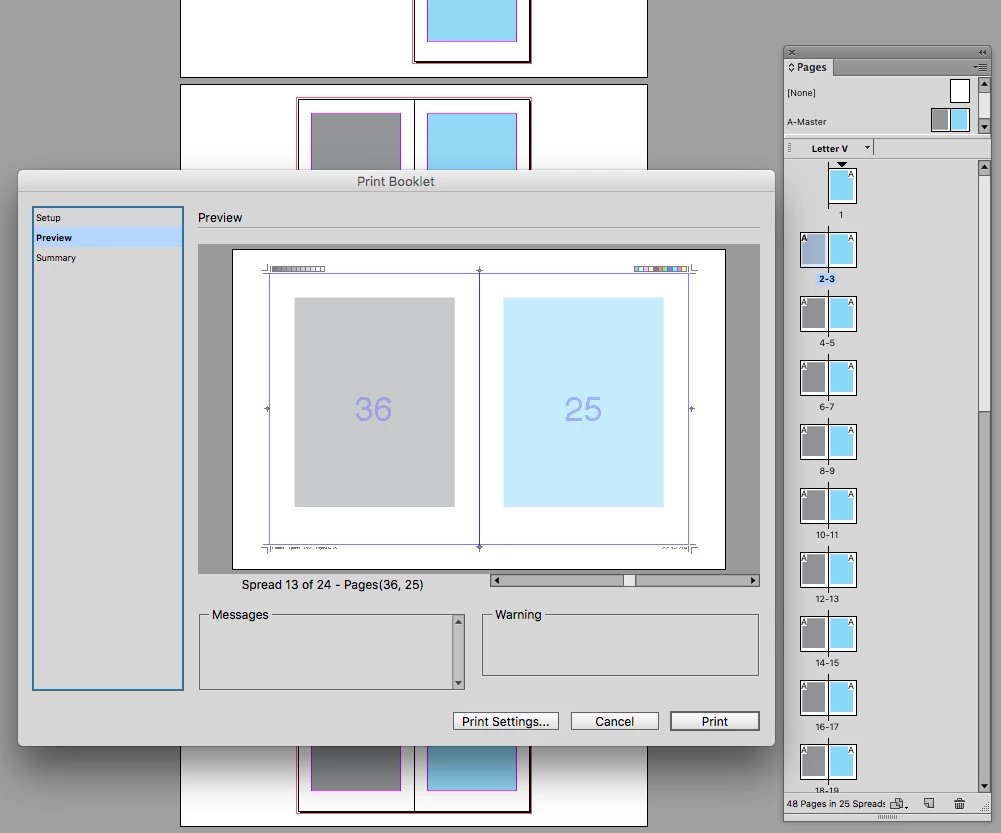
    First page of the 3rd signature, etc.

    2 replies

    rob day
    Community Expert
    Community Expert
    February 12, 2018

    Also, if your document has any blank pages, make sure you check Print Blank Pages under Print Settings...>General>Options

    ceciliai865120
    Participant
    February 14, 2018

    It worked perfectly!! Thanks a lot!

    rob day
    Community Expert
    rob dayCommunity ExpertCorrect answer
    Community Expert
    February 12, 2018

    From the translation of your post it sounds like you need perfect binding.

    Look at File>Print Booklet, which lets you print imposed signatures. Your page count would need to be multiples of 4.

    Here my document is 48 pages and I'm printing 4 folded signatures of 12 pages each. I have to set up the printer page dimensions from the Print Settings... button

    Preview showing the first spread of the first signature

    The first spread of the 2nd signature

    First page of the 3rd signature, etc.

    ceciliai865120
    Participant
    February 13, 2018

    Thanks thanks thanks Rob, for your time and answering me with all the detail.

    I`m gonna try it, and will let you know how it works.