

keithm1972
Inspiring
May 21, 2023
Question

Line spacing I didn't set...how do I fix?
  • May 21, 2023
  • 3 replies
  • 363 views

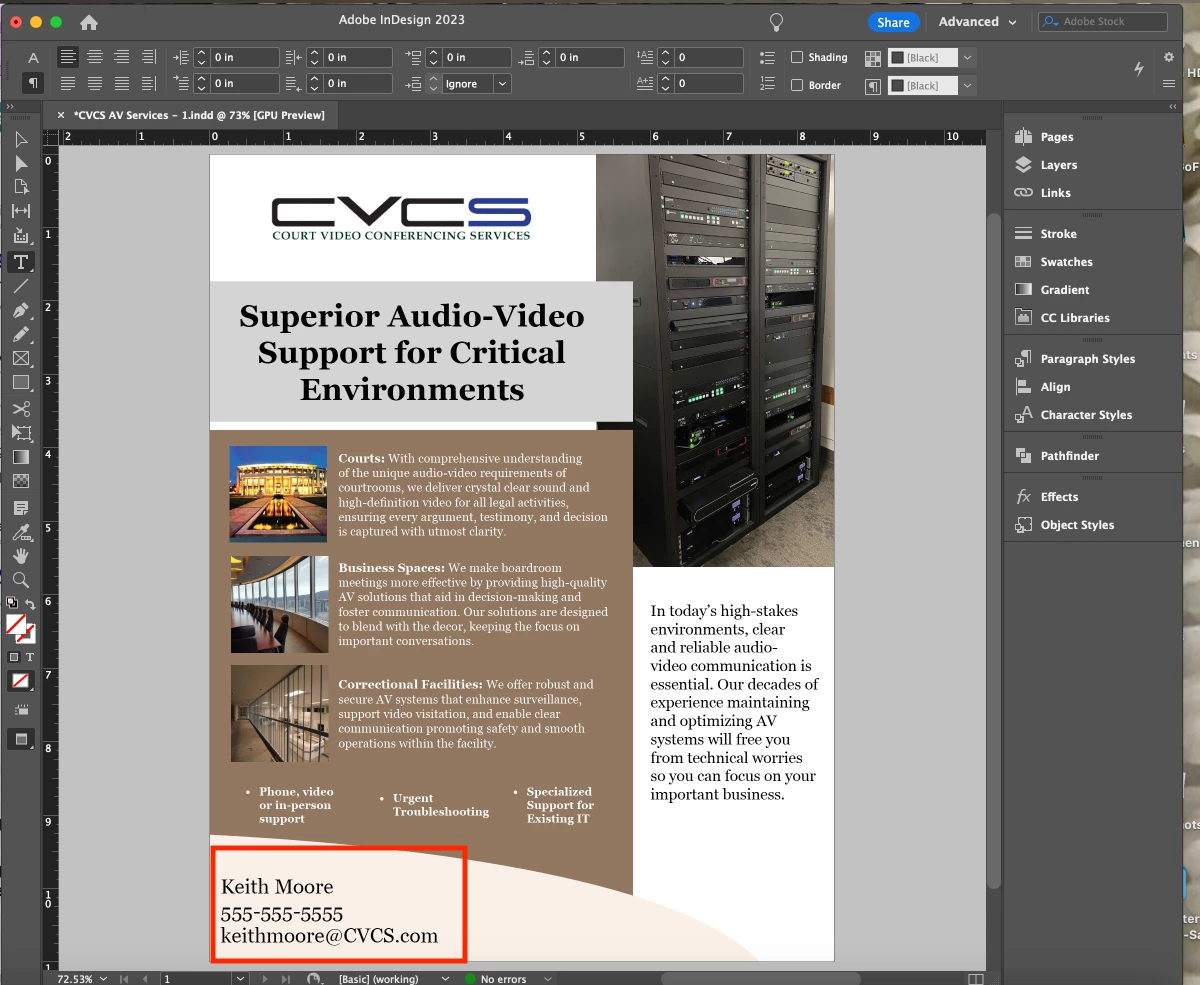
The section in red above has wider line spacing between "Keith Moore" and the phone number below it. I didn't set this. All the line spacing in the paragraph style is set to zero. What am I missing here?


This topic is closed to new replies. Start a new post to keep the conversation going.

3 replies

Community Expert
May 22, 2023
jane-e
Community Expert
Community Expert
May 21, 2023


All the line spacing in the paragraph style is set to zero.

By @keithm1972


The line spacing (leading) should not be set to zero. Typical leading (as per Gutenberg) is typesize plus 2, although it can vary. Select all three lines and change the leading first.


Leading is a character setting by default, so if one character (such the pilcrow) is larger than the other characters and if you are using AutoLeading, the entire line will use the larger leading. That's one possibility for what you are seeing here.


To better assist, we would need to see:

  • text selected
  • hidden characters showing
  • Character panel
  • Paragraph panel

No text is selected now, so we cannot see your settings.


Jane


James Gifford—NitroPress
Legend
May 21, 2023

Check the text frame settings for that frame. Select it, then right-click | Text Frame Options, or Ctrl-B. There are several settings that might cause this behavior, but I'd bet vertical justification has been set to Full. (You usually want Top.)