Inspiring
November 4, 2025
Answered

line with zero leading but affecting the next paragraph

  • November 4, 2025
  • 3 replies
  • 224 views

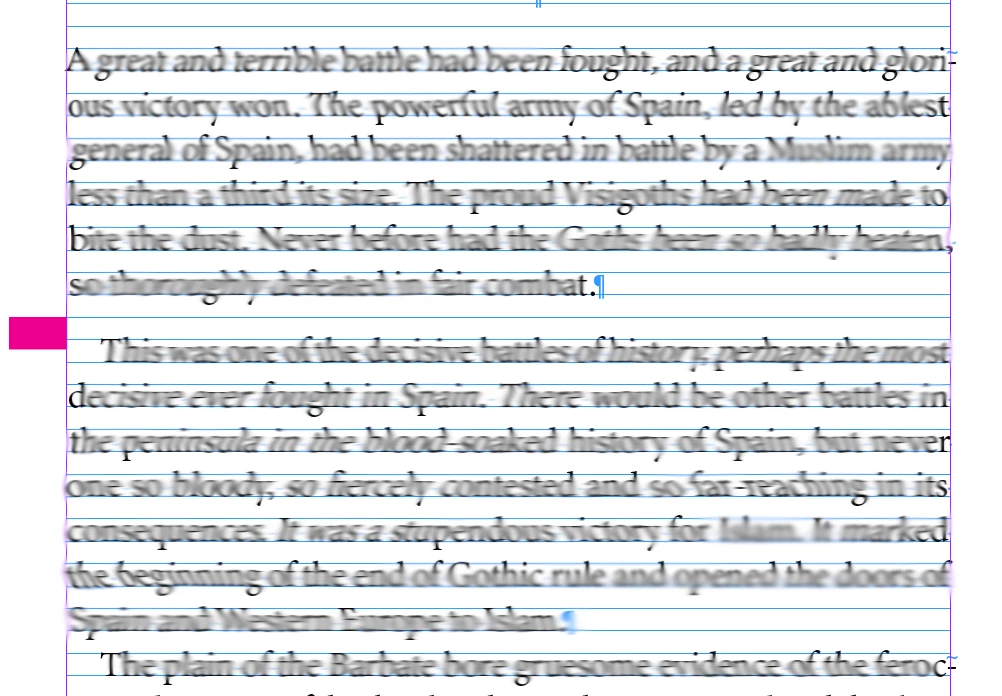
I have a paragraph style applied to a line which has zero leading and 0.1 points (see image below where there is a pink highlight). But it is still pushing the next paragraph down by one baseline.

I don't want it to push the next line down.


Correct answer Peter Spier

Or a note.


~Barb


or maybe put the name of the image into the anchored frame...

3 replies

Barb Binder
Community Expert
Community Expert
November 4, 2025

So why do you need the tiny paragraph? Removing solves the issue. Keeping it—even at 0.1 pt—forces the text the text below to the next baseline, because that's how snapping to the baseline grid works.


~Barb


~Barb at Rocky Mountain Training
Inspiring
November 5, 2025

I am using it to mark the places where there was an image in the original manuscript. I will then place an image on the next page

Peter Spier
Community Expert
Community Expert
November 5, 2025

If all you need is a placeholder/marker, you could anchor a color-filled rectangle in the text, custom postioned in the margin.

rob day
Community Expert
Community Expert
November 4, 2025

Hi @Summayah5FC7 , Looks like you have Align to Baseline Grid turned on, but your Leading and Space Before/After are not even multiples of the Baseline Grid? If that’s the case, this thread might help with unexpected baseline alignments:


https://community.adobe.com/t5/indesign-discussions/aligning-end-of-paragraphs-across-spreads/td-p/12715902


Here my Baseline Gride is set to 8 pt and all of the text Leading (the distance between the texts’ baselines) is set to 16 pt:


Inspiring
November 4, 2025

Yes i have set it to align to baseline grid, multiples of 7pt. All paragraphs have leading of 7.

rob day
Community Expert
Community Expert
November 5, 2025

All paragraphs have leading of 7.


If all the text is set to the same 7pt Leading then you don't need to turn on align to baseline grid. Can you share the document?

Barb Binder
Community Expert
Community Expert
November 4, 2025

Is it adding the magenta rule to the left? Can you remove it and add the rule to the paragraph underneath?


~Barb

~Barb at Rocky Mountain Training
Inspiring
November 4, 2025

The paragraph rule is there so i know that in the original book an image was there. I have taken the paragraph rule off but it hasn;t solved the issue.