thomasb15338075
Participating Frequently
October 7, 2023
Question

Lines and text boxes in transferred files

  • October 7, 2023
  • 3 replies
  • 272 views

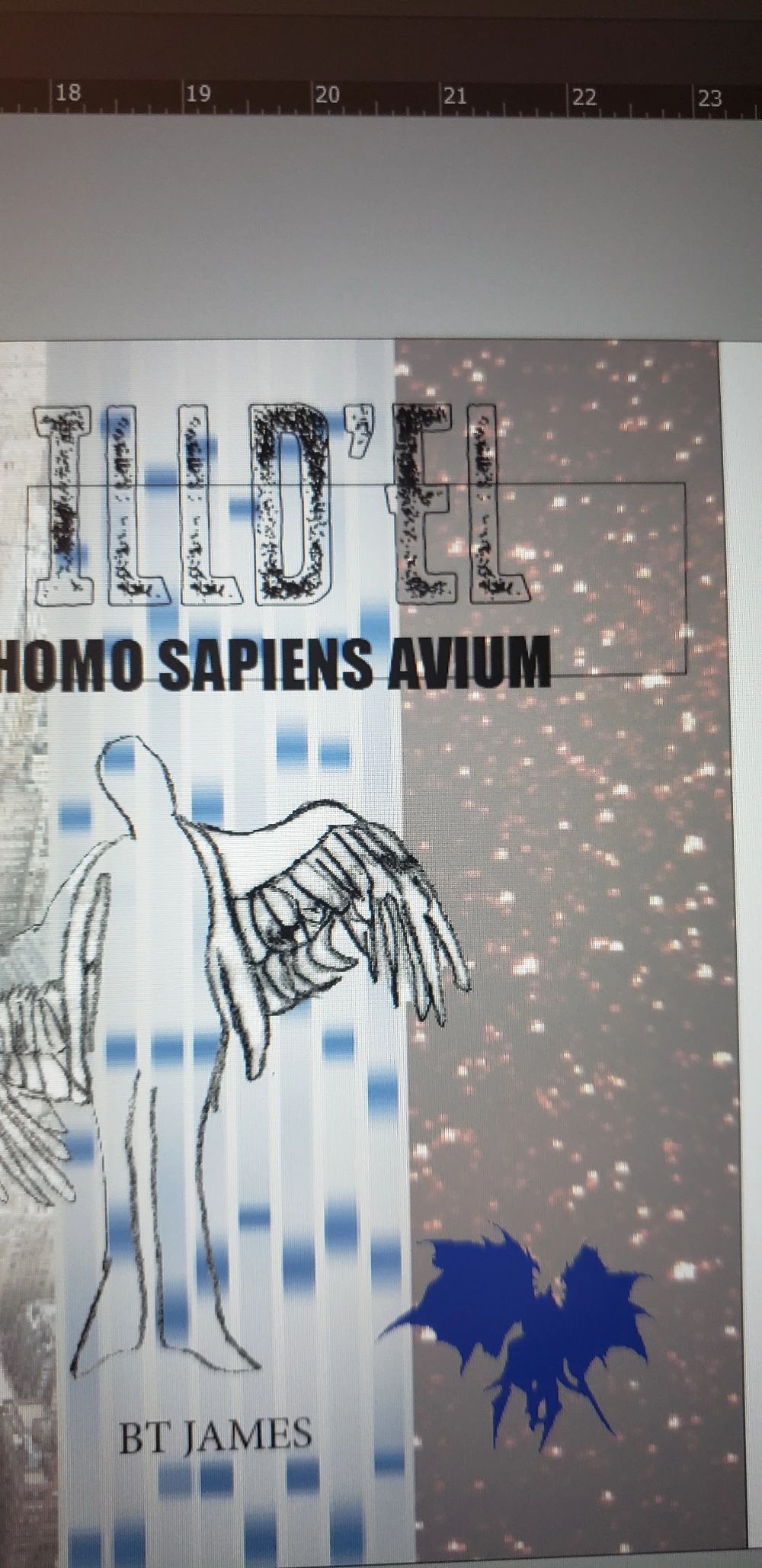
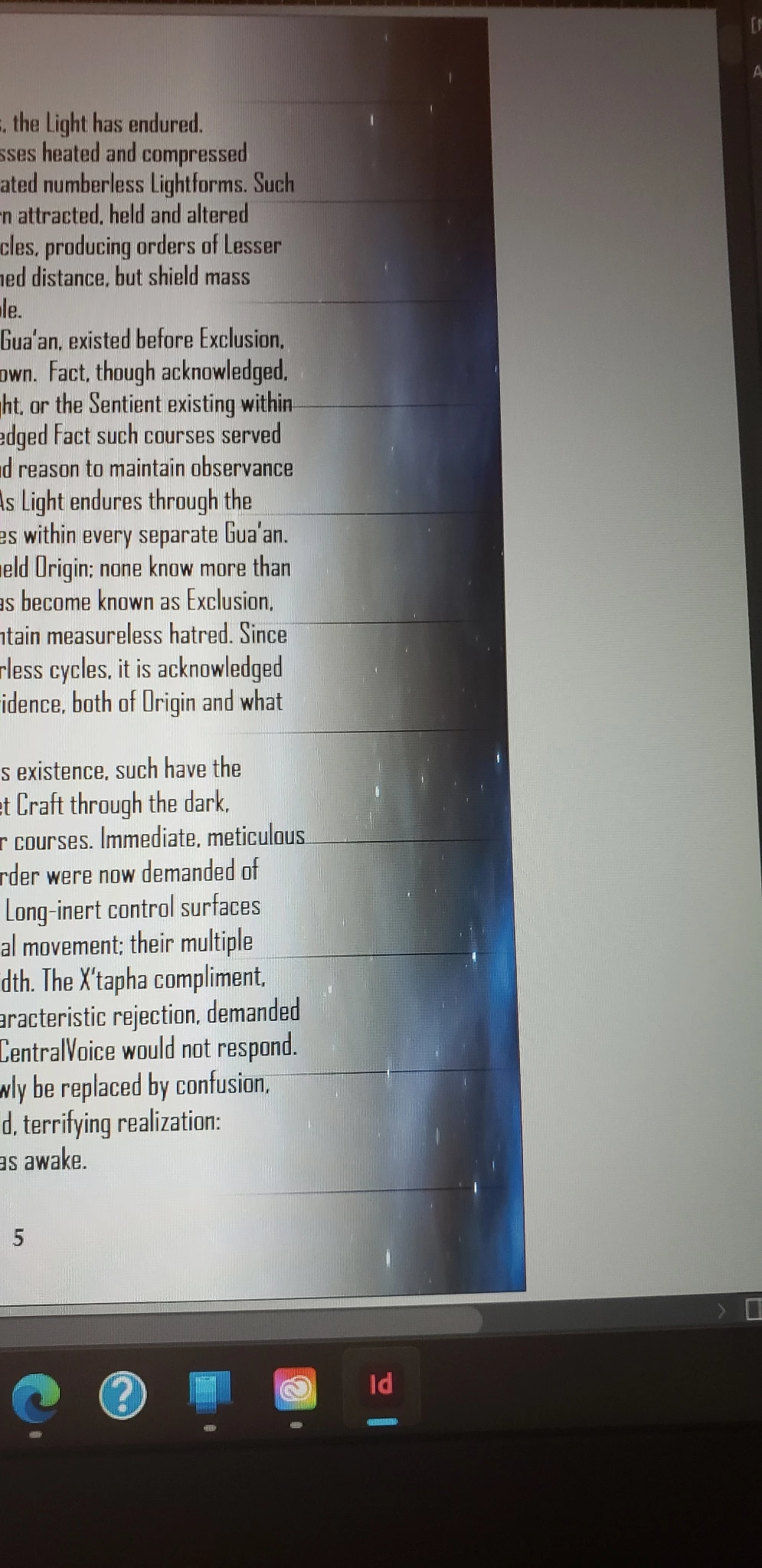
I just purchased a new laptop yesterday, and the whole Adobe desktop downloaded nesxt to immediately.  I transferred my InDesign files easily, but lines have appeared both in the gradient on my manuscript and as a text box in my cover file that will not go away!  

I am so close to submitting these files for publication.  Any assistance in getting rid of these would be most appreciated.


NOTE: the files were created with iD for W10, and the new laptop is running W11
 

This topic has been closed for replies.

3 replies

Barb Binder
Community Expert
Community Expert
October 9, 2023

Excellent! Glad you are back on track. 


~Barb

~Barb at Rocky Mountain Training
thomasb15338075
Participating Frequently
October 11, 2023

Thank you again!

BTW, to answer your question: the version that uploaded originally on my new laptop was 18.5, but was updated to 19 during this whole process.  

thomasb15338075
Participating Frequently
October 9, 2023

Thank you, Barb and Robert, for your replies.  I tooks Barb's advice and attempted a print of the pages, which proved the lines would probably not appear on any finished products.  The text box issue proved a little more challenging, but I have good news to share on that issue:

-clicking on the text box brings up text frame information in the Properties tab

-halfway down there's information on the frame's "Appearence." 

-I noticed the "Stroke" showed a thickness of 1or 2 points.

-I clicked on the points, selected zero points, and the box disappeared.  Double-checked with a test print and it was gone.

Barb Binder
Community Expert
Community Expert
October 7, 2023

Hi @thomasb15338075:


The lines on the cover page look like a frame. Can you click on the edge to select it? Shift+click the edge? Ctrl+Alt+click the edge? If it's a frame, and you can select it, you can just press Delete.


The other lines are more mysterious, since they are regularly spaced. Do they print?


What version of InDesign did you install? 18.5?


The quickest way to solve this may be to share your file if you're comfortable doing that. Just those two pages, plus the gradient image behind page 5. You can put them on a shared server like dropbox and add a link here (which is public) or you can click my avatar above this message and send it to me as a direct message (which is private).


~Barb

~Barb at Rocky Mountain Training
Robert at ID-Tasker
Legend
October 7, 2023
quote

The other lines are more mysterious, since they are regularly spaced. Do they print?


By @Barb Binder


Looks like they are part of the background's image - and OP used transparency gradient to fade this image under the text - or done this in the Photoshop?