Participant
January 26, 2022
Question

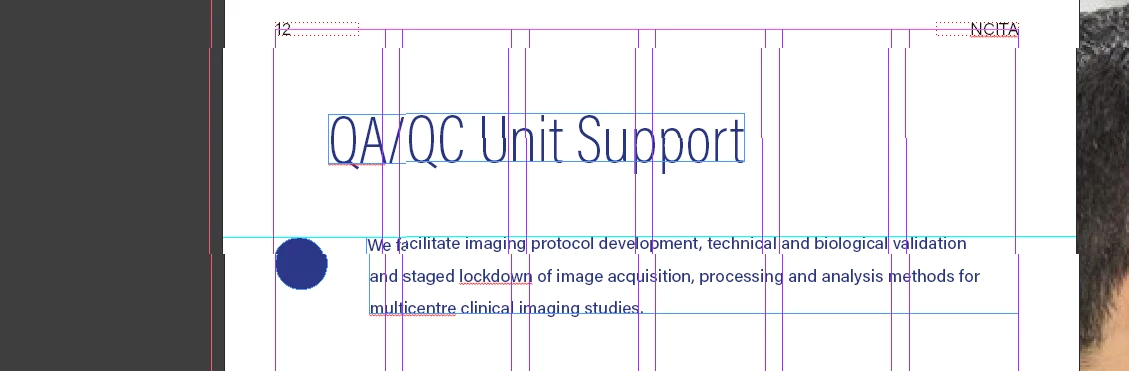
Lines don't show straight on bounding boxes & text?
  • January 26, 2022
  • 1 reply
  • 223 views

 I'm having an issue across all of my InDesign documents in the last month or so where my lines aren't straight? It's affecting text, accuracy of object placement - almost every thing I do there is a hesitancy where I'm not sure if it's in the right place -


It seems to go away after I go into preview / presentation mode and then back to 'normal' but it doesn't stay fixed, next time I scroll the page it goes back to displaying inaccurately. 


This topic has been closed for replies.

1 reply

jmlevy
Community Expert
Community Expert
January 26, 2022

Uncheck “GPU performances” in the preferences

Participant
January 26, 2022

I can't seem to find that option - I believe that's a Mac specific thing? I'm on Windows 11 Alienware with 2070 Super GPU - if that helps?

jmlevy
Community Expert
Community Expert
January 26, 2022

Yes, this is a Mac option.

Your InDesign version is 2022? Try to set the user interface scaling (not sure of the English term since I work with a French version) to “small”.