Known Participant
July 11, 2024
Answered

Link multiple instances of a placed link to a different source?

  • July 11, 2024
  • 1 reply
  • 300 views

Hey!

I still wonder why InDesign hasnt learned it yet, or am I doing something wrong:
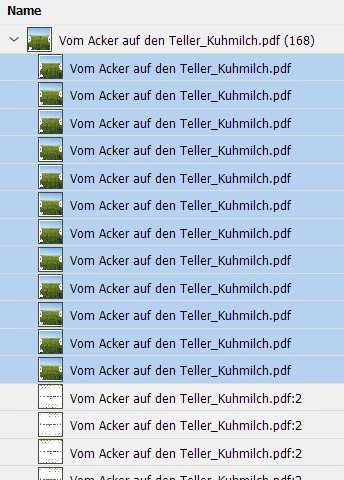
I have place a picture from a multipage pdf-file onto page 1 in InD, many times.

On page 2 I want to use a different page of my pdf.


When I select X frames, and relink to the pdf unsing the import options to select a different page, the import-dialog gets shown a X times.


How can I avoid this? It has to be possible to relink many pictureframes to a new source at once, right?

How do I link these 12 pages to a different page, with one import-dialog?


This topic has been closed for replies.
Correct answer Eugene Tyson

It's 4 separate links - it doesn't understand your need to have all the links linked to the same page


To do this there is a small trick to help you


Copy your image frame

then use 

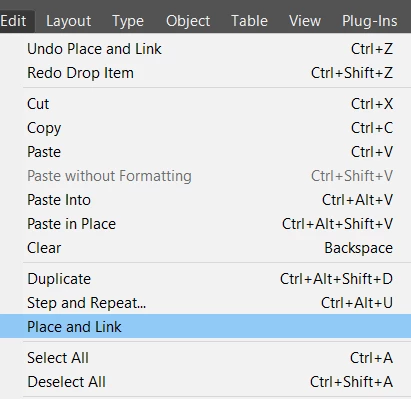
Edit>Place and Link
 

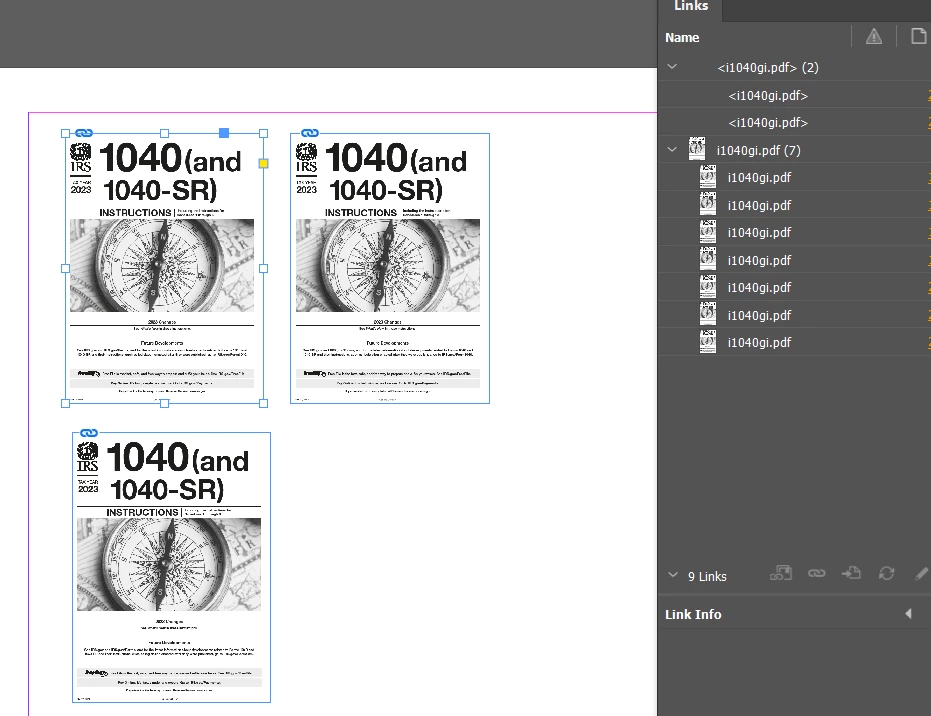
You get something like this
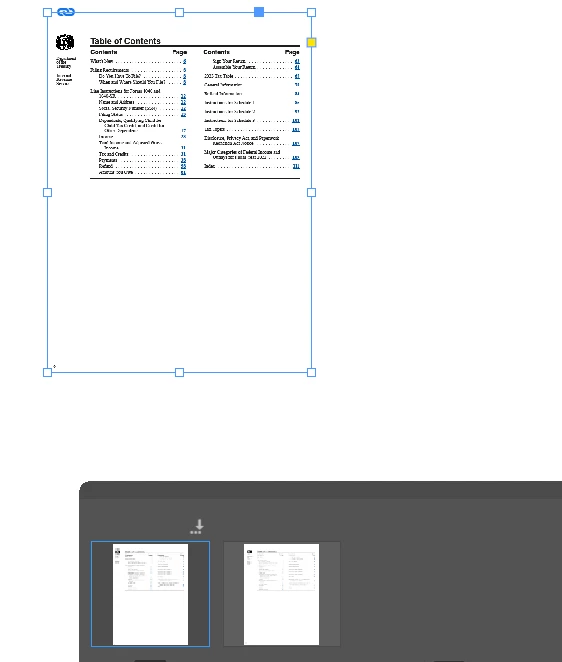


This gives you an additional link
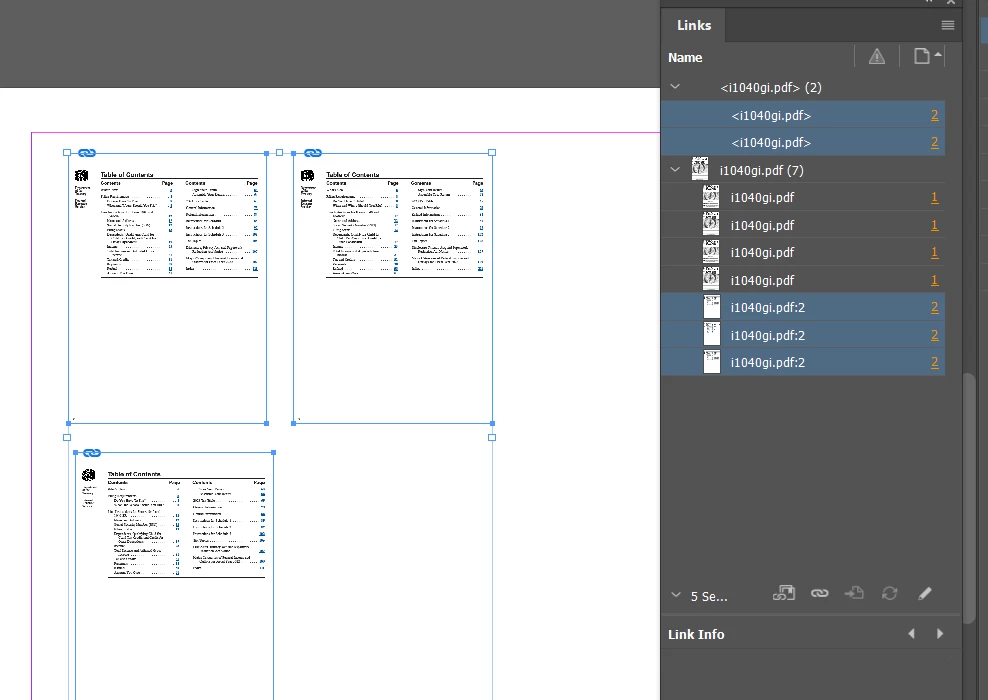
 

See the top left - that's the Parent image

When I replace the Parent image - you see modified links
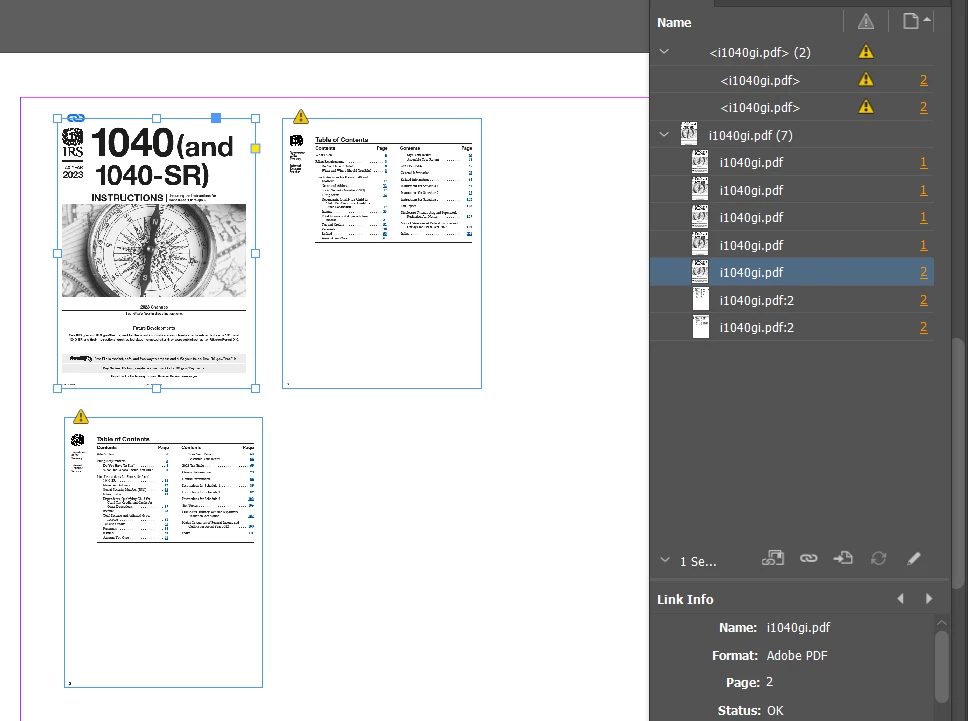


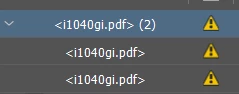
Double click the yellow triangle to update all inks in that group
And it updates everywhere

----
Years ago I wrote an article about a script that can relink to to a page without have to replace the link - it invokes the show options command without relinking directly

https://creativepro.com/script-show-options-files/


So this  morning
I've looked at the script that was created and managed to get it to replace all the images with the same page


If there's going to be lots of images - it's a bit slow - maybe there's a way to speed it up - but I can't figure that part out.

if (app.selection.length > 0) {
    // Get the file path and place options from the first selected graphic
    var firstGraphic = app.selection[0].graphics[0];
    var filePath = firstGraphic.itemLink.filePath;

    // Show the options panel for the first graphic
    firstGraphic.place(File(filePath), true);

    // Iterate over each selected item to apply the change
    for (var i = 1; i < app.selection.length; i++) {
        if (app.selection[i].graphics.length > 0) {
            for (var j = 0; j < app.selection[i].graphics.length; j++) {
                var g = app.selection[i].graphics[j];
                // Update the graphic with the same file path without showing the dialog
                g.place(File(filePath), false);
            }
        }
    }
} else {
    alert("No items selected.");
}




1 reply

Eugene TysonCommunity ExpertCorrect answer
Community Expert
July 11, 2024

It's 4 separate links - it doesn't understand your need to have all the links linked to the same page


To do this there is a small trick to help you


Copy your image frame

then use 

Edit>Place and Link


You get something like this


This gives you an additional link


See the top left - that's the Parent image

When I replace the Parent image - you see modified links


Double click the yellow triangle to update all inks in that group

And it updates everywhere


----
Years ago I wrote an article about a script that can relink to to a page without have to replace the link - it invokes the show options command without relinking directly

https://creativepro.com/script-show-options-files/


So this  morning
I've looked at the script that was created and managed to get it to replace all the images with the same page


If there's going to be lots of images - it's a bit slow - maybe there's a way to speed it up - but I can't figure that part out.

if (app.selection.length > 0) {
    // Get the file path and place options from the first selected graphic
    var firstGraphic = app.selection[0].graphics[0];
    var filePath = firstGraphic.itemLink.filePath;

    // Show the options panel for the first graphic
    firstGraphic.place(File(filePath), true);

    // Iterate over each selected item to apply the change
    for (var i = 1; i < app.selection.length; i++) {
        if (app.selection[i].graphics.length > 0) {
            for (var j = 0; j < app.selection[i].graphics.length; j++) {
                var g = app.selection[i].graphics[j];
                // Update the graphic with the same file path without showing the dialog
                g.place(File(filePath), false);
            }
        }
    }
} else {
    alert("No items selected.");
}