Linked Excel formatting is inconsistent
I am working on a product catalog using InDesign CS4 on a Windows 7 computer. We show the product part numbers in look-up tables. I use MS Excel to create all of the .xlsx look-up tables. All of the look-up tables are linked for easy updating. All formatting is done in Excel.
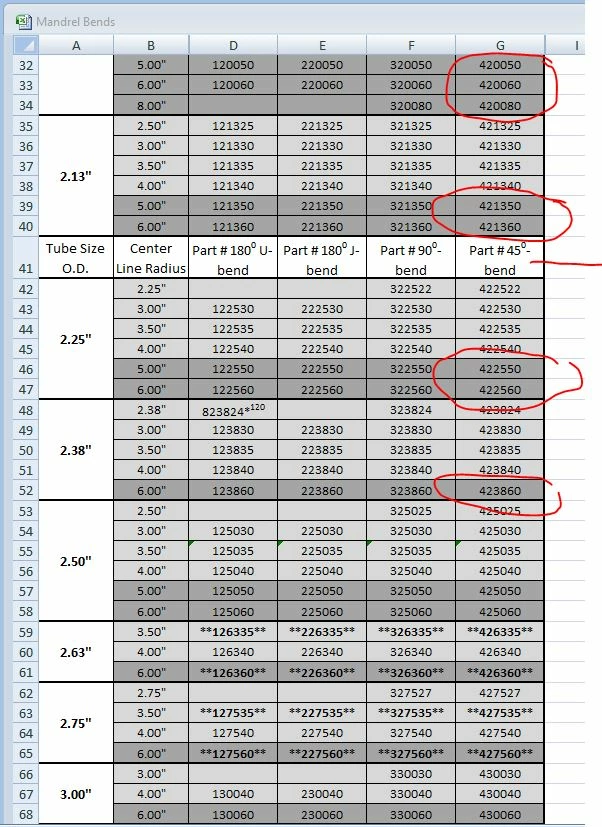
One of the spreadsheets is long enough to be spread over 2 pages in InDesign. Cells A1:G40 are placed on page 26 and cells A41:G79 are placed on page 27. I've attached a screen shot first of the Excel sheet. See that some cells have a light gray fill, some have a darker gray fill and some have no color fill. Line 41 is used as a header for that part of the chart. This is why I'm not flowing from one frame to the next.
Here is that linked file in InDesign. On the left page, the color fill comes over just fine, but on the right page, the darker gray fill isn't there.
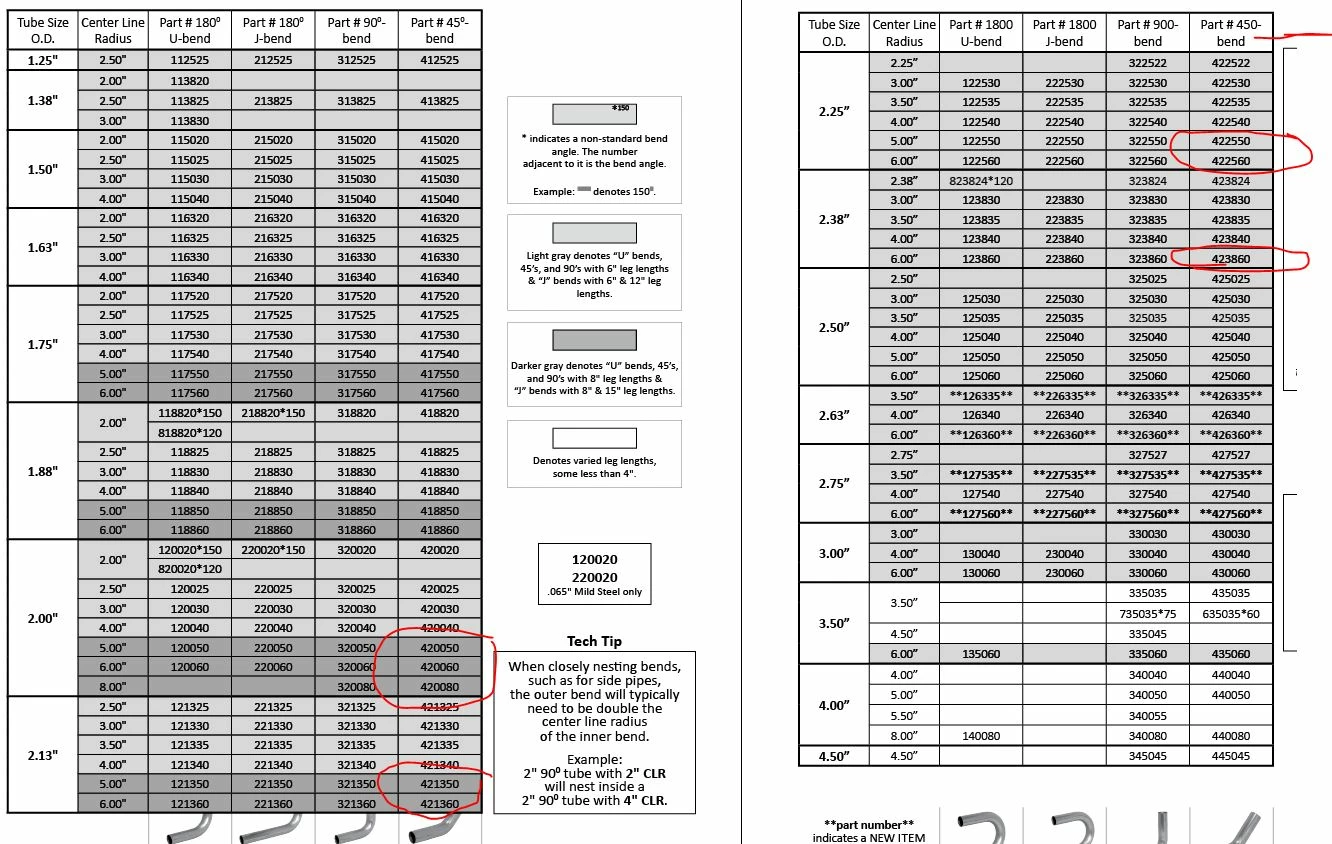
For the life of me, I can't figure this out. It is linked as a formatted sheet. I can live with the fact that superscripted text loses it's format and the inch marks aren't correct(I have a GREP to fix that). I even created a new layer and placed cells A41:G79 on it and it still has the same problem. Any ideas why?
 AdChoices