
Luk Ramon
Inspiring
February 5, 2023
Question

Linked Excel sheet replacing cell content with '-1'

  • February 5, 2023
  • 3 replies
  • 854 views

Dear friends,

I linked an excel file in my Indesign file, but some explicit cells don't import correctly. The selected cell gets replaced with a "-1" in my Indesign file.
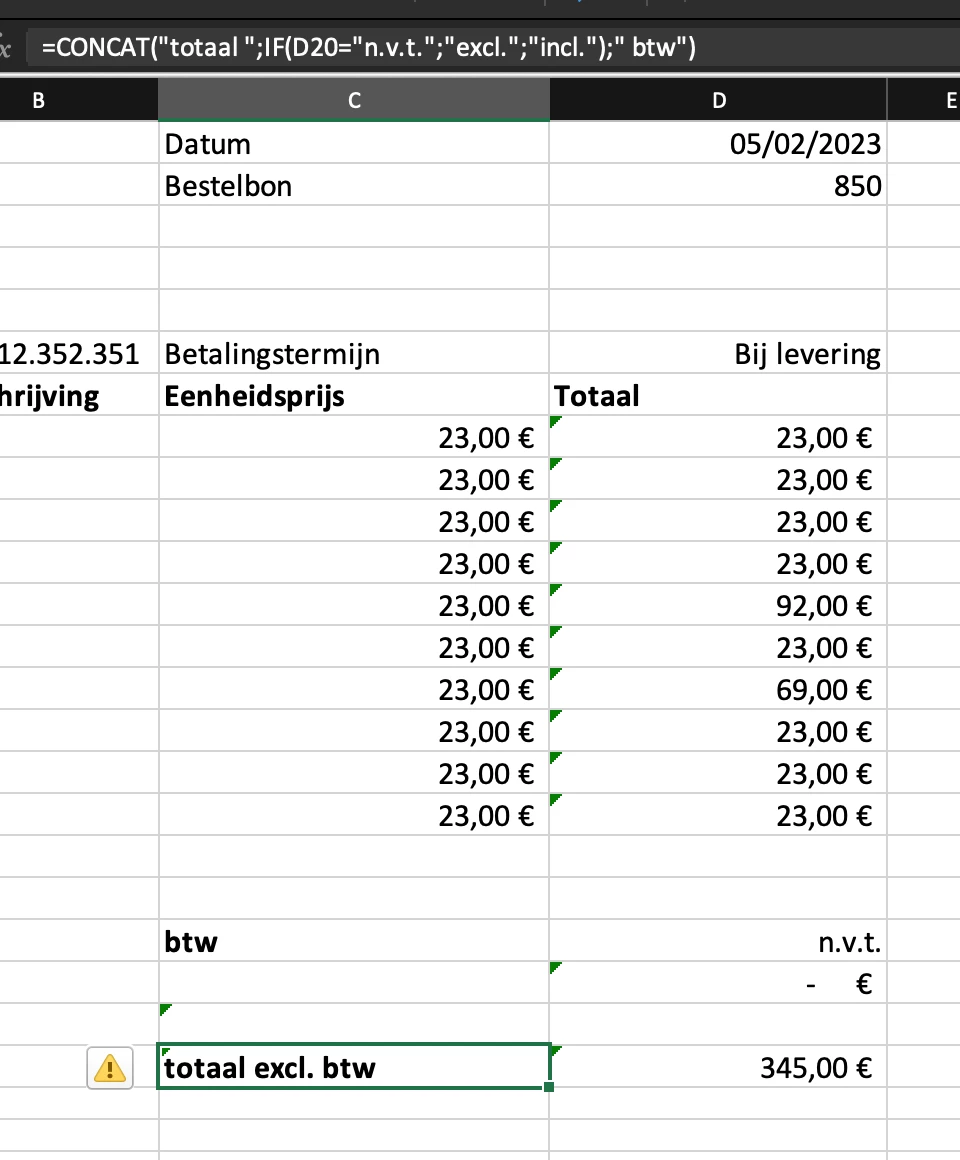
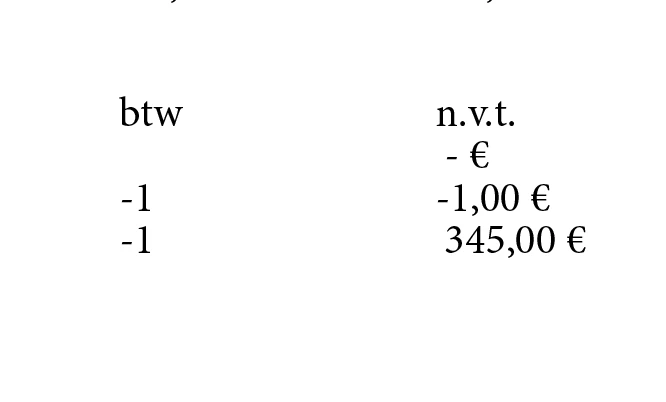
I have no idea why this happens and how to solve it. However it is fixed when I import it as a formatted table, but I need to remove all the style to fit it to the corporate identity.

Thanks already,
Luk


This topic has been closed for replies.

3 replies

Dave Creamer of IDEAS
Community Expert
Community Expert
February 5, 2023
David Creamer: Community Expert (ACI and ACE 1995-2023)
Luk Ramon
Luk RamonAuthor
Inspiring
February 5, 2023

Doesn't seem to have a logical cause, thanks for the information though.

Dave Creamer of IDEAS
Community Expert
Community Expert
February 5, 2023

A workaround would be to copy the data with the formulas to a new work sheet, pasting values only. 
If you need an update, you update the original worksheet with the formulas and repeat.

David Creamer: Community Expert (ACI and ACE 1995-2023)
Luk Ramon
Luk RamonAuthor
Inspiring
February 5, 2023
Luk Ramon
Luk RamonAuthor
Inspiring
February 5, 2023

I did find out it has something to do with the '=CONCAT' Excel function.