
Linked graphics' container aligned to page spine AND linked graphics aligned to page center
Hello everyone,
I have a document with facing pages, containing linked art. The art has bleed, so it always has to be put at the center of the page, and the art container spreading outside of the page to show the bleed. But the art container must not exceed the page spine, or it would appear in the previous/following page.
So I set the various objects as follows:
- I put the art container anchored in a text frame, aligning it to the page spine (keeping it in place regardless of the page being odd or even);
- I assign an object style to the linked art, so that it aligns itself to center of the page (setting the Size and position options: middle reference point; halfway from top and left).
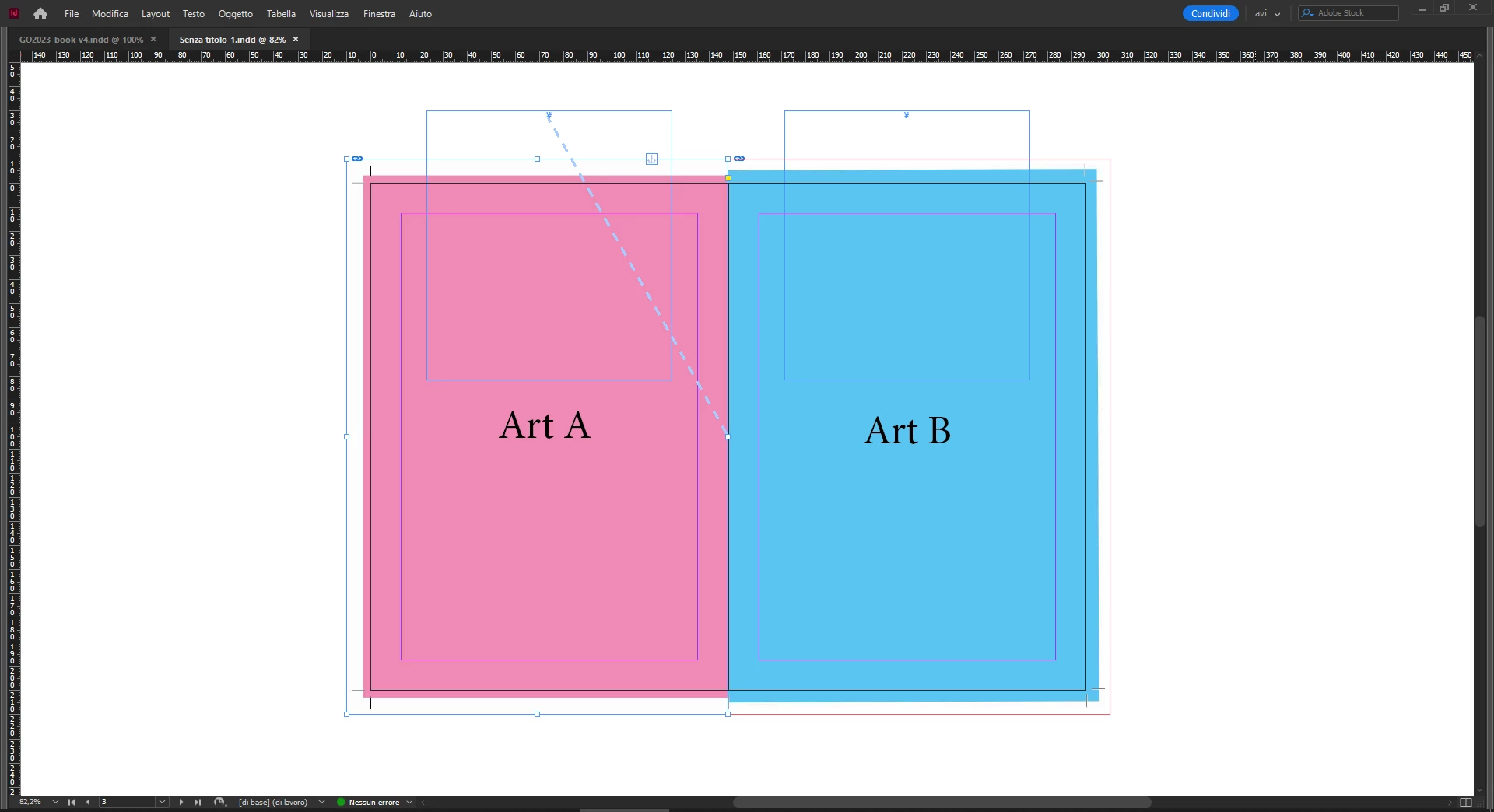
(I hope the attached image explains it better than I do).
So far, so good... unless I put a new page with art in between: the art container follows correctly its tyle — aligning to the spine — but the art shifts a little, so I have to manually clear override (see image below).
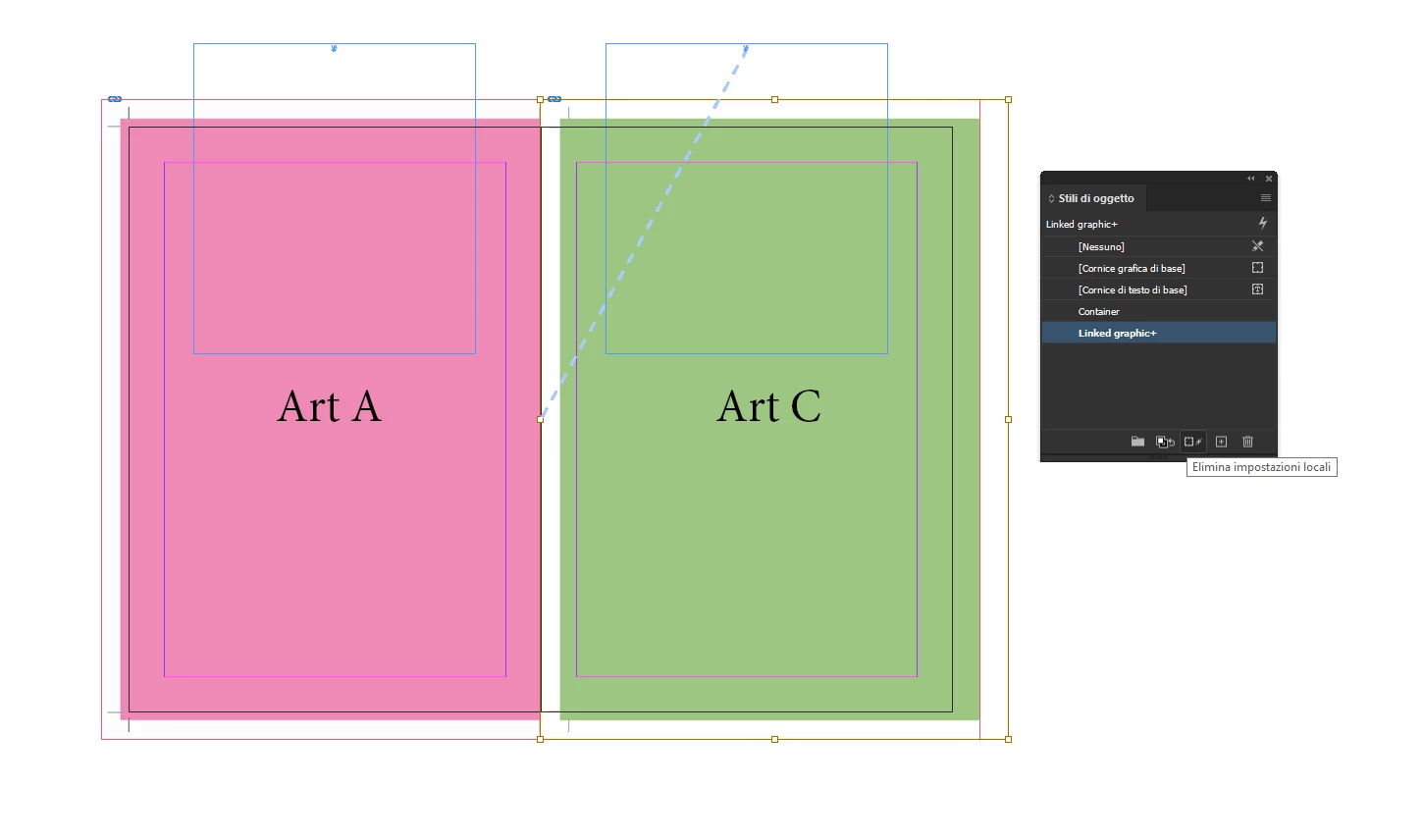
If it doesn't look like a big chore, imagine I already have a dozen pages with art in the document, having to clear the override to each linked art every time I put a new page (and it happens often...).
I'm feeling like I'm overlooking something that could help me without going through these intricate settings and styles, but I can't find anything in the guide, so any help would be really appreciated,
thanks!


 AdChoices