Answered
Linking images on full pages
I have some images that are very large and fit on an entire page. But those pages have no text and there are quite a few pages in a row that have large 1 image per page layouts. How do I anchor these?
??

I have some images that are very large and fit on an entire page. But those pages have no text and there are quite a few pages in a row that have large 1 image per page layouts. How do I anchor these?
??
Hi
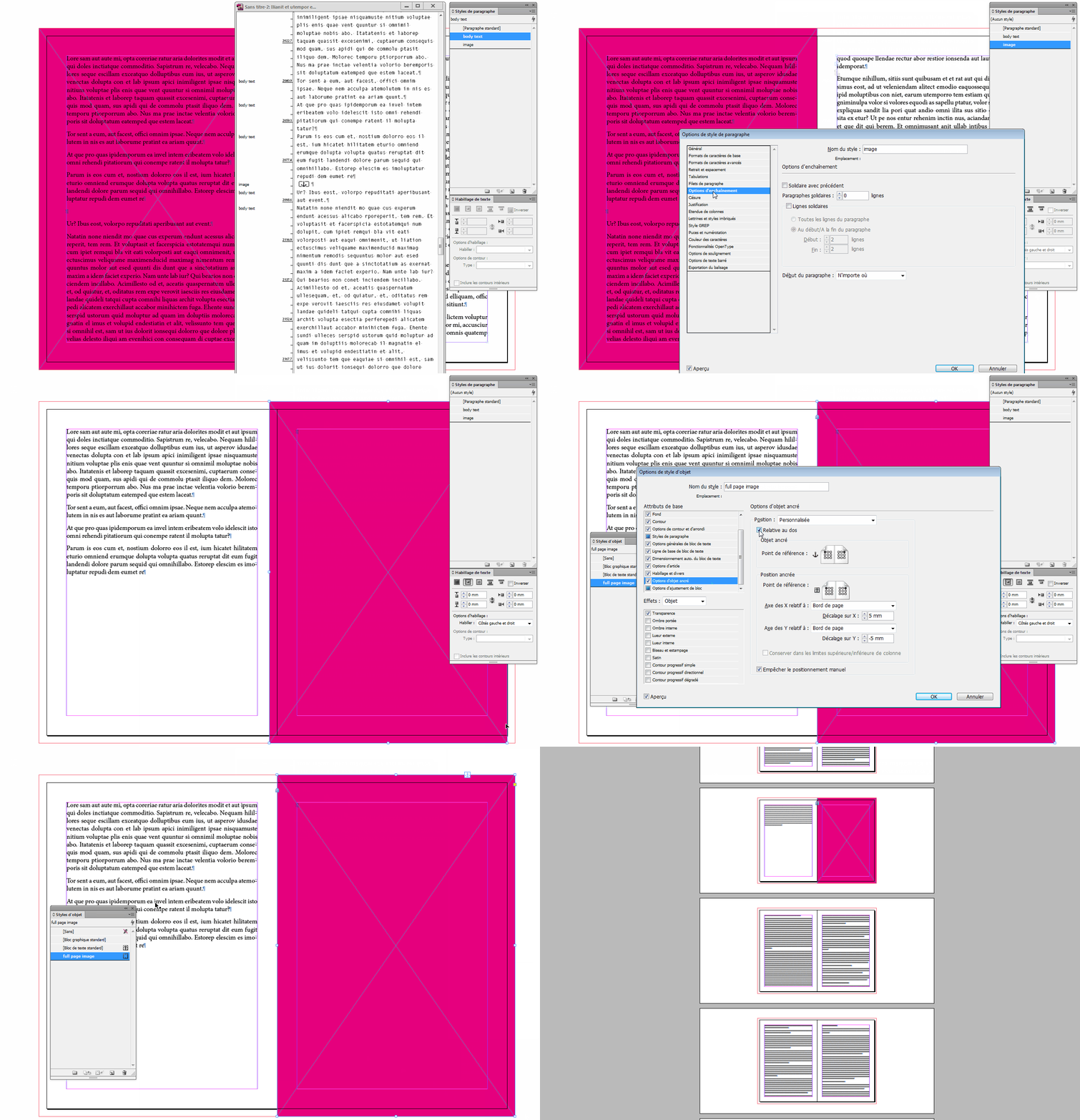
I concur with Willy about the paragraph style for the paragraph where you'll put your anchored image.
As Willy said, use Keep option to make it start on next page.
Instead of space after, you could turn text wrap on for the graphic frame.
I suggest using an object style for your full page graphic frames.
In the Object style options, go to Anchored object options and set it as Custom.
As Uwe pointed out, you'll probably have to deal with bleed, so make sure "Relative to spine" is checked.
Set the limits to page borders and add some offset as per your bleed and you should be good to go.
Already have an account? Login
Enter your E-mail address. We'll send you an e-mail with instructions to reset your password.
 AdChoices