tonif13733605
Participant
December 12, 2023
Answered

Linking text boxes is deleting pages

  • December 12, 2023
  • 2 replies
  • 208 views

I'm working in InDesign 19 and when I try to link text boxes from one spread to the next, it removes the page from my document. Anyone else having this problem, and how did you fix it? Thanks! 

This topic has been closed for replies.
Correct answer Willi Adelberger

Are the linked text frames empty?

In the section Eingabe (in English it should be input or composition) deactivate delete empty pages.
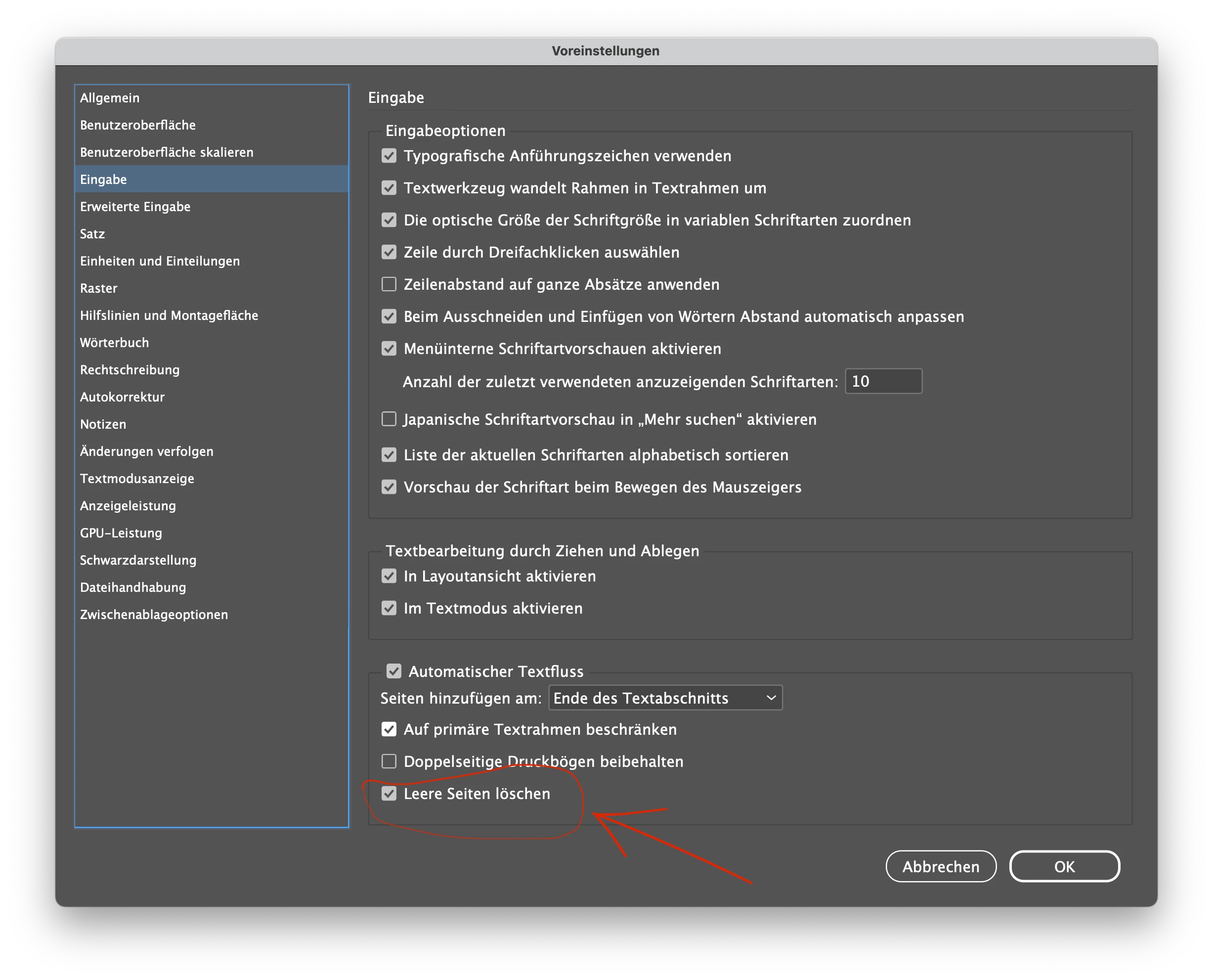
2 replies

Willi Adelberger
Community Expert
Willi AdelbergerCommunity ExpertCorrect answer
Community Expert
December 12, 2023

Are the linked text frames empty?

In the section Eingabe (in English it should be input or composition) deactivate delete empty pages.

tonif13733605
Participant
December 12, 2023

I forgot about that setting! That seemed to have worked. I just turned off Smart Reflow competely. Thank you! 

Barb Binder
Community Expert
Community Expert
December 12, 2023

Hi Tony:


No. This is a new one.


What version of InDesign? What operating system? Does this happen in one file or in all files? Which page is being removed? The one you are linking from or the one you're linking to?


~Barb

~Barb at Rocky Mountain Training
tonif13733605
Participant
December 12, 2023

Thanks for replying! 

Mac Ventura 13.6.1

InDesign 19.0.1

I created libraries I pull from to create layouts. I am trying to link the text boxes to flow the copy between spreads. When i click inside the box to relink, it's deleting the page. Any help is appreciated!