Participant
September 11, 2018
Answered

Links Error

  • September 11, 2018
  • 3 replies
  • 555 views

I have 2 InDesign files that won't allow me to package them.  The error message I get is below.
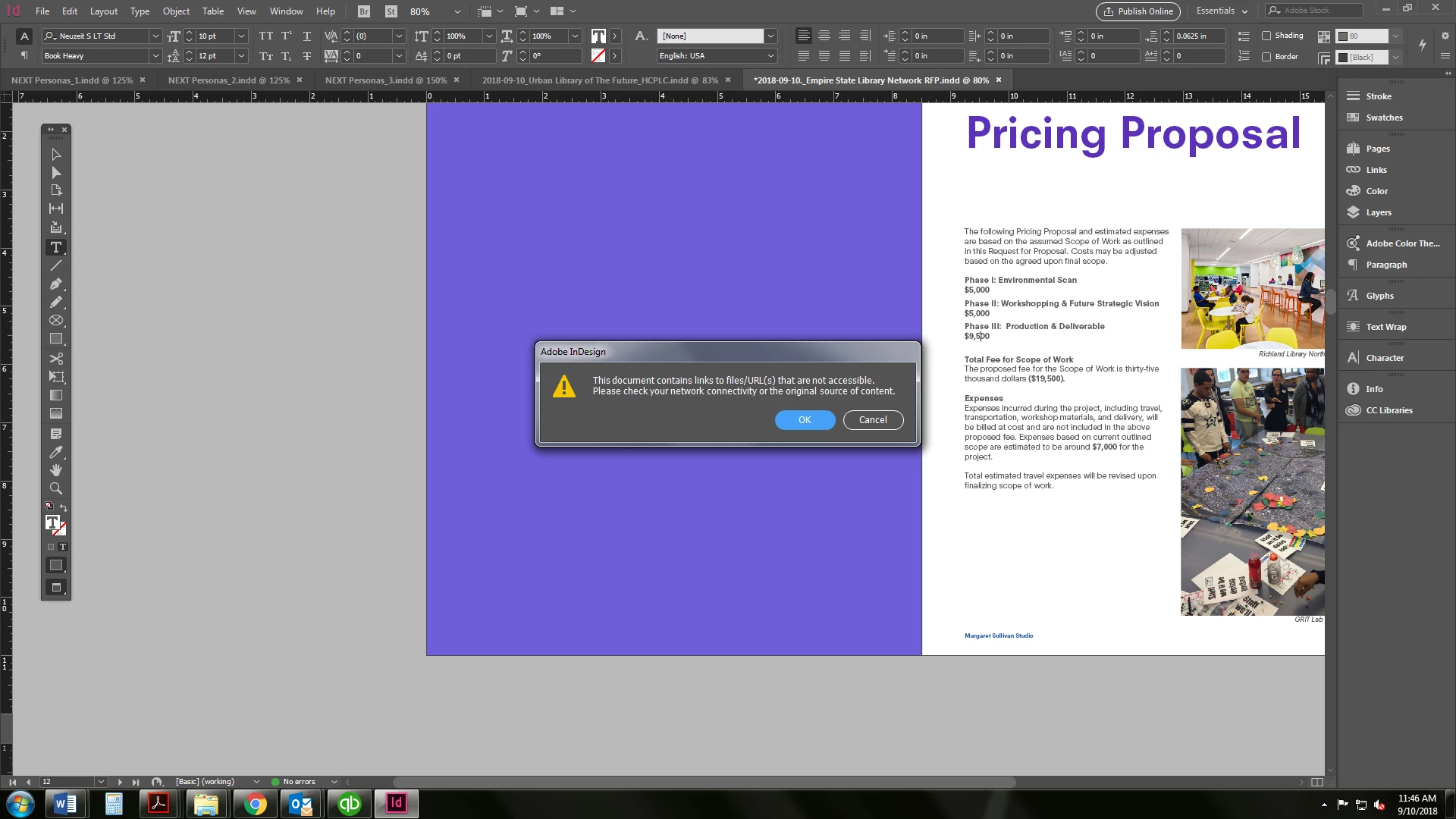
I have troubleshooted every solution I can come across and nothing is working.

  • I checked all the file names and there are not un-allowed characters in any of them.  Some have an underscore but no slashes and no periods.  
  • I tried to select all the link, go to Utilities and "Copy Link To."
  • I've checked the URLs and they all work.

One theory I read was that path name of the linked images could be too long.  HOW DO I KNOW WHAT TOO LONG IS???

I am able to export the file to PDF, but it will NOT allow me to package the file with fonts and links.

I cannot figure this out and it's driving me crazy!

    This topic has been closed for replies.
    Correct answer JonathanArias

    Try moving the linked files to the local drive, this looks like a network issue.

    3 replies

    Participant
    September 12, 2018

    I was able to fix the problem.  I still don't know what exactly caused it.

    Instead of selecting all the links to copy elsewhere, I did each one individually and got an error message on 2 images.  I've used these images many times and from the same file location so I don't know why this time it caused an error but at least I was able to correct it.

    JonathanArias
    JonathanAriasCorrect answer
    Legend
    September 12, 2018

    Try moving the linked files to the local drive, this looks like a network issue.

    Participant
    September 12, 2018

    I tried that already with the "Copy link to" option and it didn't work.

    macpawel
    Participating Frequently
    September 11, 2018

    Choose CTRL+Shift +D to open your links (imported files) panel. Then check your placed images. Sometimes we can use some pictures from web serwers, networ and they are available to print or save as a package.

    Maybe you copied some images from another document (with server, url links)?

    pawel

    Participant
    September 11, 2018

    I checked all the file types and they're all JPG, PNG or PDF.  The links panel says "status: OK."  Should I be looking for something else?

    Bill Silbert
    Community Expert
    Community Expert
    September 12, 2018

    Could you show a screen shot of your links panel?