
Inspiring
October 10, 2018
Answered

Links in interactive pdf relative and in new window

  • October 10, 2018
  • 1 reply
  • 1785 views

Hi, Im creating an interactive PDF, where I link to different documents (interactive PDF forms and Word documents).

Im having trouble with the links. It all works fine at my coomputer when I make links in Acrobat, but when my clients uses the PDF with attachements, the links dont work anymore, cause they are not relative links and I cant get them to open in a new window. I have a map where all the other PDF's and word docs are, so they have to copy that map as well on to their computer. Im now trying to make buttons in Indesign itself... But how can I make relative links and open docs in a new window in acrobat?

Really need some help here... tried all sorts of answers on the internet, but nothing really works
This topic has been closed for replies.
Correct answer Mac1972

I know the functionality cause I can set this when I select an external PDF as goal to a link. It would be better if all this could be done in Indesign, cause when I change the original document in Indesign, I have to do it all over again..


Ow I think I might have found a way. I now see I can make an attachement when I edit the main PDF. The attachement is also a different PDF. I now can make a link tot the attachement and it seems to automaticly open the document as a seperate file. Need to experiment with this...

1 reply

John Mensinger
Community Expert
Community Expert
October 10, 2018

Well you've come upon one of the many reasons that interactive PDF is a limited solution. Even if the client manages to keep relative links intact after transfer, that's far from seamless.

Without knowing how many linked documents there are, or how you'll distribute this, I can't determine whether this will be viable for you, but one way to do what you want is with PDF attachments. (Your post contains the phrase 'PDF with attachments,' but the rest of your explanation doesn't sound like you're actually using PDF attachments in the sense to which I'll refer here.)

Simply put, instead of supplying your linked files separately and relying upon relative paths, you can attach them directly to your primary interactive PDF. Obviously, the potential downside of this is file size growth, because the linked files all travel in one package "inside" the primary PDF. If there are many, or they are large, this may not be a good solution. In any case, you may follow the steps below to explore the possibility and decide for yourself.

To use this feature:

  1. With your primary PDF open in Acrobat, choose View > Show/Hide > Navigation Panes > Attachments
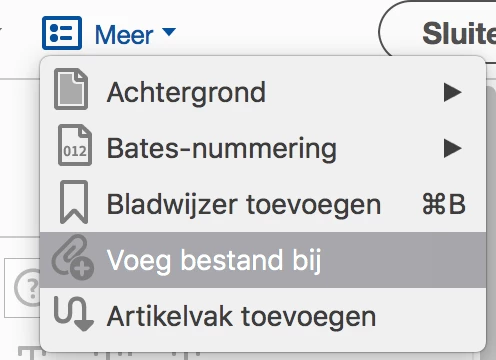
  2. Using the [Paperclip+] button at the top of the Attachments pane, you can add attachments to your primary PDF; add your to-be-linked files this way (PDF and 'office' documents will both work)

To open those attachments in a new Acrobat tab (PDF) or the native application ('office documents) from within the primary PDF:

  1. In Form-Edit Mode, set your button or text-based link and access its Properties
  2. On the Actions tab, choose "Go to a Page View" from the Select Action: menu, and click the Add button; the small Create Go To View dialog will appear
  3. Double-click the desired attachment in the Attachments pane, and it will open; if applicable, navigate to the desired page, then click the Set Link button in the Create Go To View dialog
  4. Close the attachment and return to your primary PDF, still in Form-Edit Mode; once again access your button/link's Properties
  5. On the Actions tab, in the Actions pane, click on the Action added above (will now show as 'Go to a page in another document'), then click the Edit button
  6. In the resulting dialog, choose New Window from the Open in: menu
  7. Set other options as desired and click OK
  8. Exit Form-Edit Mode and test
Mac1972Author
Inspiring
October 10, 2018

Hi thankyou for the quick response. I've been thinking about this solution... But the problem is, that some of the pdf documents I link to are digital forms (also made with indesign and acrobat) and need to be filled in by the users. So it needs to be a seperate file that users can save to their computer or print. Other docs are word documents or excel sheets, but they automaticly open in a 'new window'.

John Mensinger
Community Expert
Community Expert
October 10, 2018

Mac1972  wrote

But the problem is, that some of the pdf documents I link to are digital forms (also made with indesign and acrobat) and need to be filled in by the users. So it needs to be a seperate file that users can save to their computer or print.

Yes, I understood that, and it's not a problem. The PDF Attachments scheme I described will work for all of that. The attachments are indeed separate files. Once they are link-click-opened in a new tab, they behave exactly as separate files, opened from anywhere. Did you try it?