Answered
Links panel option of "Edit Original" no longer taking me directly to Photoshop.
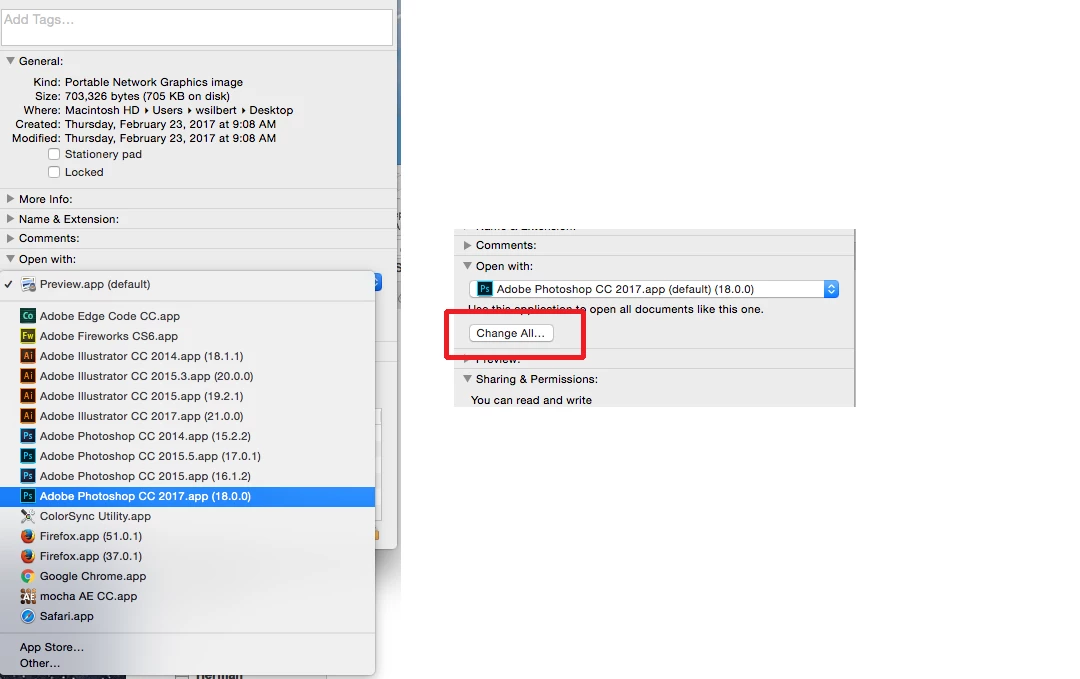
Since purchasing a new computer and using updated software - the pencil icon - "Edit Original"- in the link window is opening the selected image in "PREVIEW," instead of in PHOTOSHOP.
I realize I can go into the options and use "Edit With..." option to choose Photoshop. But with a hundred+ images in a magazine this is a new frustrating time consuming step. Is there any shortcut or action or default option I am missing?
Hope my question is making sense and advance thanks for any suggestions.
 AdChoices