Bedazzled532
Inspiring
August 29, 2026
Answered

Local overrides or master page overrides

  • August 29, 2026
  • 6 replies
  • 25 views

Hello

For some reason my page 1 in indesign file is not looking like the master page. I also could not use Remove Local Overrides as it is greyed out. Also applying master page to page 1 is not working.

I face this problem frequently. Temporarily I create a new file and redo everything to clear out. But this is taking lot of time. How can I correct this in the current file. I have attached indd file.

Thanks

    Correct answer rob day

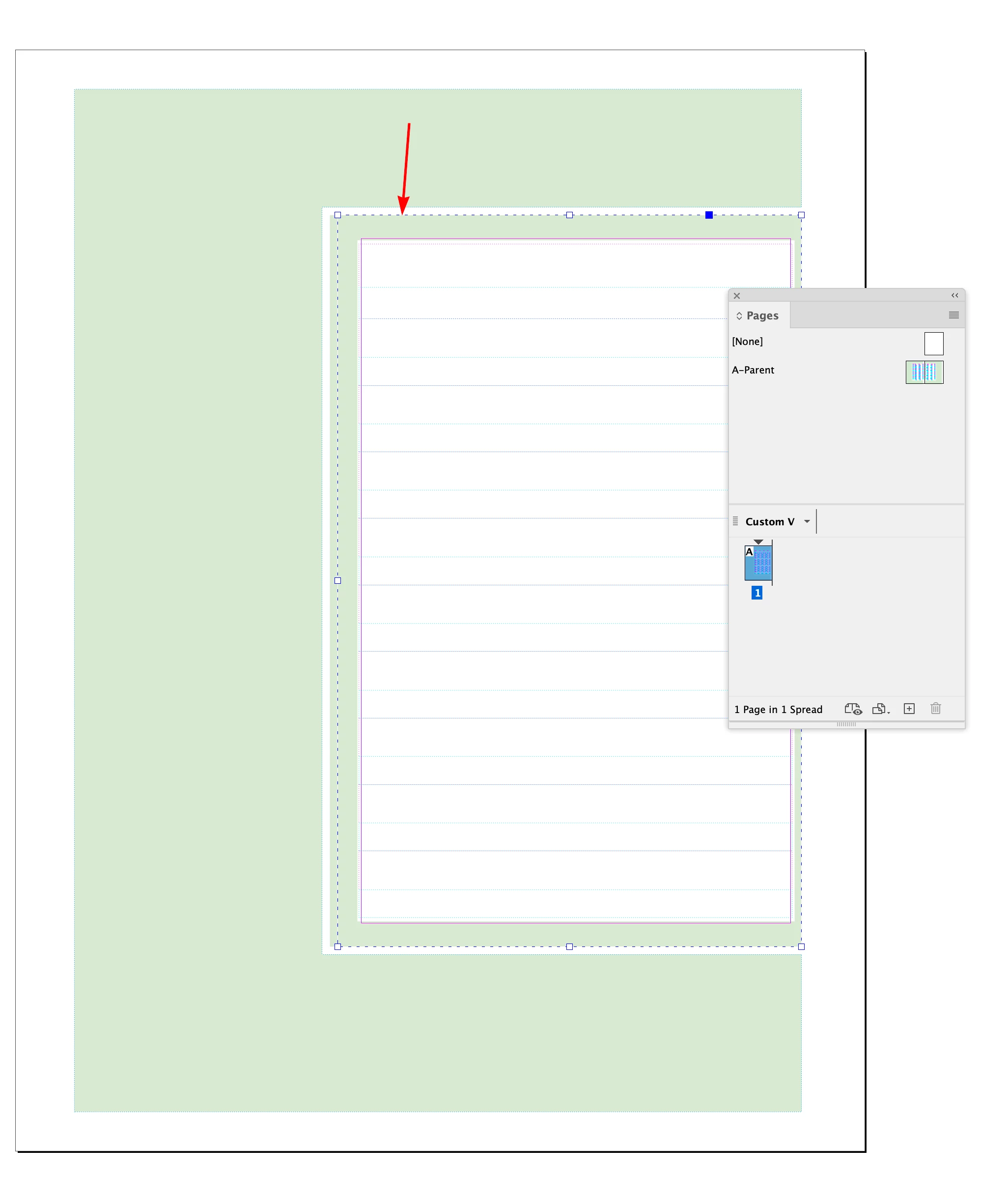
    Hi ​@Bedazzled532 , There is a page item on page 1 that is not from the A parent (it is not an overridden parent page item):


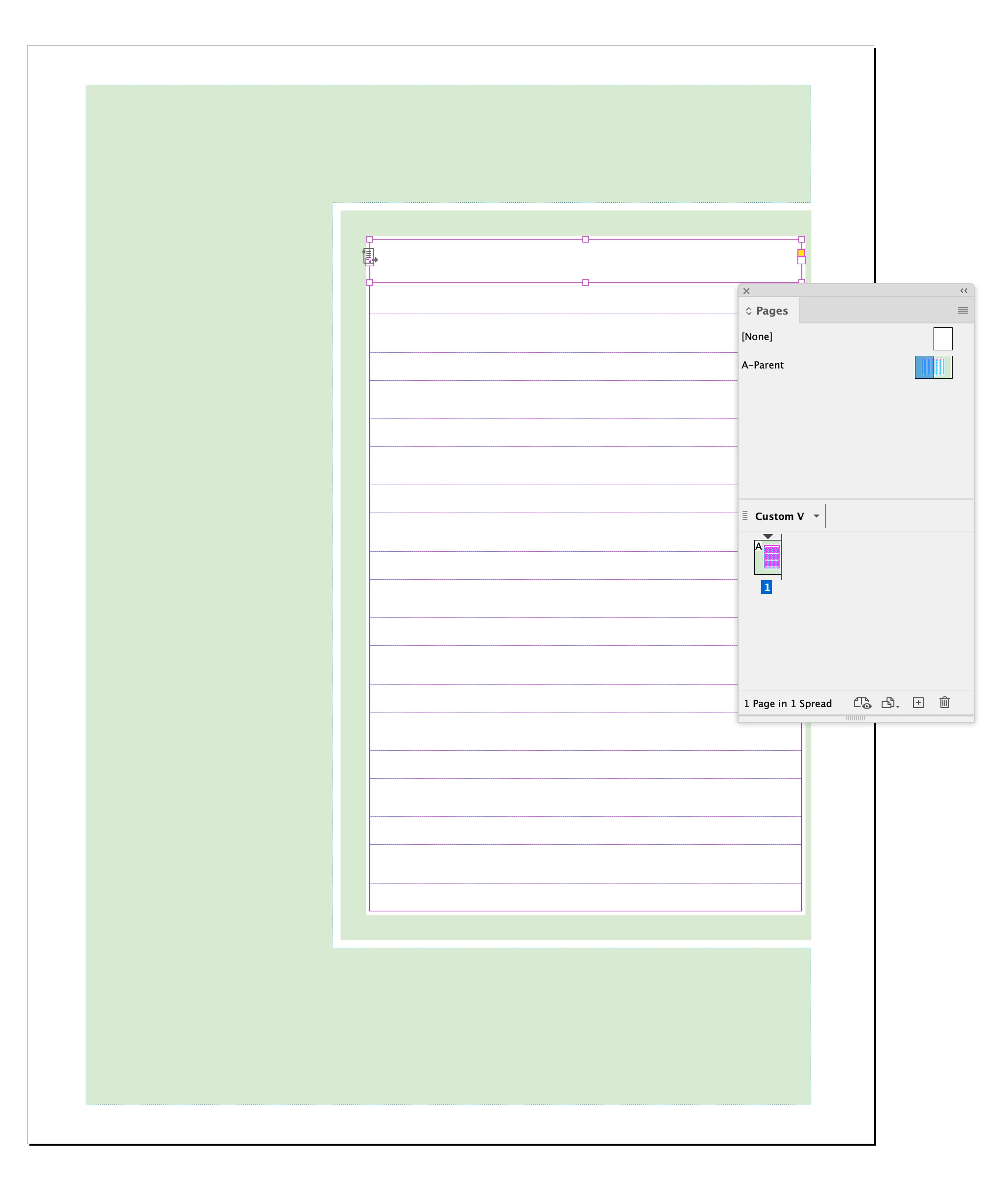
    If I delete that page item and reapply the A parent, page 1 and the left page of the A parent spread match:


    This probably is coming from your use of linked Primary text frames on the parent, which can be tricky.

    6 replies

    Bedazzled532
    Inspiring
    August 30, 2026

    @rob day Thanks for the solution. I missed that part of item being on the page 1. I followed your steps and deleted the item and applied master page again. That solved the problem.

    I am working of R to L document.


    Dave Creamer of IDEAS
    Community Expert
    Community Expert
    August 30, 2026

     Add an second page and delete the first page. It will flow up. 

    Also, you used layers so lock the layers you never want to override. 


    David Creamer: Community Expert (ACI and ACE 1995-2023)
    rob day
    Community Expert
    Community Expert
    August 29, 2026

    Also, is this going to be printed and bound for front to back reading?


    You have page 1 to the left of the spine in the Pages panel, and typically it should be to the right. With Facing Page documents. the center mark of the spread represents where the spreads are folded when the book is imposed and bound:


    rob day
    Community Expert
    rob dayCommunity ExpertCorrect answer
    Community Expert
    August 29, 2026

    Hi ​@Bedazzled532 , There is a page item on page 1 that is not from the A parent (it is not an overridden parent page item):


    If I delete that page item and reapply the A parent, page 1 and the left page of the A parent spread match:


    This probably is coming from your use of linked Primary text frames on the parent, which can be tricky.

    Dave Creamer of IDEAS
    Community Expert
    Community Expert
    August 30, 2026

    If you look at the paragraph styles, you will see that it is for a R-to-L language.

    I’m not sure why the parent page text frames are bottom to top. In my [very] limited knowledge, it would still be top to bottom. 

    David Creamer: Community Expert (ACI and ACE 1995-2023)
    tonks_the_auror
    Community Expert
    Community Expert
    August 29, 2026

    I’m not sure I understand the problem with your file. I see two parent pages, and page 1. 

    Page 1 is a left-hand page, and the correct parent page is applied.


    If you change the page number to page 2, it becomes a right-hand page, and the right-hand parent page is applied.