
September 10, 2020
Answered

Lock icon shows but won't unlock

  • September 10, 2020
  • 4 replies
  • 4282 views

When I lock items on a spread, the lock icon shows up, but clicking to unlock only works about 1/10 times. 90% of the time I have to unlock everything on the spread and then relock everything but the one item that I needed unlocked. How do I make it so I can always unlock a single item at a time without having to unlock the entire spread?
This topic has been closed for replies.
Correct answer Barb Binder

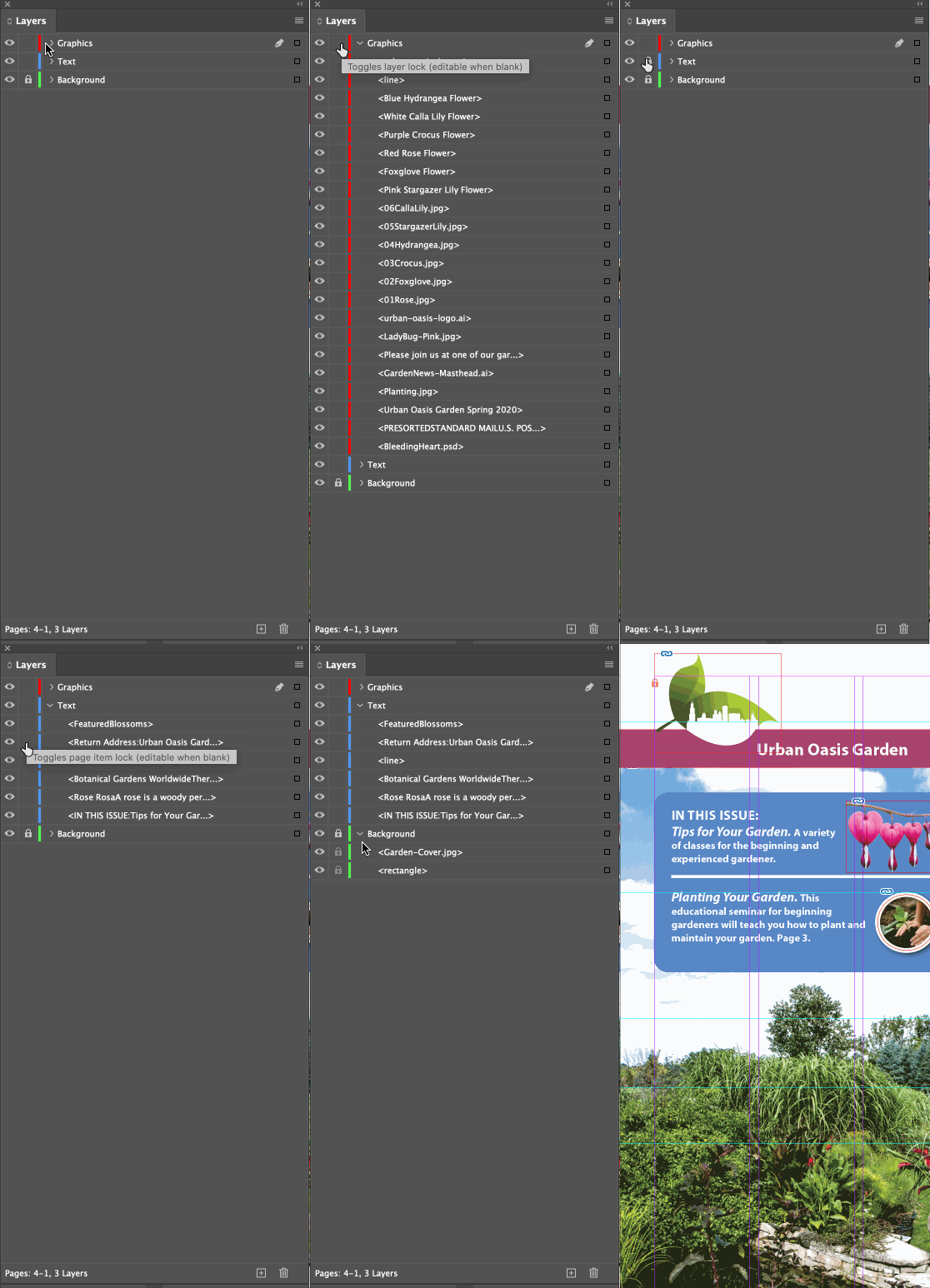
You can lock objects and you can lock layers. When you are working with locking, I highly recommend working with the Layers panel open—that way you can see exactly what is going on, and you can lock/unlock only what you need. 


~Barb


4 replies

Eric Dumas
Community Expert
Community Expert
September 12, 2020

I place my cursor on the first lock cell in the panel

press the mouse and stay pressed

drag down to apply the lock/unlock to the layers below

Ashutosh_Mishra
Inspiring
September 12, 2020

Hi there,


Thanks for reaching out. In addition to great information shared by Barb and Uwe, I'd recommend checking out this help article to know more about lock/unlock objects in Adobe InDesign.

Hope it helps.


Regards,

Ashutosh

Barb Binder
Community Expert
Community Expert
September 12, 2020

And I thought only Australians called me Bob! 😜


~Barb 

~Barb at Rocky Mountain Training
Community Expert
September 10, 2020

Hi Kim,

even with an unlocked layer, it will also depend on your patience.

If you near your cursor to the lock icon on the object you have to wait until the cursor is showing an unlocked lock. Then is the right time for a click to unlock the object.


Regards,
Uwe Laubender

( ACP )

Barb Binder
Community Expert
Barb BinderCommunity ExpertCorrect answer
Community Expert
September 10, 2020

You can lock objects and you can lock layers. When you are working with locking, I highly recommend working with the Layers panel open—that way you can see exactly what is going on, and you can lock/unlock only what you need. 


~Barb


~Barb at Rocky Mountain Training
September 10, 2020

Thank you! Not as simple/convenient as I would like, but it's still far better than having to unlock everything and then relock when I only need one thing undone. I'll be working with my Layers panel open from now on.