
Participant
June 7, 2022
Answered

Long footnotes - InDesign

  • June 7, 2022
  • 1 reply
  • 403 views

Morning All,


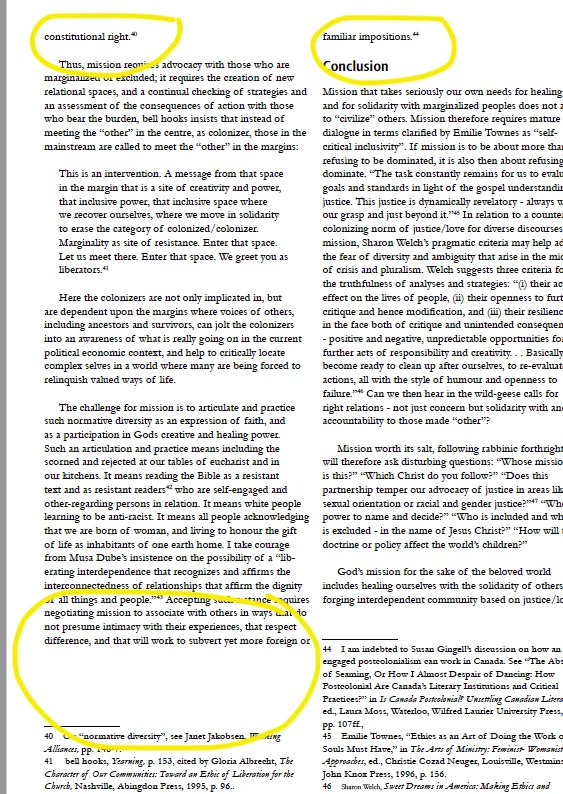
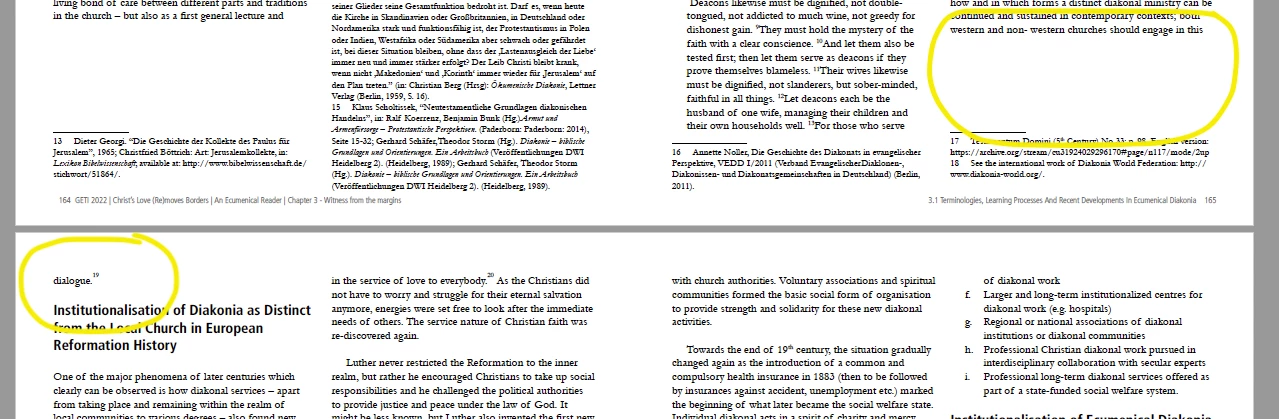
I am working on a 400+ pages technical book and it is VERY footnote heavy. I am using a double column A4 size and end up with a lot of one liners/eords at the begining of a column as well as massive white spaces at the bottom of some columns because of footnotes. Is there a way to bypass/change this? I suggested we use endnotes instead but the client doesn't want that. Any help/tips are appreciated.

Many thanks

Jules
This topic has been closed for replies.
Correct answer Juliana229272525g0z

Hi Uwe, thanks for the reply! I actually found a way around it! Instead of using to text boxes I used one and split in 2 colums, then could use 'span footnotes accross'... 🙂 

It would be good to know, though, if there is a way of fixing the issue in case you need to use two separate text boxes.

thanks 🙂

1 reply

Community Expert
June 7, 2022

Hi Jules,

could you share a document with two facing pages only where you see this issue?

I could imagine that the issue is with the formatting of the keep options of your paragraphs perhaps.


Regards,
Uwe Laubender
( Adobe Community Professional )


Juliana229272525g0zAuthorCorrect answer
Participant
June 7, 2022

Hi Uwe, thanks for the reply! I actually found a way around it! Instead of using to text boxes I used one and split in 2 colums, then could use 'span footnotes accross'... 🙂 

It would be good to know, though, if there is a way of fixing the issue in case you need to use two separate text boxes.

thanks 🙂