Inspiring
September 19, 2018
Answered

Long number without space disappearing

  • September 19, 2018
  • 2 replies
  • 511 views

Hi Guys,

Can you help me to show the text below..

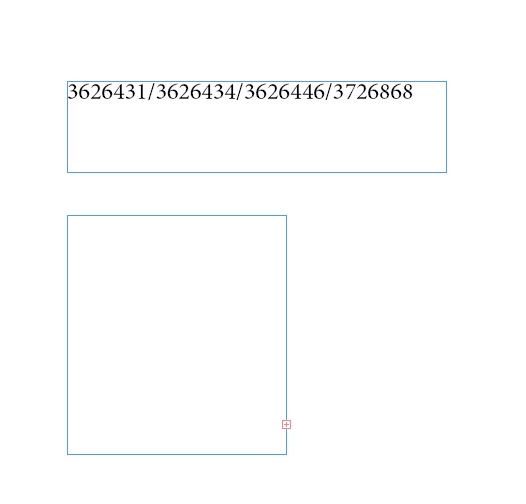
The first image is the whole content. I need it to make a short text box width for this like the 2nd box.

But when I try to to adjust the width, the text should be flow on the 2nd line but it doesn't.

Note:

Hypernate - off

No Break - off

No Wrap

Any help?

3626431/3626434/3626446/3726868

Thanks!

Sarah
This topic has been closed for replies.
Correct answer Peter Kahrel

Add discretionary line breaks after each slash (Type > Insert Break Character > Discretionary Line Break).

P.

2 replies

jane-e
Community Expert
Community Expert
September 19, 2018

Peter's answer is correct.

The reason the numbers disappear is that they are numbers and don't hyphenate on their own. Notice the overset text mark in the bottom right. They will come back when you do something to cause them to fit, such as make the frame wider or the text smaller or Shift + Return to break the line.

sarahkayAuthor
Inspiring
September 19, 2018

Thank you Peter and Jane.

So it was solved by inserting Discretionary Line Break.

Another problem is.. This text is from feed xml. How can I automate that to have Discretionary Line Break? Can grep do that?

Peter Kahrel
Community Expert
Community Expert
September 19, 2018

No need for Grep. You can replace the slash with /^k

Peter Kahrel
Community Expert
Peter KahrelCommunity ExpertCorrect answer
Community Expert
September 19, 2018

Add discretionary line breaks after each slash (Type > Insert Break Character > Discretionary Line Break).

P.