
Participant
April 21, 2026
Question

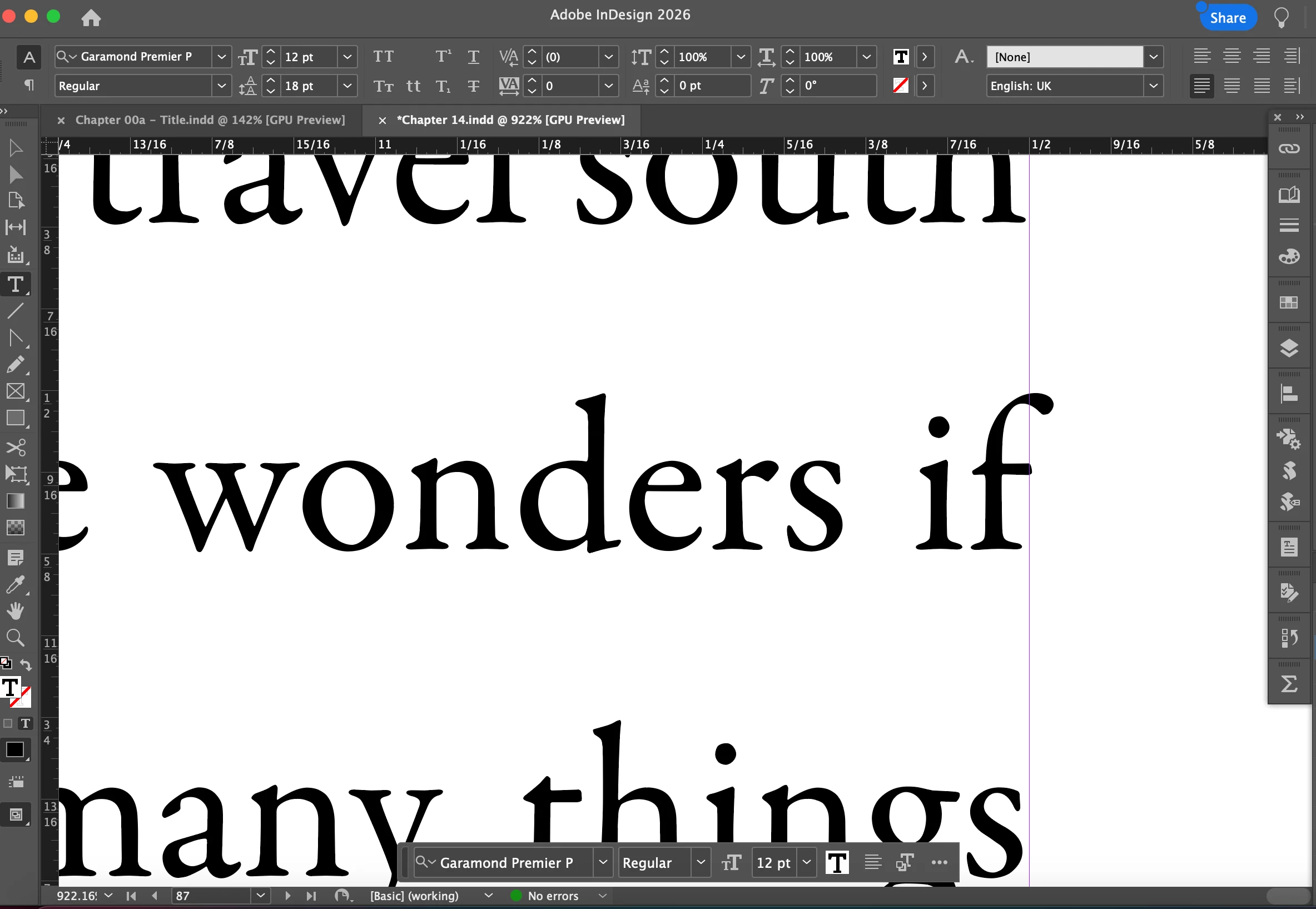
Lowercase “f” Extending Beyond Margin and Causing KDP Error in InDesign

  • April 21, 2026
  • 2 replies
  • 39 views

I’m formatting a book using InDesign and I'm using a template I created and have used many times without issues. But now when I tried to upload the file to KDP I get an error message telling me that some of the text is outside the margin. The culprit is always a lower case and the head is just going over the line. 

I know that I can just select the bleed option on KDP to remove the error but does anyone know why this is happening and how I can fix/prevent it from happening again. 

P.S. I have tried several options suggested by Google Gemini and none of them worked apart from the altering the Composer in Justification for my Paragraph Style, but it doesn't; work every time. 
  

    2 replies

    Abhishek Rao
    Community Manager
    Community Manager
    April 22, 2026

    Hi ​@roba98481767,


    Thanks for reaching out. I checked this with the product team and can confirm that this behavior is expected in InDesign.

    Certain glyphs like lowercase “f”, “j”, commas, and quotation marks are designed to extend slightly beyond the text frame. This is intentional and helps maintain proper visual alignment (optical margin alignment).

    To avoid this, the suggestions shared by the expert should definitely help resolve the issue.


    Hope this clarifies things. Let me know if you have any further queries. 

    Abhishek

    rob day
    Community Expert
    Community Expert
    April 21, 2026

    Hi ​@roba98481767 , KDP is very fussy about the page margin minimum, and their rules collide with InDesign’s Optical Margin Alignment settings. To pass their preflight you will have to increase your margins, or add some Inset Spacing to the text frames to push punctuation and characters like the lower case f inside the frame:


    Participant
    April 21, 2026

    Thanks. So far I found that the easiest solution was just select the Add Bleed option when uploading the files to KDP, but I’m always on the lookout for alternatives.