Inspiring
May 16, 2018
Answered

Make different font style (Bold, Bigger) all text before the FORCE LINE BREAK

  • May 16, 2018
  • 3 replies
  • 1032 views

Hi All,

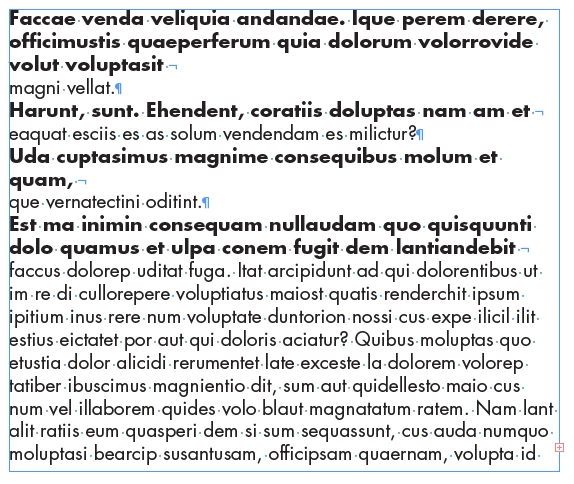
Can you help me how can I make a different font style all the text before the FORCE LINE BREAK.

It should be like this.

PULLMAN BRISBANE KING GEORGE
SQUARE

PULLMAN DELUXE KING ROOM

Thanks so much!
This topic has been closed for replies.
Correct answer Scott Falkner

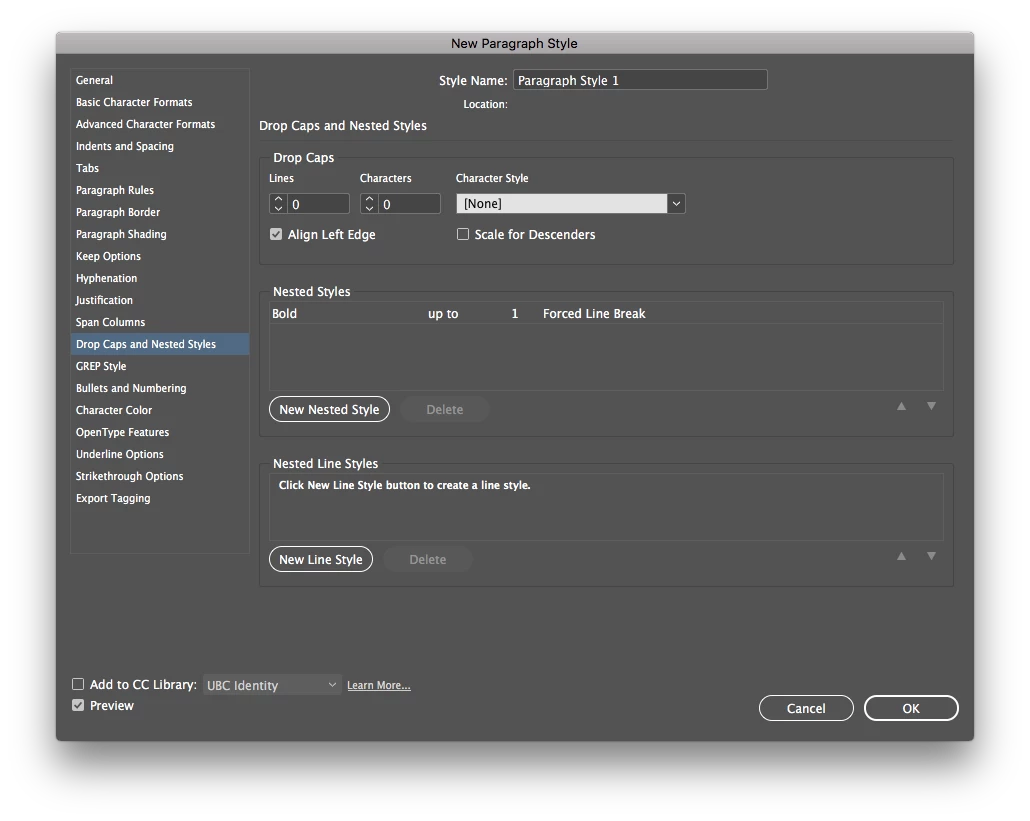
Nested Style. Make a character style for bold text, apply that for all text up to a forced line break.

3 replies

Scott Falkner
Community Expert
Scott FalknerCommunity ExpertCorrect answer
Community Expert
May 16, 2018

Nested Style. Make a character style for bold text, apply that for all text up to a forced line break.

sarahkayAuthor
Inspiring
May 16, 2018

Hi Scott!

Thank you so much for the help! It worked!

sarahkayAuthor
Inspiring
May 16, 2018

Sorry I forgot to mention... This content is from XML, it automatic comes in. And they only use one text field. So the style should be automatic. Can detect the force line break to style all the content before the force line break. I hope this make sense....Thanks!

BobLevine
Community Expert
Community Expert
May 16, 2018

Why not just use two paragraph styles?

sarahkayAuthor
Inspiring
May 16, 2018

Sorry I forgot to mention... This content is from XML, it automatic comes in. And they only use one text field. So the style should be automatic. Can detect the force line break to style all the content before the force line break. I hope this make sense....Thanks!