
Inspiring
September 14, 2025
Answered

Make HSB Brightness color slider represent actual color, like Illustrator and Photoshop

  • September 14, 2025
  • 2 replies
  • 138 views

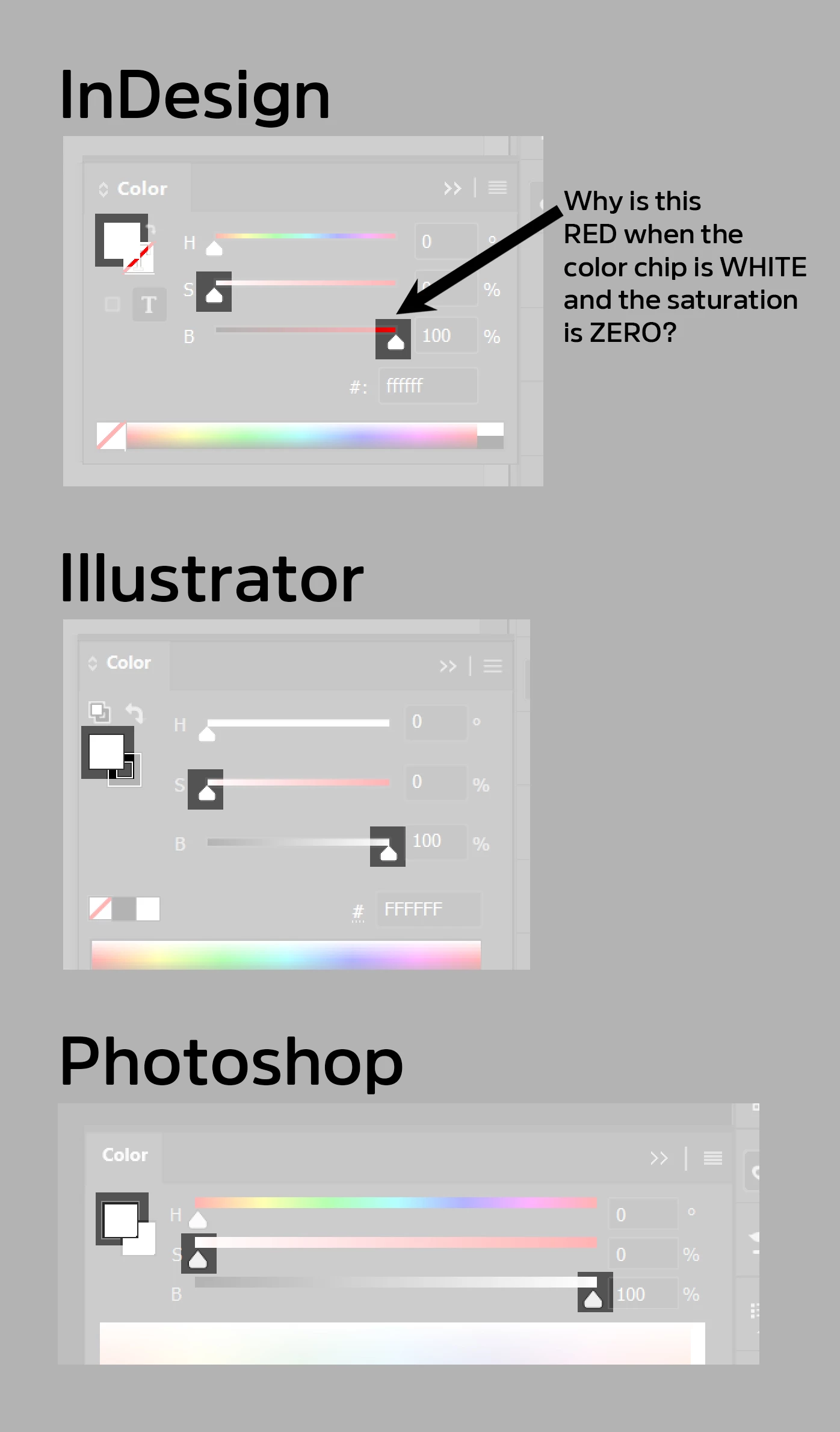
How do I set the Color sliders in InDesign to behave like the Color sliders in Illustrator and Photoshop?


If I work from the top down - set a Hue (zero degrees, red), then Saturation (zero) and then slide the Brightness - why doesn’t the Brightness bar color strip go from black (darkest) to WHITE (brightest)? Right now the Brightness slider goes from black to the brightess possible color of the hue selected at full saturation (red, in this case), ignoring the Saturation value.


Neither Saturation nor Brightness in InDesign adjust dynamically when sliding the other.
 

Correct answer Abhishek Rao

Hi @Marc Trzepla,


Thanks for bringing this to our attention. I wanted to let you know that I've reported the behavior of the HSB Brightness slider to the InDesign product team for further review.

I'll keep you updated as soon as I hear back from them.


Best, 

Abhishek

2 replies

Abhishek Rao
Community Manager
Abhishek RaoCommunity ManagerCorrect answer
Community Manager
September 15, 2025

Hi @Marc Trzepla,


Thanks for bringing this to our attention. I wanted to let you know that I've reported the behavior of the HSB Brightness slider to the InDesign product team for further review.

I'll keep you updated as soon as I hear back from them.


Best, 

Abhishek

Mike Witherell
Community Expert
Community Expert
September 14, 2025

Hey Marc,

Good eye. I tested and see the same. No idea why. Of course, the meaningful color is the Fill/Stroke icon.

Mike Witherell