jenniferv70073911
Participant
January 24, 2017
Answered

Making a square with one topcorner lower then the other

  • January 24, 2017
  • 1 reply
  • 379 views

Hello everyone,

I really hope there is someone who might be able to help me. For my work I have to make a sticker to put on a ice cream display. The front of the display is just a square so that is easy to create. But the sides are not a square. They are like a square with one topcorner lower then the other. You can see it in the picture. How do I make that shape in InDesign?
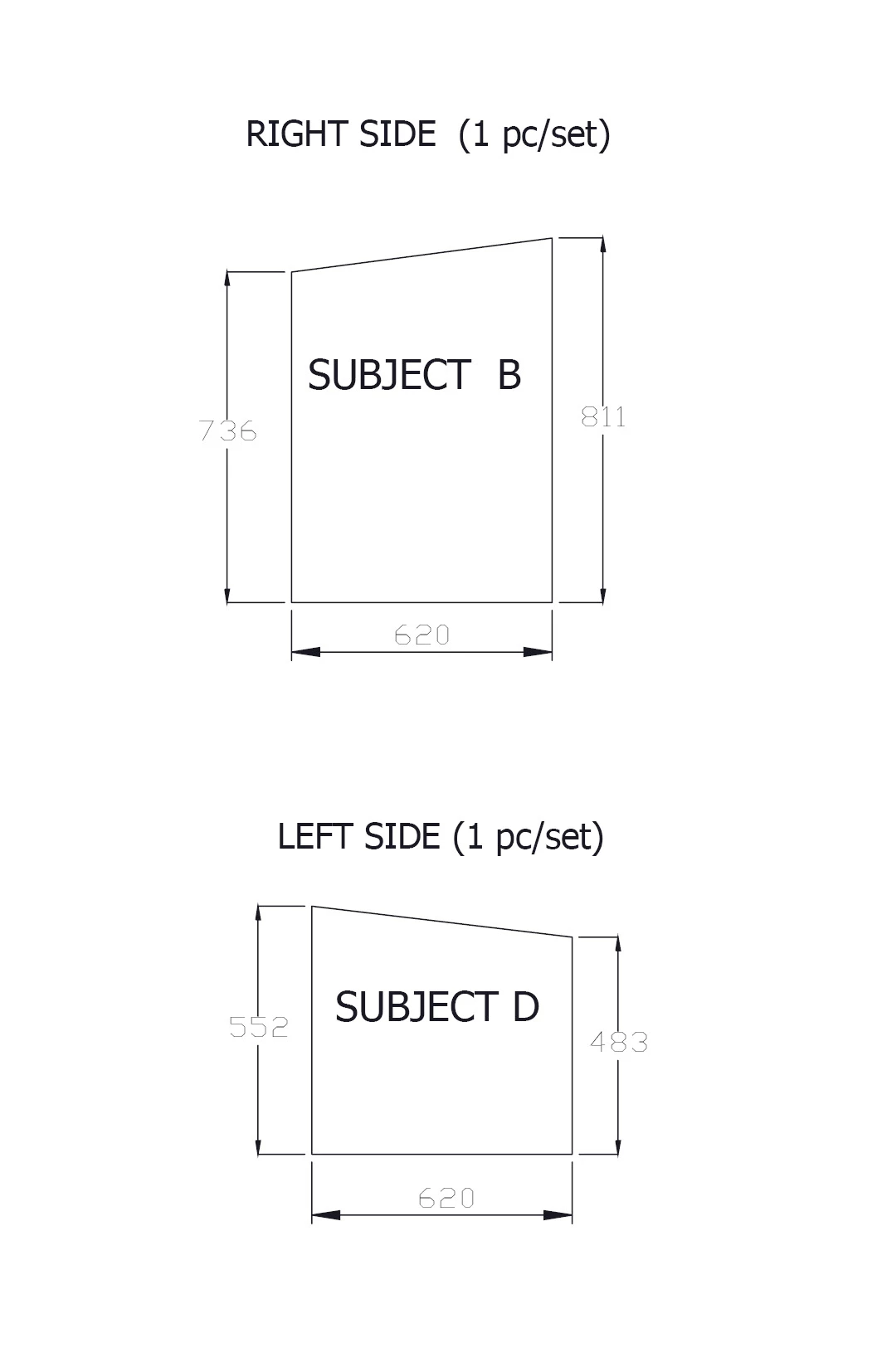

    This topic has been closed for replies.
    Correct answer Eternal Warrior

    Simples > Either use the pen tool to create your desired frame shape

    OR

    To make your life easier > create a square/rectangle with either the rectangle tool or rectangle frame tool and then using the direct selection tool click on the point that you wish to modify and drag or shift drag with the mouse to the desired position... (The use of shift will make it easier to keep it in line with the other path points).

    Alternatively if you know the exact position you want the point to be you can use the X: Y: positioning in the toolbar > Note you will need to make sure you have selected that point with the direct selection tool otherwise you will end up moving the whole shape.

    1 reply

    Eternal Warrior
    Eternal WarriorCorrect answer
    Inspiring
    January 24, 2017

    Simples > Either use the pen tool to create your desired frame shape

    OR

    To make your life easier > create a square/rectangle with either the rectangle tool or rectangle frame tool and then using the direct selection tool click on the point that you wish to modify and drag or shift drag with the mouse to the desired position... (The use of shift will make it easier to keep it in line with the other path points).

    Alternatively if you know the exact position you want the point to be you can use the X: Y: positioning in the toolbar > Note you will need to make sure you have selected that point with the direct selection tool otherwise you will end up moving the whole shape.

    jenniferv70073911
    Participant
    January 24, 2017

    Thank you so much! It worked!!!