



patskyB
Participating Frequently
January 25, 2022
Answered

Making an inline image extend beyond the left margin

  • January 25, 2022
  • 1 reply
  • 899 views

I had this query from a client. I don't think it can be done, but I thought I'd check with you folks first ...


Got a document with lots of inline images. sometimes, there is a bit of text on the left of the image, which the customer would like to extend out beyond the edge of the text frame. I don't see how this could be done, other than turning it into a static image and moving it. Am I right? How can an inline image extend beyond the left margin of the text frame it's sitting in?


Pat.
This topic has been closed for replies.
Correct answer Eugene Tyson

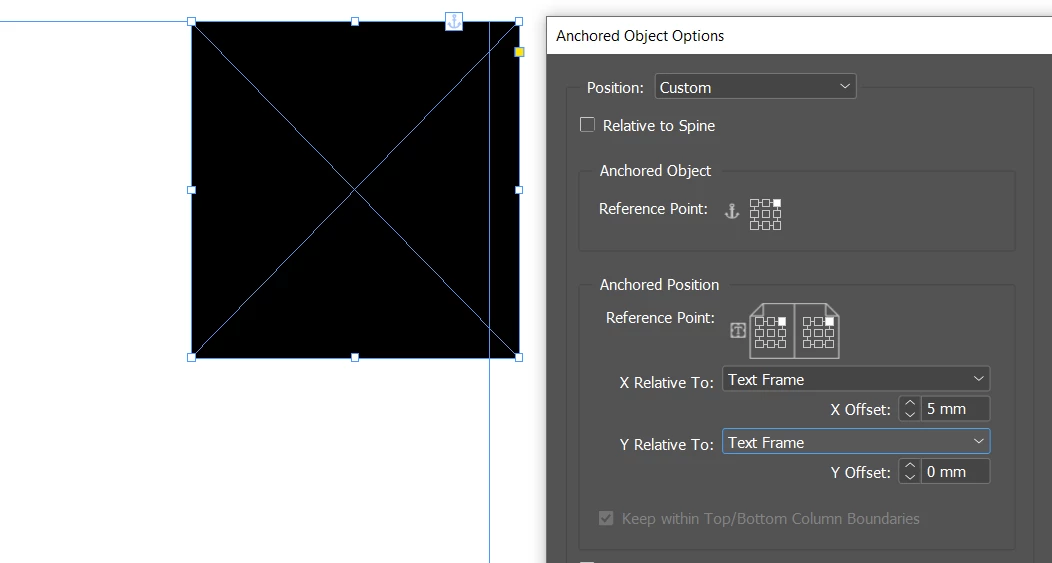
You'd need to change it to a custom setting and set the X Offset to increase past the text frame

Once you have this done - you can make it an Object Style

https://helpx.adobe.com/indesign/using/object-styles.html


Then you can apply the Object Style to the other Inline Objects - which would use the new Anchored Objects settings set in the style. 


If you need to adjust the Anchored Objects - you can edit the Object Style - and all objects will alter.


1 reply

Eugene TysonCommunity ExpertCorrect answer
Community Expert
January 26, 2022

You'd need to change it to a custom setting and set the X Offset to increase past the text frame

Once you have this done - you can make it an Object Style

https://helpx.adobe.com/indesign/using/object-styles.html


Then you can apply the Object Style to the other Inline Objects - which would use the new Anchored Objects settings set in the style. 


If you need to adjust the Anchored Objects - you can edit the Object Style - and all objects will alter.


patskyB
patskyBAuthor
Participating Frequently
January 27, 2022

Actually there is a bit of a problem with this ...

In this example, there is an image on the second page in it sorrect position:

This is WITHOUT the Custom setting selected.

Choose the custom setting for the object style and this happens:

I can't figure out why! Any suggestions?


If I un-check the Keep within Top/bottom column boundaries checkbox for the object style, that's better but then the image falls off the bottom of the page.


Thanks!

Pat


patskyB
patskyBAuthor
Participating Frequently
January 27, 2022

@Eugene Tyson Do you have any ideas?

Thanks!

Pat